I’m changing the media queries on this blog to try to get the layout to work on a variety of different size devices and windows. In order to help do that I put a little JavaScript on the page to update the width in the upper right corner. So that’s what the little number is.
Also moved the site search form.
This site should still work fine without JavaScript, except for recipe mode.
Bonus links
More on Apple’s Trust-Eroding ‘F1 The Movie’ Wallet Ad by John Gruber. Like, what if you recently bought tickets to see another summer blockbuster movie? Using Apple Wallet? And then you got this ad? It’d be completely sensible to be spooked by that, and conclude that Apple Wallet is tracking you. Sending this ad is completely destructive to all the hard work other teams at Apple have done to make Apple Wallet actually private — and, more importantly, to get users to believe that it’s private. That Apple can be trusted in ways that other big tech companies cannot. (Another good example of what has become an widely held assumption: Personalizing advertising is something that untrustworthy companies do.)
European Digital Sovereignty is an Industrial Project. Everyone Else Get Out of the Way. by Cristina Caffarra. And there’s only one possible direction of travel: build. Everything else is a distraction. Honestly, friends, this is not primarily about defending our democracy though sure, being less dependent helps. It’s not primarily about our European values though sure, privacy and freedom of speech are natural parts of our way of thinking. But I lose patience with this discourse (typically from civil society and think tanks) because what we need is single-minded focus on building, not piety and moralizing around this stuff. (The Eurostack is not a drop-in replacement for US-based Big Tech, but it doesn’t have to be. It just has to get to the point where the build (in Europe) risks are less than the buy (from a country that, any minute, you could be in a trade war or a data embargo with) risks. Another point in the Eurostack’s favor is that US-based incumbent vendors are steadily enshittifying and turning to crime, so by the time a Eurostack IT project finishes, the US-based alternative will be substantially worse than it was when the project began. (or maybe Google will go legit
I Fought in Ukraine and Here’s Why FPV Drones Kind of Suck by Jakub Jajcay. [T]he greatest obstacle to the successful use of these drones by far is the unreliability of the radio link between the operator and the drone. One of the reasons why hitting a target at ground level with precision is difficult is that when first-person view drones get close to the ground, due to obstacles, they start to lose their radio connection to the operator, often located up to 10 kilometers away. In some cases, drones cannot attack a target if it is simply on the wrong side of a tall building or hill because the building or hill blocks the line of sight between the drone and the operator. (Related: Generative AI’s crippling and widespread failure to induce robust models of the world by Gary Marcus, Ukraine’s Massive Drone Attack Was Powered by Open Source Software by Matthew Gault.)
Here at Mozilla, we are the first to admit the internet isn’t perfect, but we know the internet is pretty darn magical. The internet opens up doors and opportunities, allows for human connection, and lets everyone find where they belong — their corners of the internet. We all have an internet story worth sharing. In My Corner Of The Internet, we talk with people about the online spaces they can’t get enough of, the sites and forums that shaped them, and how they would design their own corner of the web.
We caught up with Florent Daudens, who led digital innovation in Canadian newsrooms before becoming press lead at Hugging Face, the open-source AI community. He talks about shaping his feeds to feel more like home, his move from journalism to AI, and why the best way to understand new tech is to start making things.
What is your favorite corner of the internet?
That rare, quiet part of the internet that actually makes you smarter without making you feel behind. For me, it’s a mix.
LinkedIn surprised me. I used to think of it as stiff and self-promotional, but it’s become where I exchange ideas with people wrestling with the same big questions: What’s AI doing to journalism? What’s worth building?
[X] is still very relevant for everything related to AI news. It’s where I get pulled into weird, fascinating rabbit holes. Someone posts a half-broken agent demo or a wild paper, and suddenly I have 12 tabs open. It’s chaotic in the best way.
And Hugging Face of course, to keep pace with AI releases!
I think what changed everything was narrowing my feeds. Once I stopped trying to follow everything and leaned into what really matters to me – AI, openness, news and creative industries – it all started to feel like home.
What is an internet deep dive that you can’t wait to jump back into?
My YouTube recommendations read like a personality test I didn’t mean to take:
obsessive AI build logs. I’m a sucker for “How I made this with that” videos to learn new skills related to AI.
Mandarin tutorials (six years in and still chasing tones…)
vintage French science shows that I now rewatch with my kid — equal parts nostalgia and wonder.
What is the one tab you always regret closing?
That post. You know the one — right under the other one. You meant to open it in a new tab, but you didn’t. And then the feed refreshed and it’s gone forever. A digital ghost.
What can you not stop talking about on the internet right now?
AI-generated videos that are totally unhinged and strangely beautiful. Like:
Or Total Pixel Space — the RunwayML AI film festival winner that feels like visual poetry
What was the first online community you engaged with?
CaraMail, back in France in the late ’90s. It was messy, anonymous, and kind of magical. That early feeling of connecting with people across borders, in French, about anything, was completely new. It opened up so many possibilities and shaped how I saw connection and community, and actually played a role in me moving to Montréal at 18.
If you could create your own corner of the internet, what would it look like?
Actually, I’m lucky; I am building it.
That’s why I moved from journalism to AI. I could feel something shifting, not just in media, but everywhere, and I wanted to help make this foundational technology open, accessible, and collaborative. As a former data journalist, I saw how open-source wasn’t just about sharing code. It was a force multiplier for learning, creativity, and community. With AI, that effect is even stronger.
So yeah, without a doubt: Hugging Face.
What articles and/or videos are you waiting to read/watch right now?
The LangGraph course on DeepLearning.ai on long-term agentic memory (it’s niche, I know)
And a new series on MCP, which my colleague Ben kicked off, because I genuinely think this protocol could unlock a whole new layer of what’s possible on the open web.
What’s the biggest opportunity you see right now at the intersection of AI, open-source and public-interest media?
Small experiments, bold new tools, but most of all, building.
With AI-assisted coding, I think the barrier to entry is lower than ever. You can go from idea to prototype really quickly, even without knowing how to code, but just by starting with your words and ideas. And that’s a game-changer.
Take AI agents: the only way to really understand their potential and their limits is to try building one yourself. That forces you into the mindset that matters most: empathy. Start with what people actually need, then design around that.
Open-source supercharges all of this. It lets you remix, test, and share. It makes scaling faster. And maybe most importantly, it’s the best way to stay independent from tech companies. You’re not just using tools; you’re shaping them.
Florent Daudens is the press lead at Hugging Face, the open-source AI community. A longtime advocate for the intersection of AI and journalism, he led the digital transformation of major Canadian media such as Le Devoir and Radio-Canada. He has overseen the development of AI-powered tools, helped shape ethical guidelines for AI, and trains newsrooms on its use. He also lectures on AI and journalism at Université de Montréal and ESJ Lille.
Something we’ve long known at Mozilla is that our localization community thrives on personal connections. For years, regional meetups brought volunteers and staff together multiple times a year — forging friendships, sharing knowledge, and collectively advancing the mission of a multilingual, open internet.
After a five-year pause, we’re thrilled to share that in June 2025, we re-ignited that tradition with a pilot localization meetup at the Mozilla Berlin office; it was everything we hoped for, and more.
A Weekend of Community, Collaboration, and Fresh Energy
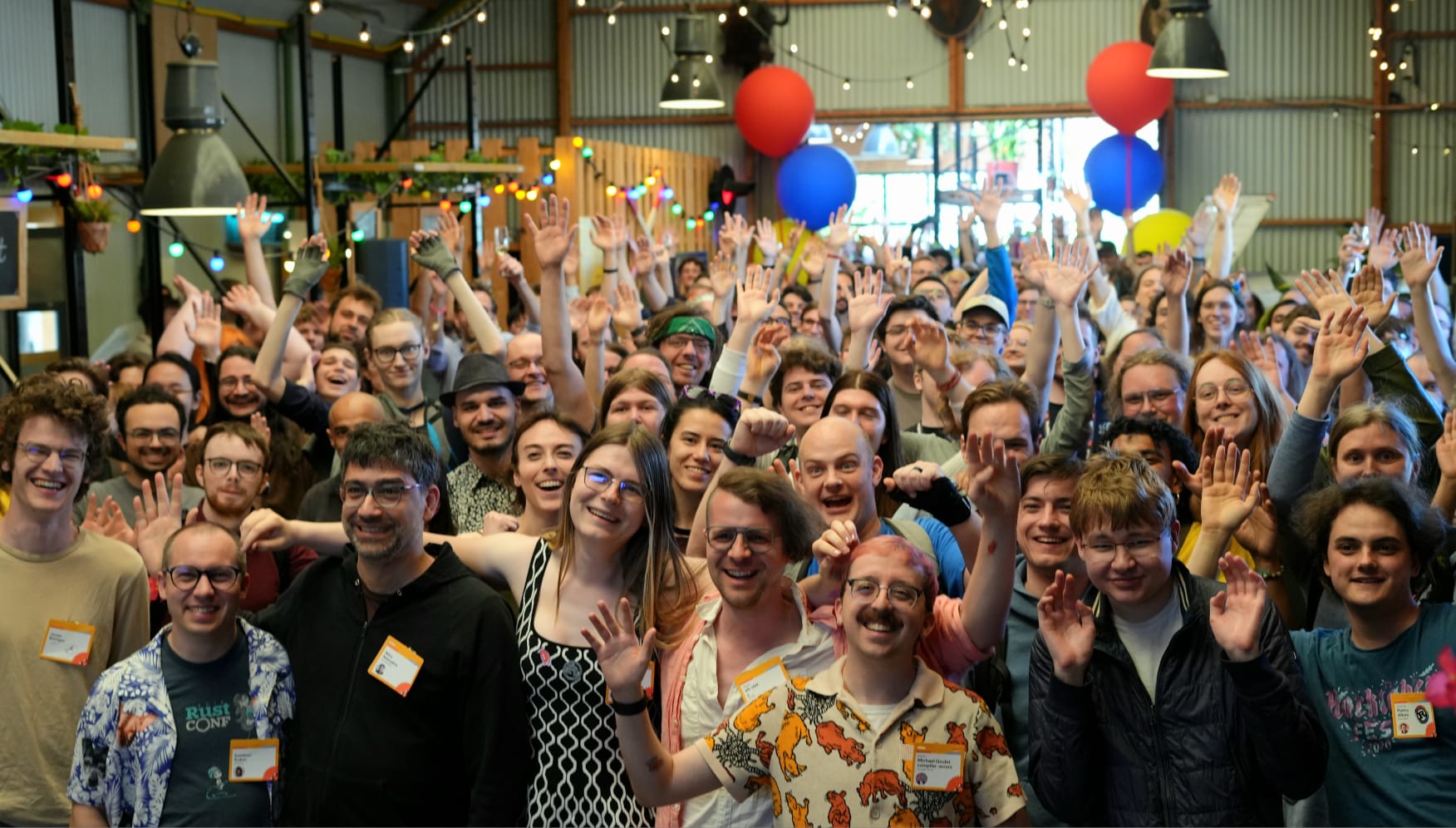
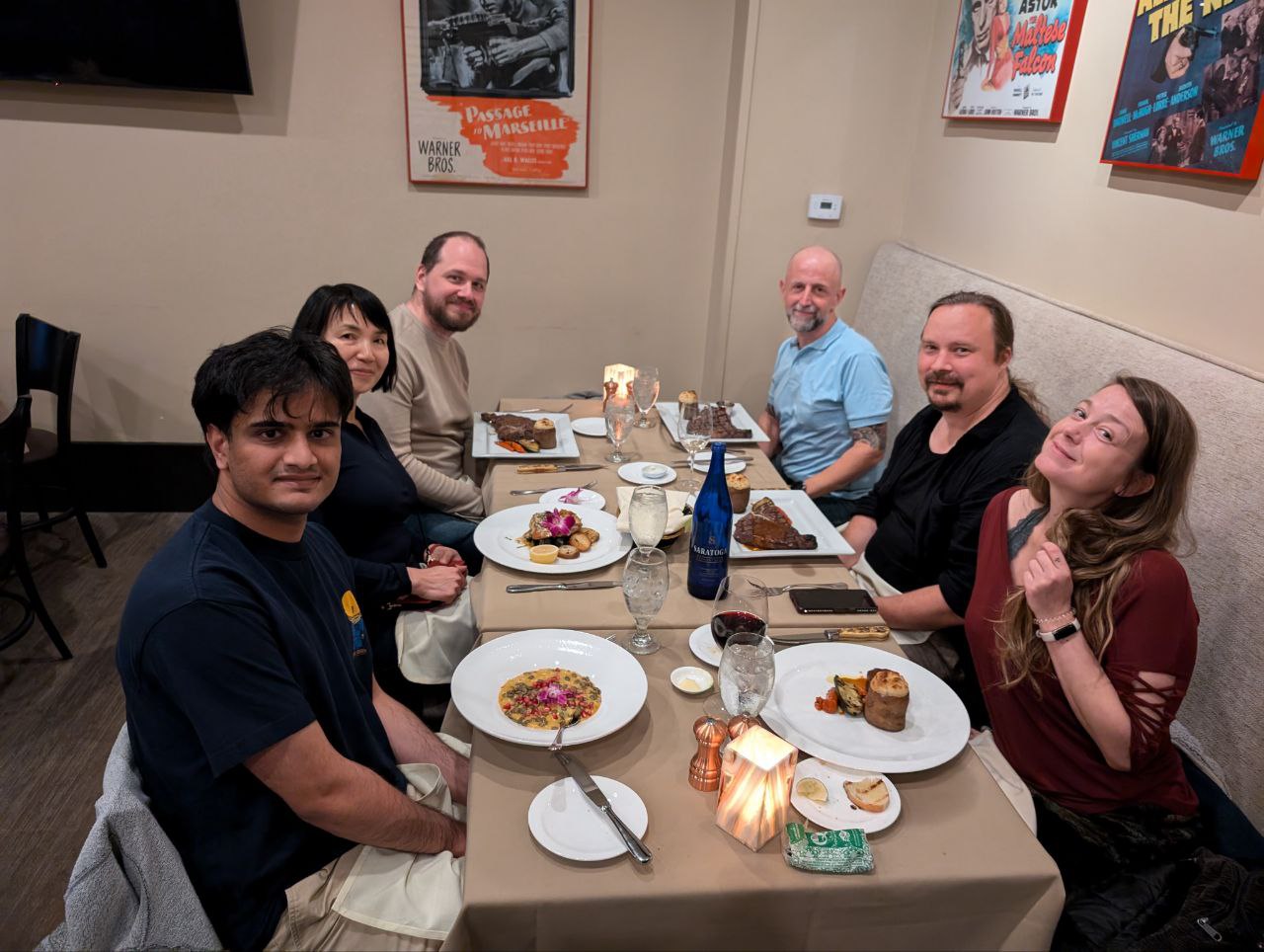
Fourteen volunteers from 11 different locales gathered for a weekend full of shared ideas, meaningful conversations, and collaborative problem-solving. For many, it was their first time meeting fellow contributors in person, people they’d worked with for years, but only ever known through usernames and chat windows. For others, it was a long-awaited reunion, finally bringing back to life connections that had existed solely online since the last wave of community meetups.
“We now feel more connected and will work together more closely,” shared one participant, reflecting on the emotional impact of finally connecting face-to-face.
Throughout the weekend, we dove into topics ranging from community building to localization tooling. Some standout moments included:
Candid discussions about what it means to lead within a localization community, the challenges of maintaining momentum, and what kind of support really makes a difference.
David’s lightning talk on the Sicilian language and community, which sparked conversations about linguistic diversity and revitalizing regional languages through digitalization.
Collaborative Pontoon brainstorming session, where localizers took the lead in proposing enhancements, suggesting new features, and sharing pain points — and some even supporting each other with development setup and hands-on exploration.
And of course, there was time for laughter, great food, and spontaneous late-night ideas that could only come from being in the same room together.
As one localizer put it: “The event gave me fresh energy and ideas to contribute more actively to Mozilla.”
Behind the Scenes
Organizing this meetup — especially after a multi-year hiatus — was a complex endeavor. Though we were eager to bring people together in the first half of the year, it took nearly nine months of planning. In the end, only two weekends aligned with enough staff availability to make the event possible.
To keep things focused and manageable for a pilot, we made a few strategic decisions:
Location: with a local staff member on the ground and access to Mozilla’s Berlin office, we could streamline logistics — from restaurant bookings and lunch deliveries to helping attendees navigate international travel with clear guidance and local support.
Participant selection: we prioritized inviting contributors who were highly active in Pontoon, and whose travel would be cost-effective and visa-free. This helped reduce uncertainty and made the event more accessible.
Budget-aware planning: we extended invitations to 34 community members and received interest from 27. Due to scheduling overlaps, 14 were ultimately able to attend.
Why This Matters
Events like this don’t just strengthen Mozilla’s localization work, they strengthen Mozilla as a whole. Contributors left Berlin feeling recognized, energized, and motivated, and organizers left with a renewed sense of purpose and clarity about how vital it is to invest in human connection.
It also gave us space to hear directly from contributors — not in surveys or chat threads, but in real time, with nuance and context. Those conversations helped surface both immediate ideas for improvement and deeper questions about what sustainable, meaningful participation looks like in today’s Mozilla. It was a reminder that strong localization doesn’t just come from good tools and processes, but from mutual trust, shared ownership, and space to collaborate openly.
Looking Ahead
We’re now regrouping to reflect on lessons learned and to explore if it’s possible to scale these meetups going forward. That means thinking carefully about aspects like:
How do we support communities in regions where Mozilla has no local staff?
How do we navigate unknowns, like visa requirements, more complex traveling logistics, etc.?
How do we sustainably host more meetups per year and ensure they’re just as impactful?
One thing is certain: this pilot proved once again the value of in-person community building. It re-affirmed something our community has said all along — that being together matters.
We’re incredibly grateful to everyone who participated, and we’re excited about the possibilities ahead. Whether you’re a seasoned localizer or just getting started, we hope this story inspires you. Your contributions make Mozilla possible and we truly hope we can celebrate that together, in more places around the world.
I’m old enough to remember how respectable Google used to be, back during the Obama administration. Maybe someday a book will come out on how Old Google,generous cafeteria visitor policy and all, morphed into the New Google that—unfortunately—too many people have to deal with today. (Winners don’t click search ads.) The tragedy of the commons is a false and dangerous myth to describe traditional commons, but it’s definitely a thing within big companies. A common resource, the company’s goodwill, is drawn down unsustainably by individual decision-makers looking for short-term success for their own individual projects.
Google pivoted to crime one project at a time, and as an Internet optimist sometimes I think they might be able to pivot back one project at a time. In the long run, the pivot back would be in the interest of shareholders, since there’s more money in running an ad medium that supports a publisher-brand reputation feedback loop than in a dishonest medium that people learn to avoid. Here are what should be some manageable-sized projects for those at Google who want to go legit. (Happy to come in and and pitch one of these in more detail to the new board-level committee on how to be less evil.)
Generative AI training opt outs for sites, separate from search. Everyone wants this, and it’s going to be required in the EU and other jurisdictions anyway. So might as well get credit for doing it voluntarily, in advance.
Policy-violating ads should remain available for affected people and companies. For example, if an ad includes a fake celebrity endorsement, or a trademark of a legit advertiser used without permission, that person or company needs to be able to see it to take appropriate action.
TinEye, other independent image search sites, and trademark monitoring companies should be allowed to crawl Ads Transparency Center. Some kind of firehose feed or API might help.
Ads Transparency Center should lead, not lag, actual ad serving. Ideally an ad would not serve to regular people until a certain number of independent services had already crawled it, but the ad should at least have been available for a little while.
All substantial ad variations should be available. Because a lot of ads are minimally reviewed or even automatically generated, it is possible for one version of the same ad to be legit and another not.
Index all text in the ad (using OCR if needed), not just search by advertiser or website name. Scammers often keep the same ad copy when making new accounts. Also, give legit businesses a chance to help out by searching for and reporting fake competitors.
Show, and allow searching by, intermediary companies involved in placing an ad, not just the advertiser.
For each ad creative, link to all accounts running the same or substantially similar ads.
Cross-link accounts that are using the same domains in landing pages.
Provide more metadata on accounts, such as date created and type of business documents that Google relied on.
With a full-featured Ads Transparency Center, legit advertisers will be able to do more to report their fraudulent competitors, and publishers will be able to do more to report crappy deceptive ads that show up on their sites. Both have an interest in doing it, so will be free help for Google on this. Google could differentiate their ads from Meta’s by improving the Ads Transparency Center to disadvantage the scam advertisers and help the legit ones.
Make a Site Transparency Center. Fixing the Ads Transparency Center will make it practical to spot more bad ads on good sites. That’s a good start, so do the advertisers a favor and address the good ad/bad site problem too. If you buy an ad through Google, where’s it going to run? This could be as simple as an old-school Yahoo-style directory, with RSS feeds for newly added sites by content category. And, of course, fully populate sellers.json, including owner domains. An individual who owns a site and wants to keep their legal name confidential should be able to use their web byline for sellers.json, but that personal privacy argument doesn’t apply to Google’s big confidential site problem, which looks like corporate owners of multiple domains. A Site Transparency Center would also help firms like Link-Busters that copyright holders use to spot infringing sites.
Lock down the trademark policy. Yes, it was clever to make brands bid up the price of search ads on each other’s names, and that bit of gamesmanship probably makes Google some money, but, sorry, way too much crime here, people. Time to end the use of one advertiser’s trademark by another without explicit permission. A trademark owner needs to be able to block any use of their trademarks by other advertisers, or only allow use by permission, as for distributors or dealers.
Take the anticompetitive shenanigans out of the Privacy Sandbox in-browser ad system. This stuff may not be in Google Chrome much longer, but at least fix the voluminous competition issues in the CMA reports before wrapping up. So-called privacy-enhancing technologies might be a bad fit for advertising purposes, but they’re still promising for product telemetry, route planning, and energy markets.
stop dialing for dollars around ad agencies. This is a common complaint among ad agency people. As an agency, you get the client’s campaigns set up the way they work best—saving money by avoiding wasteful placements—and then some minimally trained Google contractor calls the client directly to tell them you did it all wrong and they need to turn on some feature Google happens to want to push. The agency can do some work to address this problem, making sure that the client knows that Google does this and that someone from the agency is available to join a meeting to find out if it’s a real issue. But Google could do the most to fix it by including the agency to start with. See Don’t Be Evil - Agency Hackers.
Andon cords for ad review and support. If Toyota assembly line workers get behind in their work, they can pull the cord and stop the line. Install a similar cord for support and ad review teams, and hook it up so that anyone on the team can pause turning on new sites and ads if they’re in the weeds. Better to keep the quality level as consistent as possible than to randomly impose deceptive ads on people because of moderation and support issues.
Support responsible privacy laws. Some companies are like obligate anaerobes, and won’t survive in the presence of decent privacy laws. But Google is more like a facultative anaerobe—it can survive in today’s high-surveillance, low-trust system but will really thrive in an oxygen atmosphere. Advocating against any privacy law, even those that will disadvantage the obligate anerobes, such as the companies that provide databases of assassination targets or North Korean drone strikes as a service, is suboptimal. Stop teaming up with less reputable surveillance companies on lobbying, quit the creepy sockpuppet orgs, and find some long-term aligned allies to work with on lobbying for better laws. The Check My Ads Institute Policy Platform could be a good place to start.
The Rust team is happy to announce a new version of Rust, 1.88.0. Rust is a programming language empowering everyone to build reliable and efficient software.
If you have a previous version of Rust installed via rustup, you can get 1.88.0 with:
If you'd like to help us out by testing future releases, you might consider updating locally to use the beta channel (rustup default beta) or the nightly channel (rustup default nightly). Please report any bugs you might come across!
What's in 1.88.0 stable
Let chains
This feature allows &&-chaining let statements inside if and while conditions, even intermingling with boolean expressions, so there is less distinction between if/if let and while/while let. The patterns inside the let sub-expressions can be irrefutable or refutable, and bindings are usable in later parts of the chain as well as the body.
For example, this snippet combines multiple conditions which would have required nesting if let and if blocks before:
ifletChannel::Stable(v)=release_info()&&let Semver { major, minor,..}= v
&& major ==1&& minor ==88{println!("`let_chains` was stabilized in this version");}
Let chains are only available in the Rust 2024 edition, as this feature depends on the if let temporary scope change for more consistent drop order.
Earlier efforts tried to work with all editions, but some difficult edge cases threatened the integrity of the implementation. 2024 made it feasible, so please upgrade your crate's edition if you'd like to use this feature!
Naked functions
Rust now supports writing naked functions with no compiler-generated epilogue and prologue, allowing full control over the generated assembly for a particular function. This is a more ergonomic alternative to defining functions in a global_asm! block. A naked function is marked with the #[unsafe(naked)] attribute, and its body consists of a single naked_asm! call.
For example:
#[unsafe(naked)]pubunsafeextern"sysv64"fnwrapping_add(a:u64, b:u64)->u64{// Equivalent to `a.wrapping_add(b)`.
core::arch::naked_asm!("lea rax, [rdi + rsi]","ret");}
The handwritten assembly block defines the entire function body: unlike non-naked functions, the compiler does not add any special handling for arguments or return values. Naked functions are used in low-level settings like Rust's compiler-builtins, operating systems, and embedded applications.
Look for a more detailed post on this soon!
Boolean configuration
The cfg predicate language now supports boolean literals, true and false, acting as a configuration that is always enabled or disabled, respectively. This works in Rust conditional compilation with cfg and cfg_attr attributes and the built-in cfg! macro, and also in Cargo [target] tables in both configuration and manifests.
Previously, empty predicate lists could be used for unconditional configuration, like cfg(all()) for enabled and cfg(any()) for disabled, but this meaning is rather implicit and easy to get backwards. cfg(true) and cfg(false) offer a more direct way to say what you mean.
Starting in 1.88.0, Cargo will automatically run garbage collection on the cache in its home directory!
When building, Cargo downloads and caches crates needed as dependencies. Historically, these downloaded files would never be cleaned up, leading to an unbounded amount of disk usage in Cargo's home directory. In this version, Cargo introduces a garbage collection mechanism to automatically clean up old files (e.g. .crate files). Cargo will remove files downloaded from the network if not accessed in 3 months, and files obtained from the local system if not accessed in 1 month. Note that this automatic garbage collection will not take place if running offline (using --offline or --frozen).
Cargo 1.78 and newer track the access information needed for this garbage collection. This was introduced well before the actual cleanup that's starting now, in order to reduce cache churn for those that still use prior versions. If you regularly use versions of Cargo even older than 1.78, in addition to running current versions of Cargo, and you expect to have some crates accessed exclusively by the older versions of Cargo and don't want to re-download those crates every ~3 months, you may wish to set cache.auto-clean-frequency = "never" in the Cargo configuration, as described in the docs.
For more information, see the original unstable announcement of this feature. Some parts of that design remain unstable, like the gc subcommand tracked in cargo#13060, so there's still more to look forward to!
The i686-pc-windows-gnu target has been demoted to Tier 2, as mentioned in an earlier post. This won't have any immediate effect for users, since both the compiler and standard library tools will still be distributed by rustup for this target. However, with less testing than it had at Tier 1, it has more chance of accumulating bugs in the future.
Check out everything that changed in Rust, Cargo, and Clippy.
Contributors to 1.88.0
Many people came together to create Rust 1.88.0. We couldn't have done it without all of you. Thanks!
Hello and welcome to another issue of This Week in Rust!
Rust is a programming language empowering everyone to build reliable and efficient software.
This is a weekly summary of its progress and community.
Want something mentioned? Tag us at
@thisweekinrust.bsky.social on Bluesky or
@ThisWeekinRust on mastodon.social, or
send us a pull request.
Want to get involved? We love contributions.
An important step for RFC implementation is for people to experiment with the
implementation and give feedback, especially before stabilization.
If you are a feature implementer and would like your RFC to appear in this list, add a
call-for-testing label to your RFC along with a comment providing testing instructions and/or
guidance on which aspect(s) of the feature need testing.
If you are a feature implementer and would like your RFC to appear on the above list, add the new call-for-testing
label to your RFC along with a comment providing testing instructions and/or guidance on which aspect(s) of the feature
need testing.
Always wanted to contribute to open-source projects but did not know where to start?
Every week we highlight some tasks from the Rust community for you to pick and get started!
Some of these tasks may also have mentors available, visit the task page for more information.
If you are a Rust project owner and are looking for contributors, please submit tasks here or through a PR to TWiR or by reaching out on X (formerly Twitter) or Mastodon!
Are you a new or experienced speaker looking for a place to share something cool? This section highlights events that are being planned and are accepting submissions to join their event as a speaker.
No Calls for papers or presentations were submitted this week.
If you are an event organizer hoping to expand the reach of your event, please submit a link to the website through a PR to TWiR or by reaching out on X (formerly Twitter) or Mastodon!
A week dominated by the landing of a large patch implementing RFC#3729 which unfortunately introduced rather sizeable performance regressions (avg of ~1% instruction count on 111 primary benchmarks). This was deemed worth it so that the patch could land and performance could be won back in follow up PRs.
If you are running a Rust event please add it to the calendar to get
it mentioned here. Please remember to add a link to the event too.
Email the Rust Community Team for access.
Our experience is that no matter how many safeguards you put on code, there’s no cure-all that prevents bad programming. Of course, to take the contrary argument, seat belts don’t stop all traffic fatalities, but you could just choose not to have accidents. So we do have seat belts. If Rust can prevent some mistakes or malicious intent, maybe it’s worth it even if it isn’t perfect.
WebDriver is a remote control interface that enables introspection and control of user agents.As such itcanhelp developers to verify that their websites are working and performing well with all major browsers. The protocol is standardized by theW3C and consists of two separate specifications:WebDriver classic (HTTP) and the newWebDriver BiDi(Bi-Directional).
This newsletter gives an overview of the work we’ve done as part of the Firefox 140 release cycle.
Contributions
Firefox is an open source project, and we are always happy to receive external code contributions to our WebDriver implementation. We want to give special thanks to everyone who filed issues, bugs and submitted patches.
In Firefox 140, several contributors managed to land fixes and improvements in our codebase:
Improved the Actions implementation in both Marionette and WebDriver BiDi to prevent microtasks from being blocked while individual events are dispatched. For more information about microtasks, head over to the MDN guide for microtasks.
Updated: clientWindow property for browsingContext events
Updated browsingContext.contextCreated and browsingContext.contextDestroyed events to return the clientWindow property in all the remaining cases (including Firefox for Android). This property corresponds to the ID of the window owning the Browsing Context.
We’ve updated Add-on policies for addons.mozilla.org (AMO). Here’s a summary of the changes and their impact on AMO’s publishing process. Our main objective was to simplify and clarify Add-on policies for the developer community. The following policy updates will take effect on 4 August, 2025.
“Closed group” prohibition lifted
Closed group extensions are typically intended for internal or private use among a relatively small group of users. In the past AMO did not allow closed group extensions, but we’re lifting this prohibition to give developers more flexibility to publish restricted access extensions for any number of reasons.
Data consent and control terminology
We’ve updated terminology in an effort to clarify our policies related to user data consent and control.
A core aspect of our data policy is we only permit extensions to transmit data that’s necessary for functionality (and even so users must consent to data transmission). Prior policy language often intermingled the terms collection and transmission of data. This was often confusing for developers who naturally assumed these were two separate aspects of handling data. But in fact we are only concerned with the transmission of data outside of an extension or browser. Thus we’ve removed all references to the collection of user data and framed all data concerns around transmission.
Privacy policy not required to be hosted on AMO
In effort to reduce developer overhead and publishing friction, we are no longer requiring extensions to host privacy policies on AMO. Rather, we encourage developers to link to self-hosted privacy policies. Removing this requirement will allow developers to more easily update their privacy policies without necessitating the submission of an entirely new extension version on AMO.
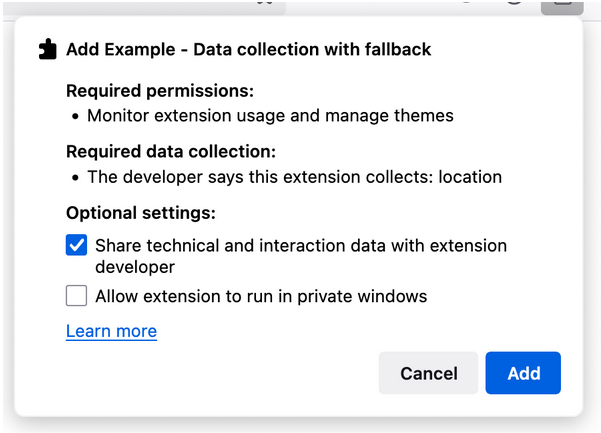
Data collection transparency is of paramount importance to Firefox users. We’re also working on other changes that will make it easier for developers to select the types of data their extension requires, which will in turn provide enhanced data collection clarity for users.
User scripts API policy added
A user script manager is a type of extension that allows users to inject custom, website-specific scripts that alter a site’s appearance or behavior. These extensions leverage the userScripts API, which our policies now clarify may only be used by user script manager extensions. The userScript API may not be used to extend or modify the functionality of the script manager itself.
Source code submission guidelines
It has been a longtime AMO policy that all extension submissions must provide reviewable source code, regardless if it’s transpiled, minified, or otherwise machine generated. We’ve now amended our policy to more specifically stipulate that all dependencies must either be included in the source code package directly or downloaded only through the respective official package managers during the build process.
Taken together, we hope these policy refinements will make developing Firefox extensions a more straightforward and streamlined process. Let us hear your thoughts in the comments. Happy coding!
Firefox is expanding its AI-powered features, all designed to keep your data private. We believe technology should serve you, not monitor you. Our team understands the importance of privacy, especially as AI rapidly integrates into our daily lives.
Firefox protects your privacy by running AI models directly on your device, ensuring your sensitive data remains local. We aim to integrate AI in ways that genuinely enhance your daily browsing while preserving what matters most: choice, privacy and trust.
Supercharge your productivity with no privacy trade-offs
Our AI-powered tools are built to enhance your experience while keeping your data secure:
AI-enhanced tab groupsautomatically suggest intuitive names based on page titles and recommend related tabs — all computed privately on your device.
Link preview, our latest experimental feature, generates key points from articles, providing a quick snippet without external processing.
Firefox brings choice and transparency to you
Unlike browsers that impose proprietary solutions, Firefox allows you to select your preferred AI chatbot provider directly in the sidebar. You’re free to explore and switch between AI chatbots at any time. You can also remove downloaded AI models anytime from the on-device model management screen. Whether you’re seeking quick assistance, deep research, or daily productivity, Firefox ensures you remain in control.
Our ongoing commitment to privacy-preserving AI drives us to continuously develop and enhance features that respect and protect your personal information. At Firefox, AI is about creating a smarter, more intuitive browsing experience that boosts productivity without sacrificing privacy.
We’re excited about the future and remain dedicated to investing in AI solutions that position Firefox as your trusted digital companion.
We’re growing a few more stars! We’re so happy to hear there is great interest in Thunderbird for iOS, and hope to reach a stage soon where you all can be more involved. Thank you, also, to those of you who’ve submitted an increasing number of ideas via Mozilla Connect.
Todd has been preparing the JMAP implementation for iOS, which will allow us to test the app with real data. We’re exploring the possibility of releasing the first community TestFlight a bit earlier by working directly with in-memory live data instead of syncing everything to a database upfront. The app may crash if your inbox has 30GB of email, but this approach should help us iterate more quickly. We still believe offline-first is the right path, and designing a database that supports this will follow soon after.
Further we’ve set up the initial localization infrastructure. This was surprisingly easy using Weblate’s translation propagation feature. We simply needed to add a new component to our Android localization project that pulls from the iOS repository. While Weblate doesn’t (yet?) auto-propagate when the component is set up, if there are changes across iOS and Android in the future, the strings will automatically apply to both products.
Thunderbird for Android
We spent a lot of time thinking about the beta and making adjustments. Fast forward to June, we’re still experiencing a number of crashes. If you are running the beta, please report crashes and try to find out how to trigger them. If you are not using Beta, please give it a try and report back on the beta list or issue tracker. We’d greatly appreciate it! Here are a few updates worth noting for the month of May:
Some folks on beta may have noticed the “recipient field contains incomplete input” error which kept you from sending emails. We’ve noticed as well, and halted the rollout of 11.0b1 on app stores where supported. Shamim fixed this issue for 11.0b2.
Another important issue was when attaching multiple issues, only one image would be attached. This happens all the way back to 10.0, and we’ll release a 10.1 that includes this fix. Again thank you to Shamim!
Final round of fixes from Shamim: new mail notifications can be disabled again, we have a bunch of new tests and refactoring, we have a few new UI types for the new preference system that Wolf created.
Timur Erofeev solved a crash on Android 7 due to some library changes in dependency updates we didn’t anticipate
Wolf is getting closer to finishing the drawer updates that we’re excited to share in a beta soon. He has also been working diligently to remove some of the crashes we’ve been experiencing on beta due to the new drawer and some of the legacy code it needs to fall back to. Finally, as we’re venturing into Thunderbird for iOS, Wolf has been thinking about the KMP (Kotlin Multiplatform) approach and added support to the Thunderbird for Android repository. He will soon separate a simple component and set things up so we can re-use it from Thunderbird for iOS.
Rafael and Marcos have fixed some issues with the system bar appearing transparent. The issue has been very persistent, we’re still getting reports of cases where this isn’t yet resolved.
Philipp has fixed an issue for our release automation to make sure the changelog doesn’t break on HTML entities.
I also wanted to highlight the new Git Commit Guide that Wolf created to give us a little more stability in our commits and set expectations for pull requests. We have a few more docs coming up in June, stay tuned.
You could be on this list next month, please get in touch if you’d like to help out!
— Philipp Kewisch (he/him) Thunderbird Mobile Engineering | Mozilla Thunderbird
Why this goal? This work continues our drive to improve support for async programming in Rust. In 2024H2 we stabilized async closures; explored the generator design space; and began work on the dynosaur crate, an experimental proc-macro to provide dynamic dispatch for async functions in traits. In 2025H1 our plan is to deliver (1) improved support for async-fn-in-traits, completely subsuming the functionality of the async-trait crate; (2) progress towards sync and async generators, simplifying the creation of iterators and async data streams; (3) and improve the ergonomics of Pin, making lower-level async coding more approachable. These items together start to unblock the creation of the next generation of async libraries in the wider ecosystem, as progress there has been blocked on a stable solution for async traits and streams.
What has happened?
Generators. Experimental support for an iter! macro has landed in nightly. This is intended for nightly-only experimentation and will still need an RFC before it can stabilize. Tracking issue is rust-lang/rust#142269.
Async book. @nrc has been hard at work filling out the official Async Rust book, recently adding chapters on concurrency primitives, structured concurrency, and pinning.
dynosaur. A dynosaur RFC was opened describing what blanket impls we think the proc macro should generate for a trait, to make the trait usable as impl Trait in argument position in other traits. This is the last remaining open design question before we release dynosaur 0.3 as a candidate for 1.0. Please chime in on the RFC if you have thoughts.
Generators. Experimental support for an iter! macro has landed in nightly. This is intended for nightly-only experimentation and will still need an RFC before it can stabilize. Tracking issue is rust-lang/rust#142269.
Async book. @nrc has been hard at work filling out the official Async Rust book, recently adding chapters on concurrency primitives, structured concurrency, and pinning.
dynosaur. A dynosaur RFC was opened describing what blanket impls we think the proc macro should generate for a trait, to make the trait usable as impl Trait in argument position in other traits. This is the last remaining open design question before we release dynosaur 0.3 as a candidate for 1.0. Please chime in on the RFC if you have thoughts.
Why this goal? May 15, 2025 marks the 10-year anniversary of Rust's 1.0 release; it also marks 10 years since the creation of the Rust subteams. At the time there were 6 Rust teams with 24 people in total. There are now 57 teams with 166 people. In-person All Hands meetings are an effective way to help these maintainers get to know one another with high-bandwidth discussions. This year, the Rust project will be coming together for RustWeek 2025, a joint event organized with RustNL. Participating project teams will use the time to share knowledge, make plans, or just get to know one another better. One particular goal for the All Hands is reviewing a draft of the Rust Vision Doc, a document that aims to take stock of where Rust is and lay out high-level goals for the next few years.
What has happened?
The All-Hands did!
More than 150 project members and invited guests attended, making this the largest in-person collaborative event in the history of the Rust project.
We celebrated the 10 year birthday of Rust 1.0. With over 300 people, we celebrated, listened to speeches from various former and current team members and contributors, and watched the live release of Rust 1.87.0 on stage.
The feedback from the participants was overwhelmingly positive with an average score of 9.5/10. 🎉 The vast majority would like this to be a yearly event -- which Mara started working on.
More than 150 project members and invited guests attended, making this the largest in-person collaborative event in the history of the Rust project.
On Wednesday, several Rust project members gave talks to other project members and (potential) contributors, as part of the "Rust Project Track" at the RustWeek conference. The recordings are available on YouTube. 📹
On Thursday, we celebrated the 10 year birthday of Rust 1.0. With over 300 people, we celebrated, listened to speeches from various former and current team members and contributors, and watched the live release of Rust 1.87.0 on stage.
On Friday and Saturday, the actual Rust All-Hands 2025 took place. For two full days spread over 10 different meeting rooms, both pre-planned and ad-hoc discussions took place on a very wide range of topics. Meeting notes have been collected in this Zulip topic: #all-hands-2025 > Meeting notes!
Many many long standing issues have been unblocked. Many new ideas were discussed, both small and big. Conflicts were resolved. Plans were made. And many personal connections were formed and improved. ❤
I've collected feedback from the participants (67 of you replied so far), and the replies where overwhelmingly positive with an average score of 9.5/10. 🎉 The vast majority would like this to be a yearly event. I've started working on making that happen!
Thank you all for attending! See you all next year! 🎊
Why this goal? This goal continues our work from 2024H2 in supporting the experimental support for Rust development in the Linux kernel. Whereas in 2024H2 we were focused on stabilizing required language features, our focus in 2025H1 is stabilizing compiler flags and tooling options. We will (1) implement RFC #3716 which lays out a design for ABI-modifying flags; (2) take the first step towards stabilizing build-std by creating a stable way to rebuild core with specific compiler options; (3) extending rustdoc, clippy, and the compiler with features that extract metadata for integration into other build systems (in this case, the kernel's build system).
What has happened? May saw significant progress on compiler flags, with MCPs for -Zharden-sls and -Zretpoline* being accepted. Several PRs were in progress (#135927, #140733, #140740) that could potentially be combined, with the implementation approach matching clang's flag naming conventions for consistency. The RFC for configuring no-std externally #3791 entered T-compiler FCP with positive signals, and build-std discussions at the All Hands produced some consensus between libs and compiler teams, though more Cargo team involvement was needed.
The Rust for Linux team had strong participation at Rust Week, with many team members attending (Alice, Benno, Björn, Boqun, Gary, Miguel, Trevor). During the All Hands, attendees participated in a fun exercise predicting what percentage of the kernel will be written in Rust by 2035 - currently only about 0.1% of the kernel's 40M total lines are in Rust.
On language features, during May we continued work on arbitrary self types v2, where Ding focused on resolving the dichotomy between Deref::Target vs Receiver::Target. One potential approach discussed was splitting the feature gate to allow arbitrary self types only for types implementing Deref, which would cover the kernel use case. For derive(CoercePointee), we continued waiting on PRs #136764 and #136776, with the latter needing diagnostic work.
The All Hands meeting also produced interesting developments on field projections, with Benno working on an approach that reuses borrow checker logic to extend what we do for & and &mut to custom types using the -> syntax. Alice also presented a new proposal for AFIDT/RPITIDT and placement (discussed here).
Update from our 2025-05-07 meeting (full minutes):
Enthusiasm and plans for RustWeek.
arbitrary_self_types: update from @dingxiangfei2009 at https://rust-lang.zulipchat.com/#narrow/channel/425075-rust-for-linux/topic/2025-05-07.20meeting/near/516734641 -- he plans to talk to types in order to find a solution. @davidtwco will ping @petrochenkov about rustc_resolve.
Sanitizer support and #[sanitize(off)]: discussed by lang at https://github.com/rust-lang/rust/pull/123617#issuecomment-2859621119. Discussion about allowing to disable particular sanitizers. Older concern from compiler at https://github.com/rust-lang/rust/pull/123617#issuecomment-2192330122.
asm_const with pointers support: lang talked about it -- lang will want an RFC: https://github.com/rust-lang/rust/issues/128464#issuecomment-2861515372.
ABI-modifying compiler flags: two MCPs filled: https://github.com/rust-lang/compiler-team/issues/868 (-Zretpoline and -Zretpoline-external-thunk) and https://github.com/rust-lang/compiler-team/issues/869 (-Zharden-sls).
Implementation PR for -Zindirect-branch-cs-prefix at https://github.com/rust-lang/rust/pull/140740 that goes on top of https://github.com/rust-lang/rust/pull/135927.
@davidtwco agreed there is likely no need for a separate MCP for this last one, i.e. it could go into the -Zretpoline* one. @azhogin pinged about this at https://github.com/rust-lang/rust/pull/135927#issuecomment-2859906060.
--crate-attr: @Mark-Simulacrum was pinged and he is OK to adopt the RFC (https://github.com/rust-lang/rfcs/pull/3791).
The primary focus for this year is compiled flags, and we are continuing to push on the various compiler flags and things that are needed to support building RFL on stable (e.g., RFC #3791 proposed adding --crate-attr, which permits injecting attributes into crates externally to allow the Kernel's build process to add things like #![no_std] so they don't have to be inserted manually into every file; MCPs for ABI flags like retpoline and harden-sls and implementation of -Zindirect-branch-cs-prefix). A number of issues had minor design questions (how to manage clippy configuration; best approach for rustdoc tests) and we plan to use the RustWeek time to hash those out.
We are also finishing up some of the work on language items. We have had two stabilizations of lang features needed by Rust for Linux (naked functions, asm_goto syntax). The trickiest bit here is arbitrary self types, where we encountered a concern relating to pin and are still discussing the best resolution.
Help wanted:@ZuseZ4: there is only really one issue left which I'd like to see fixed before enabling autodiff on nightly, and that is MacOS support.
Most of the MacOS CI already works, we can now build Enzyme, LLVM, and rustc, but later fail when we build Cranelift due to linker flag issues. The person who was looking into it got busy with other things, so I would really appreciate it if someone could pick it up! Otherwise I can also just start by shipping autodiff on Linux only, but given how close we are to MacOS support, I feel like it would be a shame.
Since it's only an issue in CI, you don't need an own Mac to help with this. If anyone has time, I'm happy to chat here here or on Zulip/Discord.
And another round of updates. First of all, Google approved two GSoC projects for the summer, where @Sa4dUs will work on the autodiff frontend and @KMJ-007 will work on the backend. The frontend project is about improving our ABI handling to remove corner-cases around specific types that we currently can not differentiate. If time permits he might also get to re-model our frontend to lower our autodiff macro to a proper rustc intrinsic, which should allow us to simplify our logic a lot.
The backend project will look at how Enzyme uses TypeTrees, and create those during the lowering to LLVM-IR. This should allow autodiff to become more reliable, work on debug builds, and generally compile a lot faster.
The last weeks were focused on enabling autodiff in a lot more locations, as well as doing a lot of CI and Cmake work to be able to ship it on nightly. At the same time, autodiff is also gaining increasingly more contributors. That should help a lot with the uptick in issues, which I expect once we enable autodiff in nightly builds.
Key developments:
@Shourya742 added support for applying autodiff inside of inherent impl blocks. https://github.com/rust-lang/rust/pull/140104
@haenoe added support for applying autodiff to generic functions. https://github.com/rust-lang/rust/pull/140049
@Shourya742 added an optimization to inline the generated function, removing one layer of indirection. That should improve performance when differentiating tiny functions. https://github.com/rust-lang/rust/pull/139308
@haenoe added support for applying autodiff to inner (nested) functions. https://github.com/rust-lang/rust/pull/138314
I have found a bugfix for building rustc with both debug and autodiff enabled. This previously failed during bootstrap. This bugfix also solved the last remaining (compile time) performance regression of the autodiff feature. That means that if we now enable autodiff on nightly, it won't affect compile times for people not using it. https://github.com/rust-lang/rust/pull/140030
After a hint from Onur I also fixed autodiff check builds:https://github.com/rust-lang/rust/pull/140000, which makes contributing to autodiff easier.
I ran countless experiments on improving and fixing Enzyme's CMake and merged a few PRs into Enzyme. We don't fully support the macos dist runners yet and some of my CMake improvements only live in our Enzyme fork and aren't accepted by upstream yet, but the CI is now able to run longer before failing with the next bug, which should hopefully be easy to fix. At least I already received a hint on how to solve it.
@Shourya742 also helped with an experiment on how to bundle Enzyme with the Rust compiler. We ended up selecting a different distribution path, but the PR was helpful to discuss solutions with Infra contributors. https://github.com/rust-lang/rust/pull/140244
@Sa4dUs implemented a PR to split our #[autodiff] macro into autodiff_forward and autodiff_reverse. They behave quite differently in some ways that might surprise users, so I decided it's best for now to have them separated, which also will make teaching and documenting easier. https://github.com/rust-lang/rust/pull/140697
Help Wanted:
There are two or three smaller issues remaining to distribute Enzyme/autodiff. If anyone is open to help, either with bootstrap, CI, or CMake issues, I'd appreciate any support. Please feel free to ping me on Discord, Zulip, or in https://github.com/rust-lang/rust/pull/140064 to discuss what's left to do.
In general, we solved most of the distribution issues over the last weeks, and autodiff can now be applied to almost all functions. That's a pretty good base, so I will now start to look again more into the GPU support for rustc.
The last three weeks I had success in shifting away from autodiff, towards my other projects.
Key developments:
I forgot to mention it in a previous update, but I have added support for sret (struct return) handling to std::autodiff, so we now can differentiate a lot more functions reliably. https://github.com/rust-lang/rust/pull/139465
I added more support for batched autodiff in: https://github.com/rust-lang/rust/pull/139351
I have started working on a std::batching PR, which just allows fusing multiple function calls into one. https://github.com/rust-lang/rust/pull/141637. I am still not fully sure on how to design the frontend, but in general it will allow Array-of-Struct and Struct-of-Array vectorization. Based on a popular feedback I received it's now also generating SIMD types. So you can write your function in a scalar way, and just use the macro to generate a vectorized version which accepts and generates SIMD types.
My first PR to handle automatic data movement to and from a GPU is up! https://github.com/rust-lang/rust/pull/142097 It can handle data movements for almost arbitrary functions, as long as your function is named kernel_{num}, and each of your arguments is a pointer to exactly 256 f32 values. As the next step, I will probably work on the backend to generate the actual kernel launches, so people can run their Rust code on the GPU. Once I have that tested and working I will go back to develop a frontend, to remove the input type limitations and give users a way to manually schedule data transfers. The gpu/offload frontend will likely be very simple compared to my autodiff frontend, so I don't expect many complications and therefore leave it to the end.
Help Wanted:
There is only really one issue left which I'd like to see fixed before enabling autodiff on nightly, and that is MacOS support.
Most of the MacOS CI already works, we can now build Enzyme, LLVM, and rustc, but later fail when we build Cranelift due to linker flag issues. The person who was looking into it got busy with other things, so I would really appreciate it if someone could pick it up! Otherwise I can also just start by shipping autodiff on Linux only, but given how close we are to MacOS support, I feel like it would be a shame. Since it's only an issue in CI, you don't need an own Mac to help with this. If anyeone has time, I'm happy to chat here here or on Zulip/Discord.
Key developments: Landed an extension of the alignment check to include (mutable) borrows in rust#137940. Working on the enums check (no draft PR yet). Hope to open a PR by mid next week.
Blockers: None so far.
Help wanted: Happy to join forces on general checks and for advice what other UB would be great to check!! :)
Documentation lints have been optimized greatly, giving us up to a 13.5% decrease in documentation-heavy crates. See https://github.com/rust-lang/rust-clippy/pull/14693 and https://github.com/rust-lang/rust-clippy/pull/14870
The efforts on getting Clippy benchmarked on the official @rust-timer bot account are getting started by the infra team. This allows us to do per-PR benchmarking instead of fixing performance problems ad-hoc.
We need to do further testing on the early parallel lints effort. While I have a working patch, no performance improvement has yet been proven.
Work on making an interface for a single-lint Clippy, for denoising benchmarks is getting in the works.
Blockers
The query system not being parallelized. Currently working on a work-around but a parallel query system would make things a lot easier.
Help wanted:
Help is appreciated in anything with the performance-project label in the Clippy repository.
We should now be correctly deferring evaluation of type system constants making use of generic parameters or inference variables. There's also been some work to make our normalization infrastructure more term agnostic (i.e. work on both types and consts). Camelid's PR mentioned in the previous update has also made great progress.
@adamgemmell and @davidtwco hosted a session on build-std at the All Hands with members from various teams discussing some of the design questions.
We've continued our biweekly sync call with lang, compiler and cargo team members.
@davidtwco and @adamgemmell have been hard at work preparing a compendium detailing the history of build-std and the wg-cargo-std-aware repo.
Reviewing and editing this document is ongoing and a continuing topic of discussion for the sync call.
In the last sync call, we discussed:
Renewing the project goal for another cycle: enthusiastic agreement from many participants.
Posting updates to the project goal page biweekly after each sync call.
Discussion on the content and format of the compendium. Most of the content appears to be done but further editing and restructuring will make it clearer and more easily digestible.
Last week was the Rust All Hands. There were three days of discussions about interop at the all hands, led by @baumanj and including members from the Rust Project and C++ standards bodies as well as the developers of foundational Rust/C++ interop tools. The topics included
Comparing differing needs of interop across the industry
Sharing the design philosophy and approach of different interop tools
Brainstorming how to tackle common interop problems between the languages, like differences in integer types, memory/object models, and move semantics
Discussing ways the Rust and C++ languages and toolchains can develop to make interop easier in the future
Speaking for myself from the Rust Project side, it was a real pleasure to meet some of the faces from the C++ side! I look forward to working with them more in the future.
The talk went smoothly and was well received. I had several useful and interesting conversations at Rust Week about effort. That is all I have to report.
https://github.com/rust-lang/rust/pull/141754 has been opened to parse impl restrictions and lower them to rustc_middle. A separate pull request will be opened to enforce the restriction soon after that is merged.
Quick update, Data is currently being gathered (and has been for almost 2 weeks now) on docs.rs and I should have it uploaded and accessible on the PoC dashboard within the next week or two (depending on how long I want to let the data gather).
I've done the initial integration with the data gathered so far since rustweek. I have the data uploaded to the influxdb cloud instance managed by the infra team, I connected the infra team's grafana instance to said influxdb server and I imported my dashboards so we now have fancy graphs with real data on infra managed servers :tada:
I'm now working with the infra team to see how we can open up access of the graphana dashboard so that anyone can go and poke around and look at the data.
Another issue that came up is that the influxdb cloud serverless free instance that we're currently using has a mandatory max 30 day retention policy, so either I have to figure out a way to get that disabled on our instance or our data will get steadily deleted and will only be useful as a PoC demo dashboard for a short window of time.
We have triaged all major regressions discovered by the full crater run. While there are still some untriaged root regressions impacting a single crate, we've either fixed all major regressions or opened fixes to the affected crates in cases where the breakage is intended. We've started to track intended breakage in https://github.com/rust-lang/trait-system-refactor-initiative/issues/211.
We've fixed quite a few additional issues encountered via crater: https://github.com/rust-lang/rust/pull/140672 https://github.com/rust-lang/rust/pull/140678 https://github.com/rust-lang/rust/pull/140707 https://github.com/rust-lang/rust/pull/140711 https://github.com/rust-lang/rust/pull/140712 https://github.com/rust-lang/rust/pull/140713 https://github.com/rust-lang/rust/pull/141125 https://github.com/rust-lang/rust/pull/141332 https://github.com/rust-lang/rust/pull/141333 https://github.com/rust-lang/rust/pull/141334 https://github.com/rust-lang/rust/pull/141347 https://github.com/rust-lang/rust/pull/141359.
We are now tracking performance of some benchmarks with the new solver in our test suite and have started to optimize the new solver. Thank you @Kobzol for this! There are a lot of long-hanging fruit so we've made some large improvements already: https://github.com/rust-lang/rust/pull/141442 https://github.com/rust-lang/rust/pull/141500. There are also a bunch of additional improvements in-flight right now, e.g. https://github.com/rust-lang/rust/pull/141451. We still have a few crates which are significantly slower with the new solver, most notably nalgebra and diesel. I am confident we'll get the new solver a lot more competitive here over the next few months.
Going forward, we will continue to improve the performance of the new solver. We will also finally work through our backlog of in-process changes and land the new opaque type handling.
Ah, also @jackh726 continued to work on integrating the new solver in RustAnalyzer and it looks like we will be able to replace chalk in the near future.
Key developments: https://github.com/rust-lang/rust/issues/139368 was opened, which poses some possibly-relevant questions on the interaction between the target_feature attribute and traits. Otherwise, still trying to get a better understanding of the interaction between target feature and effects.
No updates on my side, but we may be going back to the original proposal (modulo syntax) with a syntax that is extensible to more opt-out marker effects without lots of repetition of the const keyword
Key Developments: A PR is ready for review and merging to update the FLS to be self-sufficient, not relying on external Ferrocene packages for building. This will give us more control of changes we would like to make to the document, including theming, logos, naming, etc.
Next step: Make some modifications to the FLS content and have it published at https://rust-lang.github.io/fls
@Jamesbarford has added the ability to write tests against the database to rustc-perf (rust-lang/rustc-perf#2119)
@Jamesbarford has started to submit parts of rust-lang/rustc-perf#2081 in smaller chunks, with review feedback addressed, starting with rust-lang/rustc-perf#2134 (originally rust-lang/rustc-perf#2096)
@Jamesbarford has prepared a HackMD describing the design considerations involved in making rustc-perf support multiple collectors.
@Kobzol & @Jamesbarford collaborated on finishing a workable draft for the new
architecture of the rustc-perf benchmarking; https://hackmd.io/wq30YNEIQMSFLWWcWDSI9A
@Kobzol PR enabling backfilling of data, required for the new system design
https://github.com/rust-lang/rustc-perf/pull/2161
@Jamesbarford PR for creating a cron job and doing a first stage queue of
master commits; https://github.com/rust-lang/rustc-perf/pull/2163
@Jamesbarford PR for the collectors configuration, holding off merging for the
time being as we learn more about the system through building.
https://github.com/rust-lang/rustc-perf/pull/2157
@Kobzol PR allowing running the database tests on SQLite too;
https://github.com/rust-lang/rustc-perf/pull/2152
Here are the key developments for May, though there was a bit less time this month due to the All Hands.
@amandasystems: A few more rounds of reviews were done on https://github.com/rust-lang/rust/pull/140466 (thanks to lcnr!), and most, if not all, of the feedback has been addressed already. Another PR was opened as a successor, containing another big chunk of work from the initial PR #130227: https://github.com/rust-lang/rust/pull/140737.
@tage64: The work discussed in the previous updates has been extracted into a few PRs, mostly to do perf runs to be able to gauge the overhead in the in-progress implementation. First, an alternative implementation to rustc's dense bitset, which is used extensively in dataflow analyses such as the ones in the borrow checker, for example. Then, a prototype of the algorithm discussed in prior updates, trying to make the location-sensitive constraints built lazily, as well as the loans in scope themselves. (And the union of these two in #141583)
@lqd: As discussed in the previous update, I've tried to see if we can limit scope here by evaluating the current algorithm a bit more: the expressiveness it allows, and where it fails. I've also evaluated all the open issues about NLL expressiveness that we hoped to fix, and see the ones we support now or could defer to future improvements. It seems possible. I've also started to have some idea of the work needed to make it more production-ready. That includes the experiments made with Tage above, but also trying to lower the total overhead by finding wins in NLLs, and here I e.g. have some improvements in-flight for the dataflow analysis used in liveness.
All Hands: we discussed with t-types the plan and in-progress PRs about opaque types, how they impact member constraints and in turn the constraint graph and SCCs. Some more work is needed here to ensure member constraints are correctly handled, even though they should only impact the SCCs and not the borrow checking algorithm per se (but there still are possible ambiguity issues if we don't take flow sensitivity into account here).
(Fun and interesting aside: there's an RFC to add a polonius-like lifetime analysis to clang)
We've resolved a handful of rounds of feedback on rust-lang/rust#137944 from @oli-obk, @lcnr and @fee1-dead; resolved issues from a crater run (bar one); and worked to decrease the performance regression.
We've removed the constness parts of the patch to make it smaller and easier to review. Constness will come in a Part II.
There's currently a -1% mean regression (min 0.1%, max 5.3%) that we're working to improve, but starting to run out of ideas. Regressions are just a consequence of the compiler having to prove more things with the addition of MetaSized bounds, rather than hot spots in newly introduced code.
Given the large impact of the change, we ran a crater run and found three distinct issues, two have been fixed. The remaining issue is a overflow in a single niche crate which we're working out how we can resolve.
We're largely just waiting on hearing from our reviewers what would be needed to see this change land.
We've not made any changes to the Sized Hierarchy RFC, there's a small amount of discussion which will be responded to once the implementation has landed.
We're working on changes to the SVE RFC which further clarifies that the language changes are decided by the Sized RFC and that the SVE RFC is only proposing the forever-unstable repr(scalable) attribute which are non-const Sized and lower to vscale in LLVM.
rust-lang/rust#137944 is ready! It's in a t-types FCP to merge as there's a small unavoidable breakage (unless we wanted to wait for the new trait solver).
Once this is merged, I'll work on a #[rustc_no_implicit_bounds] attribute for tests, testing whether Deref::Target can be relaxed, and Part II.
I've still not made any changes to the Sized Hierarchy RFC, there's a small amount of discussion which will be responded to once the implementation has landed.
Henrik removed all the code related to our experimental CDP (Chrome DevTools Protocol) implementation for browser automation. We also published a fxdx.dev blog post to explain what this means for clients and end users.
The unit converter has now been enabled by default in the address bar, starting in Firefox 141!
e.g. 100 cm to inches, 1m to cm, 30 kg to lbs, 38 celsius in f
Units include: angle, force, length, mass, temperature, timezone
We’re rolling out a change to the release channel this week or next which will remove the descriptive text for stories, to reduce clutter and visual noise. This is part of an ongoing effort to refine the look and feel of New Tab
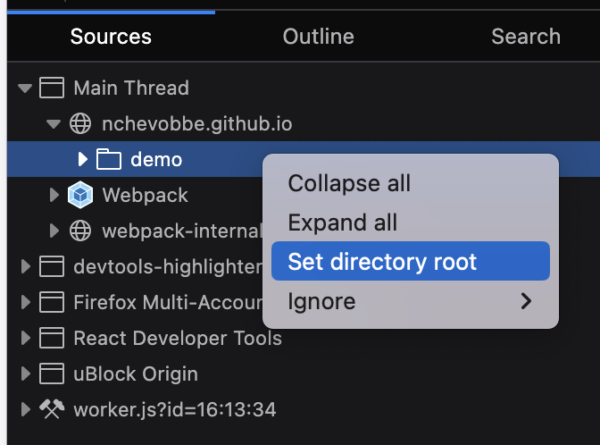
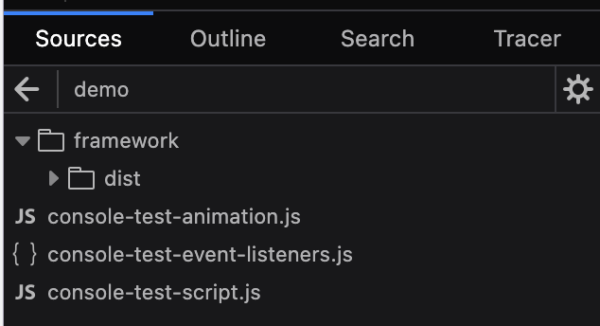
Nicolas Chevobbe [:nchevobbe] fixed an issue where closing RDM would override the “Disable cache” setting in Netmonitor, even though the toolbox was still open (#1672473)
Hubert Boma Manilla (:bomsy) improved performance by throttle some events in the parent process events on the server side (#1959452) (we were already doing it for content process events)
Hubert Boma Manilla (:bomsy) fixed an issue in the webconsole “pinned-to-bottom” feature where the output could exit this state even though the user didn’t scrolled up (#1966005)
We are planning on performing our first train-hop from Nightly 141 to Beta 140 next week. This train-hop will update Beta 140’s New Tab to use the code from Nightly 141. This will not ride the trains, so Release 140 will still use the Release 140 New Tab.
RelMan / QA is aware and will be testing both modes.
This is mainly a test to ensure that New Tab can be updated this way.
We’ve also in the early stages of an experiment for showing trending searches on New Tab
This is one variant we’re in the early stages of developing:
This is another variant that’s in its early stages:
Picture-in-Picture
Thanks to gaastorgano, a volunteer contributor who provided a patch to make it so that kick.com live-streaming videos don’t show outrageous video durations when opened in Picture-in-Picture
Search and Navigation
Address Bar
The search mode indication is now limited in width to avoid issues with search engines with long names.
Hello and welcome to another issue of This Week in Rust!
Rust is a programming language empowering everyone to build reliable and efficient software.
This is a weekly summary of its progress and community.
Want something mentioned? Tag us at
@thisweekinrust.bsky.social on Bluesky or
@ThisWeekinRust on mastodon.social, or
send us a pull request.
Want to get involved? We love contributions.
An important step for RFC implementation is for people to experiment with the
implementation and give feedback, especially before stabilization.
If you are a feature implementer and would like your RFC to appear in this list, add a
call-for-testing label to your RFC along with a comment providing testing instructions and/or
guidance on which aspect(s) of the feature need testing.
Always wanted to contribute to open-source projects but did not know where to start?
Every week we highlight some tasks from the Rust community for you to pick and get started!
Some of these tasks may also have mentors available, visit the task page for more information.
If you are a Rust project owner and are looking for contributors, please submit tasks here or through a PR to TWiR or by reaching out on X (formerly Twitter) or Mastodon!
Are you a new or experienced speaker looking for a place to share something cool? This section highlights events that are being planned and are accepting submissions to join their event as a speaker.
If you are an event organizer hoping to expand the reach of your event, please submit a link to the website through a PR to TWiR or by reaching out on X (formerly Twitter) or Mastodon!
If you are running a Rust event please add it to the calendar to get
it mentioned here. Please remember to add a link to the event too.
Email the Rust Community Team for access.
But after a few weeks, it compiled and the results surprised us. The code was 10x faster than our carefully tuned Kotlin implementation – despite no attempt to make it faster. To put this in perspective, we had spent years incrementally improving the Kotlin version from 2,000 to 3,000 transactions per second (TPS). The Rust version, written by Java developers who were new to the language, clocked 30,000 TPS.
This was one of those moments that fundamentally shifts your thinking. Suddenly, the couple of weeks spent learning Rust no longer looked like a big deal, when compared with how long it’d have taken us to get the same results on the JVM. We stopped asking, “Should we be using Rust?” and started asking “Where else could Rust help us solve our problems?”
Two big pieces of news for images in Servo this month:
We now display animated GIFs in all their animated glory (@rayguo17, #36286)!
This work required careful architecting to integrate with existing animation mechanisms in the engine without incurring unnecessary CPU usage.
We’re excited to host two Outreachy interns over the next few months!
Jerens Lensun (@jerensl) will be working on improving Servo’s CI setup and other Python-focused infrastructure, while Usman Baba Yahaya (@uthmaniv) will implement support for the Network Monitor in our devtools.
They will both be blogging about their internships, and you can follow their work on Jeren’s blog and Usman’s blog.
Web content
Servo’s layout implementation has historically been all-or-nothing — any change in the page, no matter how isolated, requires laying out the entire page from scratch.
Fixing this limitation is known as incremental layout, and it’s a key performance optimization in all browser engines.
This month we’ve landed a number of changes in this area that make some kinds of CSS changes much more efficient than a full layout (@mrobinson, @Loirooriol, #36896, #36978, #37004, #37047, #37069, #37048, #37088, #37099).
Our layout and CSS support continues to improve.
This month, we improved our page background sizing and style computation (@mrobinson, @Loirooriol, #36917, #37147), and added support for ‘wavy’ and ‘double’ in the ‘text-decoration-line’ property (@mrobinson, #37079).
HTMLVideoElement can now be used as an image source for 2D canvas APIs (@tharkum, #37135), ImageBitmap can be serialized and transferred via postMessage() (@tharkum, #37101), media elements redraw properly whenever their size changes (@tharkum, #37056), polygon image map areas are clickable (@arihant2math, #37064), <select> elements are redrawn when their contents change (@simonwuelker, #36958), and getPreferredCanvasFormat() on GPU returns platform-appropriate values (@arihant2math, #37073).
custom element is values are serialized as attributes (@simonwuelker, #36888)
EventSource ignores invalid field values and treats non-200 responses codes as failures (@KiChjang, #36853, #36854)
the premultipliedAlpha flag for WebGL canvases premultiplies correctly (@tharkum, #36895)
Our WebDriver server implementation received a lot of attention this month!
Element clicks now receive the expected button value (@longvatrong111, #36871), wheel actions are supported (@PotatoCP, #36744, #36985), and we removed the possibility of races between some input actions and other WebDriver commands (@longvatrong111, @mrobinson, #36932).
We’ve also added support for passing WebDriver references to DOM objects as arguments when executing scripts (@jdm, #36673), and fixed some bugs with JS value serialization (@yezhizhen, #36908) and cancelling inputs (@yezhizhen, #37010).
We’ve begun preparatory work to integrate Vello as the backend for 2D canvases (@sagudev, #36783, #36790, #36999).
We’ve also landed some changes towards supporting ‘::placeholder’ pseudo-elements and fixing rendering issues with text inputs (@stevennovaryo, #37065).
Embedding
The engine
Embedders can now evaluate JavaScript inside a webview and receive results asynchronously (@Narfinger, @mrobinson, #35720).
All embedders will receive default styling and interactivity for elements like inputs and media elements (@webbeef, #36803), reducing the amount of configuration required to embed the engine.
Any provided system light/dark theme will be propagated to all documents loaded inside of a webview (@mrobinson, #37132).
Servo’s developer tools integration now highlights elements in the layout inspector (@simonwuelker, #35822), and displays <!DOCTYPE> nodes correctly (@simonwuelker, #36787).
We have removed the dom_shadowdom_enabled preference, since the feature has been enabled by default since March 2025 (@simonwuelker, #37043).
Our automated benchmarking setup is expanding, and we can now measure how long it takes to start up Servo and load the servo.org homepage on HarmonyOS (@Narfinger, #36878), which will help us identify regressions in the future.
Finally, we can now write unit tests for Servo’s embedding API (@mrobinson, #36791), which allows us to write better regression tests for shutdown-related issues (@mrobinson, #36808).
Service workers have been removed from the list of features enabled by --enable-experimental-web-platform-features until they provide more value (@jdm, #36867).
Building servoshell with --with-asan now causes all C++ dependencies to be built with Address Sanitizer as well, and mach bootstrap on Windows can now use winget as a fallback if choco is unavailable (@jschwe, #32836).
The current system light/dark theme is now queried on startup (@Legend-Master, #37128).
Additionally, the screen dimensions and geometry reported by the engine are now correct on OpenHarmony (@PartiallyUntyped, @jschwe, #36915).
Performance
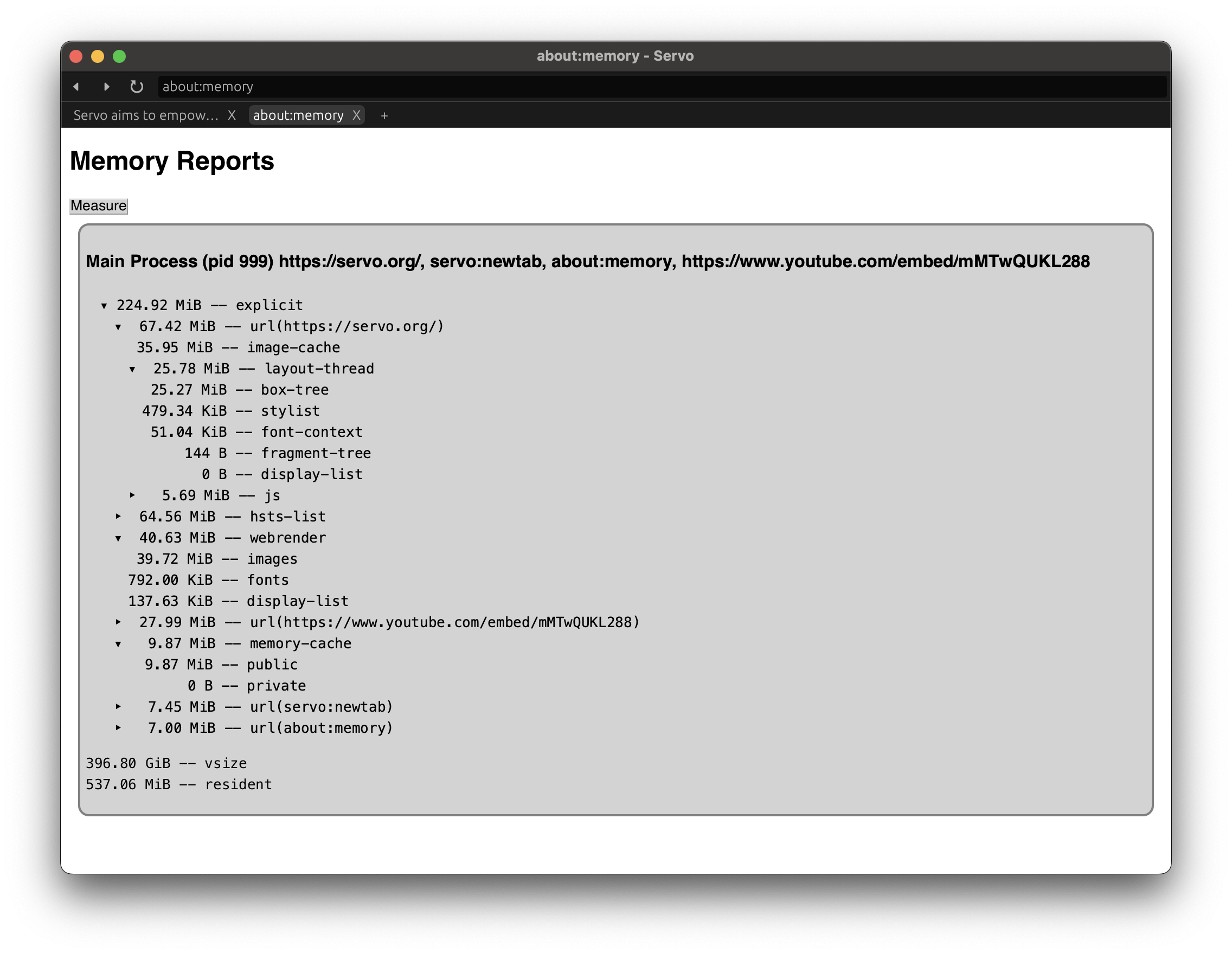
Servo is now better at evicting image data from GPU caches (@webbeef, #36956).
We also reduced the memory needed to store HSTS data, saving more than 60mb by doing so (@sebsebmc, #37000, #37015).
In addition, we’ve reduced the size of the final Servo binary by 2 MB by stripping out DOM code that should never be used outside of automated tests (@jdm, #37034).
We’ve also fixed a deadlock involving streams with very large chunks (@wusyong, #36914), and fixed a source of intermittent crashes when closing tabs or removing iframes (@jdm, #37120).
Finally, we rewrote the implementation of the text property on HTMLOptionElement to avoid crashes with deeply-nested elements (@kkoyung, #37167).
Having previously noticed an unsafe pattern triggered by using JS-owned values in Rust Drop implementations (#26488), we have begun incrementally removing existing Drop impls to remove that source of unsafety (@willypuzzle, #37136).
Upgrades
We upgraded our fork of WebRender to April 2025 (@mrobinson, #36770), and upgraded our Stylo dependency to May 2025 (@Loirooriol, #36835).
These changes ensure that Servo is up to date with ongoing work in Firefox, which shares these dependencies.
Donations
Thanks again for your generous support!
We are now receiving 4597 USD/month (−1.4% over April) in recurring donations.
This helps cover the cost of our self-hostedCIrunners and one of our latest Outreachy interns!
Servo is also on thanks.dev, and already 25 GitHub users (+1 over April) that depend on Servo are sponsoring us there.
If you use Servo libraries like url, html5ever, selectors, or cssparser, signing up for thanks.dev could be a good way for you (or your employer) to give back to the community.
4597 USD/month
10000
As always, use of these funds will be decided transparently in the Technical Steering Committee.
For more details, head to our Sponsorship page.
Here at Mozilla, we are the first to admit the internet isn’t perfect, but we know the internet is pretty darn magical. The internet opens up doors and opportunities, allows for human connection, and lets everyone find where they belong — their corners of the internet. We all have an internet story worth sharing. In My Corner Of The Internet, we talk with people about the online spaces they can’t get enough of, the sites and forums that shaped them, and how they would design their own corner of the web.
We caught up with Janusz Domagala, the joyful breakout star of 2022’s “The Great British Bake Off” and author of Baking With Pride. He talks about CakeTok, his secret ingredient hot honey, how digital friendships shaped his life, and why history tastes better when baked.
What is your favorite corner of the internet?
I have to say my favourite corner of the internet is American CakeTok. I love the online baking community generally, it’s so welcoming, supportive and encouraging. But I do have to admit that American baking really aligns with my personal approach to baking- colourful, bold and daring flavours and visually dramatic. I think food should be an experience for all the senses and it’s typically American baking videos on social media that gets my senses tingling…
<figcaption class="wp-element-caption">From Baking With Pride by Janusz Domagala: a lavender sponge cake dressed in buttercream blooms, with a wink to queer-coded history. Credit: The Quarto Group</figcaption>
What is an internet deep dive that you can’t wait to jump back into?
As well as baking, I’m a big fan of history. Living in the UK I love diving into its rich history online- researching the fashion, culture and popular bakes of certain periods of time. I love recreating historical bakes I discover as not only do I get to imagine what life was like during chapters of time, I get to taste what it was like too.
What is the one tab you always regret closing?
I would be lost and create some very … interesting… bakes if it wasn’t for my tab that has an international unit conversion! I love using recipes from around the world but because I’m a speedy baker (thanks to competitive baking, I guess) I don’t have time to whip out my calculator mid whisk!
What can you not stop talking about on the internet right now?
Hot honey! As a creative and a genuine foodie, I love seeing the trends that come out in the food world and take over in the internet. Recently we’ve had caramelised biscuit, pistachio and now hot honey which combines two of my two favourite flavour profiles and is already getting me thinking about my next bake.
“Until [joining a local baking group online] my only chance to talk about baking was with my mother who taught me to bake, so to finally get the chance to talk to people my own age about one of my biggest passions was a big moment for me.”
What was the first online community you engaged with?
Like a true millennial the first online community I engaged with was on MySpace, joining a local baking group. Until then my only chance to talk about baking was with my mother who taught me to bake, so to finally get the chance to talk to people my own age about one of my biggest passions was a big moment for me. Within the group, we actually started arranging monthly meet ups at a local park where we would get together in person, taking things we’d baked along, and chat all things baking. I’m still friends with some of the people from that group and that for me is one of the most powerful things about the internet- meeting people you never would normally have met in life and turning them into real life friendships.
If you could create your own corner of the internet, what would it look like?
My corner of the internet would probably look a lot like my wardrobe; bold, colourful and fun! Full of feelgood items and also have different options for different moods, have comfy options when we need that little extra warmness on the days we need but most importantly- get people talking and inspired.
What articles and/or videos are you waiting to read/watch right now?
It’s currently Pride Month and each year I get so excited about the digital content that’s released, full of stories from the LGBTQ+ community. I’m currently waiting for the OUT100 list to be released which highlights 100 influential people who are currently working towards change and fighting for our rights. It’s a great read and a great chance to highlight the work of people that might not always have the spotlight shone on them.
If the internet were a giant Showstopper Challenge and you got to design it for the future, what ingredients would you throw in to make it more delicious for creative people like you — and what baking disaster would you absolutely leave out?
This is a great question… I would start with multiple layers of art flavoured with fashion, food, body positivity and queer joy. I would layer in some curiosity to help people be brave enough to try new things and top with some creativity, kindness and acceptance… and sprinkles! Always sprinkles. A baking disaster I would ban from my internet Showstopper would be fear- wonderful things can happen when we act without fear and if something doesn’t go to plan it’s not the end of the world. As I say, a bad batch of bread can make excellent breadcrumbs!
Janusz Domagala, or simply Janusz as he’s most commonly known, became the instant standout star on 2022’s “The Great British Bake Off” when he rightfully declared himself the “Star Caker.” Since appearing on the show, Janusz has built a successful social media following, has been featured in multiple print and digital media outlets and was a contestant on the third season of the show “Crime Scene Kitchen.” A keen LGBT+ activist, his debut recipe book, “Baking With Pride,” was released in May 2024.
Long compile times of Rust code are frequently being cited as one of the biggest challenges limiting the productivity of Rust developers. Rust compiler contributors are of course aware of that, and they are continuously working to improve the situation, by finding new ways of speeding up the compiler, triaging performance regressions and measuring our long-term performance improvements. Recently, we also made progress on some large changes that have been in the making for a long time, which could significantly improve compiler performance by default.
When we talk about compilation performance, it is important to note that it is not always so simple as determining how long does it take rustc to compile a crate. There are many diverse development workflows that might have competing trade-offs, and that can be bottlenecked by various factors, such as the integration of the compiler with the used build system.
In order to better understand these workflows, we have prepared a Rust Compiler Performance Survey. This survey is focused specifically on compilation performance, which allows us to get more detailed data than what we usually get from the annual State of Rust survey. The data from this survey will help us find areas where we should focus our efforts on improving the productivity of Rust developers.
Filling the survey should take you approximately 10 minutes, and the survey is fully anonymous. We will accept submissions until Monday, July 7th, 2025. After the survey ends, we will evaluate the results and post key insights on this blog.
We invite you to fill the survey, as your responses will help us improve Rust compilation performance. Thank you!
So I made an account on Manus and tried one of my go-to RtKs, Verizon. I like RtKing them because they have a bunch of LOL-worthy marketing insights (inferences, which under the law must be disclosed) about my family, or at least they did last time. Verizon is a good first RtK for people getting started with this exciting(ish) hobby.
This company is not too hard to RTK, but they do have some forms to get through, so hard enough to be a realistic test for AI. Here’s the transcript with my contact info redacted. tl;dr: it worked (mostly).
My first prompt was a little disappointing. I provided what I thought was the right form URL, and Manus got stuck. But I tried again. This time I supplied the privacy policy URL and told Manus to look in the California section, and it got through.
Only one error. I provided a phone number but it filled in n/a until corrected. But as soon as I supplied the right number it did the right thing.
TODO: I’ll post an update here when I eventually get the data (or not).
The problem with RtKs compared to other software tests is that one person can only RtK the same company every so often. So I’d be really interested in seeing what happens when other people do variations on this one. Don’t feel bad about overloading Verizon with RtKs—if they can afford to pay off the former Twitter to show ads to bots then they can afford to do these.
See if it can get to the success screen, and if the RtK data shows up.
<figcaption>Screenshot of the end of an AI agent session</figcaption>
I know a lot of people are still doubtful that AI is making much progress in doing original work, but solving RtK mazes isn’t really that. RtK mazes are a class of problems that somebody already designed, like solving CAPTCHAs.
More:personal AI in the rugpull economy The biggest win from personal AI will, strangely enough, be in de-personalizing your personal information environment. By doing the privacy labour for you, the “agentic” AI will limit your “addressability” and reduce personalization risks.
Bonus links
The promise that wasn’t kept by Salma Alam-Naylor. What’s becoming clear is that the mass adoption of AI is shifting the focus away from human-centred software solutions that provide meaningful value, and is reducing the entire industry to just the tools at its disposal. Just generate the code, bro. Just ship one more app, bro. (via Re: broken promises by Heather Buchel)
For reporting a bug or an unexpected behavior, the simpler the test is, the better. You can create a very simple HTML file to demonstrate the issue or you can use an online code web app such as jsfiddle or codepen. (I have a preference for codepen but I don't know why.) But most of the time, I'm using data: URL to share a simple piece of code for a test.
The style attribute returns different values when we extract the value using getPropertyValue()
0.5 in Safari Technology Preview 18.4 (220) 20622.1.14.5
calc(0.5) in Firefox Nightly 141.0a1 14125.6.5
clamp(50%, 0%, 70%) in Google Chrome Canary 139.0.7233.0 7233.0
According to the WPT test, Firefox returns the right answer: calc(0.5)
To see the returned value, we coud do :
<!-- The code being tested. --><divclass="test"style="opacity:clamp(50%,0%,70%)"></div><!-- Something that can hold the test result. --><divclass="log"></div><!-- the script extracting the value and writing the test result. --><script>document.querySelector(".log").textContent=document.querySelector(".test").style.getPropertyValue("opacity");
</script>
This is very simple. I can put all of this on one line.
Then I just need to add the right data URL in front of it. This is HTML, so we add data:text/html,. That's it. This will instruct the browser to parse the code in the URL bar to process it as HTML.
Note: For those, who are wondering why I didn't use id instead of class. The # sign in the querySelector() would require to escape #, because it would have unintended consequences on the parsing of the URL.
I will speak of Thomas Aquinas instead. I will tell you my dim memories of what he said about the hierarchy of laws on this planet, which was flat at the time. The highest law, he said, was divine law, God’s law. Beneath that was natural law, which I suppose would include thunderstorms, and our right to shield our children from poisonous ideas, and so on.
And the lowest law was human law.
Let me clarify this scheme by comparing its parts to playing cards. Enemies of the Bill of Rights do the same sort of thing all the time, so why shouldn’t we? Divine law, then, is an ace. Natural law is a king. The Bill of Rights is a lousy queen.
The Thomist hierarchy of laws is so far from being ridiculous that I have never met anybody who did not believe in it right down to the marrow of his or her bones. Everybody knows that there are laws with more grandeur than those which are printed in our statute books. The big trouble is that there is so little agreement as to how those grander laws are worded. Theologians can give us hints of the wording, but it takes a dictator to set them down just right–to dot the i’s and cross the t’s. A man who had been a mere corporal in the army did that for Germany and then for all of Europe, you may remember, not long ago. There was nothing he did not know about divine and natural law. He had fistfuls of aces and kings to play.
Meanwhile, over on this side of the Atlantic, we were not playing with a full deck, as they say. Because of our Constitution, the highest card anybody had to play was a lousy queen, contemptible human law. That remains true today. I myself celebrate that incompleteness, since it has obviously been so good for us. — Kurt Vonnegut
and some recent links…
Hurricanes are getting so bad, we need a new category, expert warns by Tom Howarth. Hurricanes are a redistribution of heat from the ocean to the atmosphere. Essentially, you need more heat to be distributed before you can push through that lid and cause a hurricane. That means they might become less frequent, but when they go, they really go. At the same time, rising sea levels mean that even storms of the same strength can now push further inland, causing more widespread damage.
Wikipedia Pauses AI-Generated Summaries After Editor Backlash by Emanuel Maiberg. (From what I can see, obvious use of generative AI is, more and more, a political signal. Generative AI is seen as part of a program to de-value human creativity and shift the balance of power toward central points of control and away from distributed decision-making methods like peer production and markets. See Toolmen by Mandy Brown. Engaging with AI as a technology is to play the fool—it’s to observe the reflective surface of the thing without taking note of the way it sends roots deep down into the ground, breaking up bedrock, poisoning the soil, reaching far and wide to capture, uproot, strangle, and steal everything within its reach. and A plausible, scalable and slightly wrong black box: why large language models are a fascist technology that cannot be redeemed by Benjamin Gregory Carlisle. In what follows, I will argue that being plausible but slightly wrong and un-auditable—at scale—is the killer feature of LLMs, not a bug that will ever be meaningfully addressed, and this combination of properties makes it an essentially fascist technology. By “fascist” in this context, I mean that it is well suited to centralizing authority, eliminating checks on that authority and advancing an anti-science agenda.)
Possibly related: Please tell us Reg: Why are AI PC sales slower than expected? by Paul Kunert, and Utah Study on Trans Youth Care Extremely Inconvenient for Politicians Who Ordered It by Madison Pauly. It is our expert opinion that policies to prevent access to and use of [gender-affirming hormone therapy] for treatment of [gender dysphoria] in pediatric patients cannot be justified based on the quantity or quality of medical science findings or concerns about potential regret in the future, and that high-quality guidelines are available to guide qualified providers in treating pediatric patients who meet diagnostic criteria. (That’s the problem with using human experts. Next time the politicians will use an LLM.)
X’s Sales Pitch: Give Us Your Ad Business or We’ll Sue - WSJ by Suzanne Vranica, Dana Mattioli, and Jessica Toonkel. Late last year, Verizon Communications got an unusual message from a media company that wanted its business: Spend your ad dollars with us or we’ll see you in court….It worked. Verizon, which hadn’t advertised on X since 2022, pledged to spend at least $10 million this year on the platform, a person familiar with the matter said. (more coverage: Musk’s threat to sue firms that don’t buy ads on X seems to have paid off by Jon Brodkin. The WSJ article said that Verizon, which hadn’t advertised on X since 2022, was told late last year that it would be added to the lawsuit if it didn’t buy ads. Verizon subsequently pledged to spend at least $10 million on the platform this year, the article said.)
Texas Legislature Beats Back Assault on Clean Energy by Gabrielle Gurley. It may surprise some people that Texas is the American poster child for clean energy. But a fortunate mix of climatic and topographic elements has made it the leading state in the nation for wind energy generation, while second for solar and battery storage. Billions and billions of dollars of investments unlocked those resources, and its business-friendly opportunities (no corporate or personal income tax!) for all comers, from entrepreneurs to fossil fuel giants to small landowners, have sparked one of the strangest regional energy revolutions in the world. (another contender: Solar power in Pakistan) and Texas Right to Repair bill passes, heads to the governor’s desk by Richard Lawler. (It’s not about red states vs. blue states, it’s about tech oligarchs vs. everybody)
Children need the freedom to play on driveways and streets again – here’s how to make it happen by Debbie Watson, Lydia Collison, and Tom Allport. In many places, children’s freedom to roam has been diminishing for generations, but the pandemic has hastened the decline of this free play. Since the pandemic, children’s physical activity has become ever more structured. It now mostly happens in after-school or sports clubs, while informal, child-led play continues to decline.
A Letter to Europe by Paul Krugman. Above all, Europe needs to overcome its learned helplessness and act like the great power it is — especially given America’s apparent determination to destroy the pillars of its own strength. (fortunately, the US IT exports of today are not the dominant products of Windows XP days. They’re full of growth hacking and enshittification, and ready to be replaced.)
Botnet Part 2: The Web is Broken by Jan Wildeboer. So there is a (IMHO) shady market out there that gives app developers on iOS, Android, MacOS and Windows money for including a library into their apps that sells users network bandwidth.
WPP attacks Publicis-owned Epsilon SSP in rare public spat - Ad Age by Jack Neff, Ewan Larkin, and Brian Bonilla. (I’m Team WPP on this one. The test did involve an an unusual buying pattern, but saying that most brands don’t buy that way is like saying most restaurant diners don’t check the back of the fridge like a health inspector, or most word processor users don’t make a document title with 1025 emoji in it like a software tester.)
Taylor Swift now owns all the music she has ever made: a copyright expert breaks it down by Wellett Potter. Swift has repeatedly emphasised the need for artists to retain control over their work and to receive fair compensation. In a 2020 interview she said she believes artists should always own their master records and licence them back to the label for a limited period.
Hello and welcome to another issue of This Week in Rust!
Rust is a programming language empowering everyone to build reliable and efficient software.
This is a weekly summary of its progress and community.
Want something mentioned? Tag us at
@thisweekinrust.bsky.social on Bluesky or
@ThisWeekinRust on mastodon.social, or
send us a pull request.
Want to get involved? We love contributions.
An important step for RFC implementation is for people to experiment with the
implementation and give feedback, especially before stabilization.
If you are a feature implementer and would like your RFC to appear in this list, add a
call-for-testing label to your RFC along with a comment providing testing instructions and/or
guidance on which aspect(s) of the feature need testing.
If you are a feature implementer and would like your RFC to appear on the above list, add the new call-for-testing
label to your RFC along with a comment providing testing instructions and/or guidance on which aspect(s) of the feature
need testing.
Always wanted to contribute to open-source projects but did not know where to start?
Every week we highlight some tasks from the Rust community for you to pick and get started!
Some of these tasks may also have mentors available, visit the task page for more information.
If you are a Rust project owner and are looking for contributors, please submit tasks here or through a PR to TWiR or by reaching out on X (formerly Twitter) or Mastodon!
Are you a new or experienced speaker looking for a place to share something cool? This section highlights events that are being planned and are accepting submissions to join their event as a speaker.
If you are an event organizer hoping to expand the reach of your event, please submit a link to the website through a PR to TWiR or by reaching out on X (formerly Twitter) or Mastodon!
Mostly positive week, with a lot of improvements in the type system, especially in new solver and one big win in caching code. Regressions come from new warnings, with outsized impact on one benchmark with a lot of generated code.
If you are running a Rust event please add it to the calendar to get
it mentioned here. Please remember to add a link to the event too.
Email the Rust Community Team for access.
<figcaption class="wp-element-caption">Start planning on your laptop, pick it back up on your phone with Firefox sync. </figcaption>
Most travel plans start with a handful of tabs. A map here, a few guides there. Then a flurry of bookings, logins and maybe a PDF form you’re supposed to sign with your finger. Next thing you know, you’re in line at the car rental counter with 3% battery, no confirmation number, and no address for where you’re staying.
Firefox can’t hand you a charger. But it can keep up before your trip and while you’re on it. Haven’t downloaded Firefox mobile yet? Now’s a good time. Once you enable sync on Firefox mobile, all your travel bookmarks and tabs will come with you — ready to access quickly when you need them. Strong privacy protections are built in by default.
Here are a few features that help you plan, book and get where you’re going:
Start planning on your laptop, pick it back up on your phone. Tabs like your hotel reservation page, bookmarks, passwords and more come with you, so you’re not stuck emailing yourself links or searching “best vegan pizza rome” for the third time. Sign in to your Mozilla account to enable sync and access your data across your devices. It stays private and encrypted — even from us. (Firefox sync works in most places, but it’s not available in every region.)
Firefox lets you keep an AI chatbot in the sidebar while you browse. Useful when you’re planning an itinerary, overthinking a layover, or asking it to generate a packing list based on the weather, your mood, and your inability to travel light.
Right-click the sidebar > customize sidebar > check “AI chatbot.” Pick from tools like Claude, ChatGPT, Gemini and others (availability may vary by region).
Sometimes the thing that holds up your travel plans is a PDF: tour sign-up sheets, car rental instructions, a transit map. Firefox’s built-in PDF editor lets you fill out, sign and annotate PDFs directly in the browser — no downloads, no printing required. Works on desktop and mobile.
Tab groups let you organize your tabs by topic — flights, food, logistics, backup food — so you’re not digging through a sea of identical tab titles wondering where the train schedule went.
Once the tab count crosses into the regrettable zone, vertical tabs help you see what you’re working with. Everything’s listed neatly on the side, so you can find the one tab with actual answers and stop clicking through five versions of “best day trips near Milan.”
Firefox can translate full pages instantly for supported languages. Useful when you’re trying to fill out a form, make a reservation, or read a menu where the only word you recognize is cornetto.
Sometimes travel means needing to book something as if you’re already there, or reading the news like you’re still at home. With Mozilla VPN, you can locate yourself wherever in the world you want — even back home. And with the VPN extension for Windows, you can do this on a per site basis, so you can check what you need without changing your whole device’s location. (Available as part of a paid subscription.)
Firefox keeps up with your tabs, logins, pages, even the one in another language. Just remember to pack your charger.
I’m currently joining a couple of new projects and the inevitable first step is introductions over Zoom and the usual questions: who are you, where are you based, and what is your role on this project. I’m a Principal Engineer here at Mozilla, which might make you think that my role is going to be a lot of development. But this isn’t the case and I thought others might be interested in what it actually means. Somehow along the way it ended up turning into a post about how I see the different career levels for engineers at Mozilla, but hey maybe that is useful for others too?
One quick disclaimer for Mozilla engineers reading this. I am not your manager. If you want to know the specifics about what your manager wants to see from you in order to progress in your career you’re better off talking to them first. This is also a simplification of a complex topic. I’ve talked in general terms about the career levels here, but no two engineers or career paths are the same, exceptions exist.
Like a number of companies these days Mozilla has two tracks for career progression. Engineers here are levelled along the Individual Contributor (IC) track. This didn’t used to be the case. Previously, other than a few exceptional cases, when engineers reached one of the more senior levels they were expected to move into people management. That happened to me and for four years I managed a team of about seven engineers and I very quickly learned that people management wasn’t for me. So I was extremely grateful when my manager at the time announced that Mozilla were building a more comprehensive track for engineers who wanted to continue to grow without needing to become managers. And they were talking with folks that they felt might have been pushed into management when there was no other option and giving them the choice to switch back. Which I jumped at.
Now Mozilla has an IC track that has 9 levels numbered from IC1 to IC8 (yes you read that right). We have the career level guide which is the hallowed spreadsheet that managers can point to to help engineers understand what the expectations are for the different levels. I actually helped write one of the original versions of this many moons ago so I have a lot of familiarity with it. And I find that those levels split into three chunks.
Engineers (IC1-IC3)
The first three levels (Software Engineer 1, Software Engineer 2, and Senior Software Engineer) are primarily about the work you do yourself as an engineer. You start by learning the ropes with your manager telling you what bugs to work on with other engineers helping you figure out how to fix things and help you when you get stuck. You grow to be more and more independent and by IC3 you are more self directing. You can generally figure out what bugs are most important to work on and how to unblock yourself. Your work is mostly directed by your manager at these levels but as you reach senior you’ll be helping your manager understand which bugs are hard or easy to fix to help inform their prioritisation decisions.
Engineers fix bugs and become more senior by getting better at fixing bugs.
Staff engineers (IC4-IC5)
The next two levels (Staff Engineer and Senior Staff Engineer) change things up. All of the levels are ranked in terms of the overall impact you have to Mozilla, but while in the first three levels your impact is fairly direct (the bugs you fix) at the staff level your impact becomes more indirect. You’re now growing into technical leadership. Figuring out and prioritising the issues that need to be worked on. Building a roadmap for your feature. Likely assigning bugs to other engineers. You work directly with other teams where there are dependencies and other functions of the organisation to guide the project as a whole. More of your time is spent helping the engineers around you get their work done than your own (though you still do a lot yourself too). The guidance from your manager is less about telling you specifically what to work on and more of a conversation where the manager brings the business needs and you bring the engineering needs and together you reach agreement on how to prioritise projects.
Perhaps the most important difference between staff and the earlier levels is that how you work becomes much more important. For the first three levels you can fix bugs largely in isolation. Once you reach staff communication becomes key. You have to be able to explain yourself well so others understand you and have confidence in your decisions. You have to be able to work productively with others, helping them do their work but also importantly listening to them when they have expertise that you don’t. A staff engineer is on a team to provide technical leadership and decision making. This doesn’t mean they have to be the expert on the project. Sometimes there might be an IC3 who understands the technology better. The staff engineer has to be humble enough to trust their subject matter expert in this case, this is often a hard shift in thinking for an engineer to make.
A staff engineer should make everyone on their project more productive.
Principal and above (IC6+)
The final levels start with IC6 which is where I am. Principal Engineer. I recall when we worked on the original level guide we got a bit stuck here. In part there were only a few engineers at this level or above to use as examples (this was back when this separate track was for the exceptional cases). But the other problem was that all of those engineers were different. I recall we basically gave up at one point and just wrote something along the lines of “You are an unstoppable force of nature”. The levels are thankfully better defined now but there is still a lot of difference between the principals.
Some specialise in technical depth. They work on extremely complex, risky, or mission critical projects with many moving parts and have a deep understanding of how it all fits together so they can guide the work on it. They may still write a lot of code.
Others may barely write any code at all and spend their entire time working at the higher level of projects that span large areas of the company. They understand how all the pieces of Firefox fit together and so when technical questions need answering they can either answer them directly or very quickly find the person who knows the answer. They help evaluate and steer new projects with an eye on the technical capabilities we have available and the business needs. They identify potential roadblocks quickly because they have that overarching view.
And there are many principals who sit somewhere in between those two extremes.
There are some commonalities though. While staff engineers tend to have their impact limited to a single project at a time, IC6 and above will be impacting multiple projects at once. Even those who are deep in the technical pieces of one project will still be working with other projects. Principals will also work directly with Directors and VPs to help decide what projects should and shouldn’t happen. The levels above principal will be working directly with the C level execs. We will also often be working with people from other companies, perhaps companies we are partnering with, or standards bodies, or even governments in some cases. Principals and above have to have a good understanding on the goals of Mozilla as a whole, not just those for any one particular part of Mozilla.
Principal engineers should make the entire company more successful.
What about me?
So what kind of a principal engineer am I? Well here is my commit graph for Firefox.
As you can see I do very little coding. I have ended up towards the other end of that spectrum and I spend most of my time advising projects. I was looking at a new ultra-wide monitor that became available the other day and my half-serious joke was “Damn, I could fit so many Google Docs on that thing”.
In the past I have been thrown into teams where a specific project has become blocked and they need help figuring out how to unblock it. Or a VP needs a more direct link with a critical project and wants me to act as liaison between them and the team, someone who they can trust to be their eyes and ears but also often their voice.
More recently I’ve done work where I’ve been the first engineer on a new project and I spent time working with product management and user experience to figure out the basics of what we are going to implement, what impact that will have on the rest of the product, which other teams we have dependencies on, and the technical feasibility of what we’re planning. This then helps us decide which engineers we need to do the actual work and how long we need them for. Sometimes once other engineers join to start on the implementation I step back, letting the new tech lead handle most of the decision making. Though I’m often having private conversations with them to help them if they need it. Sometimes a project has enough complexity and cross-team dependencies that I stay more actively involved, letting the tech lead focus on the decisions that need to be made for the implementation while I handle some of the burden of making sure that everything surrounding the project is running smoothly. These are the sorts of roles I took for the recent Tab Groups and Profile Management projects.
One of my new projects is a similar ask again, helping a new project get up and running. It has a lot of moving pieces both within Firefox and across the rest of the company. Identifying the hard parts so we can tackle them sooner is going to be very important. I’ll be doing very little implementation work here, possibly some prototyping. Another of my new projects has me diving into a team that wants a more senior engineer around to just generally help them with making decisions on tricky projects and figure out their priorities. This will be more mentorship than development work which is something I’ve been wanting to do more.
What I see at Mozilla is that the more senior the engineer the less likely you’ll be able to guess what they actually do on a day to day basis from their job title alone. Having not really worked at other organisations of this size I can’t really say whether the same is true elsewhere, but I suspect that it is.
It's WWDC again, and Apple has turned the volume knob to add 11, jumping from 15 to 26 with macOS Tahoe. Meanwhile, Tahoe keeps Intel Mac owners blue by eliminating support for all but four models — and Intel MacBook Airs and minis are SOL. In fact, assuming macOS 27 EarlimartCeres Lathrop drops Intel Macs completely (which seems most likely), that would have been six years of legacy support since Apple silicon was first surfaced in 2020, right up to seven for critical updates with Apple's typical year-over-year support history. Power Macs got from 2006 during Tiger to 2011 when Lion came out and Leopard updates ceased. Rosetta may have been a factor in Steve Jobs dropping the PowerPC like a bad habit, but it seems like Rosetta 2 (or at least the lack of Apple Intelligence) is making Tim Cook kick Intel to the curb nearly as quickly.
And Liquid Glass? Translucency? Transparency? Isn't that ... Aqua? The invisible menu bar and control centre is an interesting touch but sounds like a step backwards in accessibility (or at least visual contrast). I also look forward to the enhanced Spotlight actually finding anything in a way Sequoia on this M1 Air doesn't. Which will probably not make it to macOS 28 either.
[UPDATE: Apple has made it official — 27 will drop all Intel Macs, though 26 will get support until fall 2028, so Power Macs really did get screwed. Simultaneously, in or around macOS 28 Stockton, Rosetta 2 will become limited to only a subset of apps and the virtualization framework. Hope you didn't buy one of the new cheesegrater Intel Mac Pros, because you just got the Tim Cook version of IIvxed.]
As part of work to allow the WPT WebExtensions tests (initiative coordinated with other browser vendors through the WebExtensions Community Group), changes needed to load/unload extensions from the WPT marionette executor have landed in Firefox 140 – Bug 1950636
A Nightly-only regression that prevented access to DOM storage APIs from extension iframes injected by content scripts into webpages has been fixed in Nightly 140 – Bug 1965552
WebExtension APIs
As part of the work on the tabGroups API namespace, fixes for a few additional Chrome incompatibilities reported by extension developers have been landed in Firefox 140 and uplifted to 139 – Bug 1963825, Bug 1963830, Bug 1965007
Support for SameSiteStatus ”unspecified” has been introduced in the Firefox WebExtensions cookies API – Bug 1550032
Fixed XPIProvider async shutdown timeout hit due to call to nsIClearData service triggered too late during an already initiated application shutdown – Bug 1967273
Follow-ups to the NewTab built-in add-on incident hit in Firefox 138:
New telemetry probe added in Firefox 139 to track failures to write the addonStartup.json.lz4 file back to disk (Bug 1966154), meant to help us confirm the effectiveness of the fix landed in Firefox 139 (Bug 1964281) and get better signals about other write errors that could lead to addonStartup.json.lz4 data to become stale.
Changes applied to the XPIProvider to make sure that, in case of lost or stale addonStartup.json.lz4 data, add-ons from the app-builtin-addons (auto-installed builtins like NewTab) and app-system-addons (system-signed add-on updates got from the Application Update Service, a.k.a. Balrog) are still being detected and started early on the application startup – Bug 1964408 / Bug 1966736 (both landed in Firefox 140)
To support serving system-signed updates to the NewTab built-in add-on outside of the release train, system-signed updates applied to built-in add-ons are no longer uninstalled when an existing Firefox profile is being upgraded to a new Firefox version – Bug 1966736 (landed in Firefox 140)
DevTools
Rohit Borse fixed the warning message text when taking a screenshot that’s too large (#1953285)
Alexandre Poirot [:ochameau] fixed a crash that was happening when navigating to a privileged page from about:debugging when connected to Firefox for Android (#1963915)
Nicolas Chevobbe [:nchevobbe] improved the inspector “search HTML” feature by allowing to use pseudo-element selectors (#1871881) and fixing autocomplete suggestions for pseudo elements (#1542277)
Hubert Boma Manilla (:bomsy) fixed an issue in the Debugger where it wouldn’t scroll to expected location on pause when there was an active search (#1962417)
Sasha added support for “acceptInsecureCerts” argument to “browser.createUserContext” command. This argument allows clients to disable or enable certificate related security settings for a specific user context (aka Firefox container) and override the settings specified for a session.
Julian implemented a new browsing context event, browsingContext.navigationCommitted, which should be emitted as soon as a new document has been created for a navigation. Together with our other navigation events (navigationStarted, navigationFailed) this allows clients to know that a navigation is going to be completed.
You may need to restart your editor after updating.
(see above!) If you’ve worked with aboutwelcome / asrouter / newtab code, you may need to re-install the node modules for those components, e.g. ./mach npm ci –prefix browser/extensions/newtab
Next steps are to upgrade to the latest v9 ESLint in stages to make the upgrades simpler. Bug for ESLint v9.6.0.
We’ve disabled Payment Method import for Chromium-based Microsoft Edge profiles due to application-bound encryption changes. We’re currently collaborating with the Credential Management team to find creative, sustainable ways to make migrating from other browsers easier.
New Tab Page
Lots of visual fixes for the “Sections” UI that we’ve been working on. You can manually check out Sections by setting browser.newtabpage.activity-stream.discoverystream.sections.enabled to true
Picture-in-Picture
kpatenio fixed an issue with the cursor not hiding with other controls on fullscreen PiP windows (bug)
kpatenio also fixed the context menu not appearing after ctrl + click over the PiP toggle on macOS (bug)
Search and Navigation
Drew, Daisuke and Yazan fixed bugs related to suggestions favicons, sponsored label, telemetry, and enabling the Firefox Suggest, as part of its geo expansion into regions such as UK. Bugs: 1966811, 1964392, 1966328, 1966328, 1948143, 1964390, 1964979
Dao fixed accessibility issue for matching tab groups when searching via ULRbar 1963884 and he’s been working on bugs related to offering tab groups in address bar 1966140, 1966337
Mortiz is working on bugs related to on adding custom search engine dialog in about:preferences#search and is enabled by default (see 1964507 and 1967739)
Make search your own!
Standard8 has enabled the Rust-backed engine selector for late Beta and Release 1967490
The temptation is high. The desire for shortcuts is permanent. But the story is often full of painful moments without any winners. "Les liaisons dangereuses" of detecting browsers and devices are common.
ce n’est pas à l’illusion d’un moment à régler le choix de notre vie. — Les liaisons dangereuses. Choderlos de Laclos. 1782
which can be translated as "it is not for the illusion of a moment to govern the choice of a lifetime."
window.installTrigger
Firefox (Gecko) had the property window.installTrigger to signal that a web extension could be installed. This was a Firefox-only property. Soon enough, obviously, people started to use it as a signal that the browser accessing the website was Firefox.
When the property was retired, because it was not standard and used for things which were completely different from its initial purpose, websites started to break. It had to be shimmed. Gecko had to imitate the property so that some websites would continue to work.
Another example -webkit-touch-callout
-webkit-touch-callout was implemented in 2013 in WebKit to give the possibility for Web developers to opt out of the contextual menu given on iPhone during a long press. The long press on a link makes it possible to also get a preview of the page behind the link.
-webkit-touch-callout: none permits web developers to cancel this behavior when, for example, developing a web app they need to be able to long-press user gestures such as a drag and drop.
But I discovered today that this was used as a proxy detection for iPhone in CSS. This is bad. Some CSS stylesheets contain a combination of @support and -webkit-touch-callout: none to have a specific behavior in their CSS.
@supports(-webkit-touch-callout:none){body{/* DON'T DO THAT! */}}
This has many implications for the future. Here are some examples of how it can become very sour.
One day, the CSS WG may decide to standardizetouch-callout so that web developers can opt out of other browsers having contextual menus. Given the spread and the legacy of -webkit-touch-callout, some browsers might have to alias the -webkit version so it is working for websites not updated. Suddenly, the CSS targeting iPhone applies to all browsers.
Or the opposite story of this where because the term is so misused and it will break so much stuff that a new term needs to be coined, leaving plenty of CSS on the Web with a useless term which is not working exactly like the initial idea. It also means that it forces WebKit to maintain the code for the old property or to shim it like Firefox did with the risk to have confusion in between the place where it was used rightly and where it was wrong.
There are plenty of other examples of this type, such as the abuse of maxTouchPoints (this one will be (not) "funny" if touch screens on desktop computers become more prevalent) or window.standalone which created plenty of issues when web apps for desktop computers became a thing.
We all know the benefits of feature detection, we made a lot of progress as a community to go away as much as possible from User Agent detection. It's not perfect. There are always difficult trade-offs.
L’humanité n’est parfaite dans aucun genre, pas plus dans le mal que dans le bien. Le scélérat a ses vertus, comme l’honnête homme a ses faiblesses. — Les liaisons dangereuses. Choderlos de Laclos. 1782
Something along "Humanity is not perfect in any fashion; no more in the case of evil than in that of good. The criminal has his virtues, just as the honest man has his weaknesses."
Stay away from proxy detections, aka using a feature of the Web platform which seems a solution, at a point in time, to detect a specific browser or device. It clutters the Web platform. It makes it very hard to have a better Web without plenty of hacks here and there.
Use feature detections for what they are, detecting the feature to affect the behavior of this specific feature.
What if you could increase conversations — without collecting more data? You’ve probably been told you need to collect more data to get better results. But with smarter tools and better technology, privacy isn’t a tradeoff, it’s a feature. Anonym makes it possible to measure real performance without complex integrations — just drag and drop your data set. Let the results below speak for themselves.
Proof points
UEFA
Take UEFA’s Men’s Club Competitions online store, for example. Ahead of the 2024 finals, they launched a campaign on TikTok to engage fans and drive sales, all without sending any personal user data with TikTok. By utilizing our privacy-first analytics solution used by TikTok, UEFA was able to measure meaningful results like conversion lift and sales impact using differentially private algorithms. The outcome: 93% lift in conversions and a 94% increase in sales, without exposing data to the advertising platform. They leveraged Anonym’s drag-and-drop interface, ensuring all data was correctly formatted and encrypted before sharing in Anonym’s trusted execution environment.
Zenjob
Zenjob, a flexible job platform in Germany, took a similar path. During a key hiring season, they ran a TikTok campaign focused on app installs and signups, but didn’t want to cut corners on user data. Like UEFA, they used Anonym to unlock insights into incrementality and attribution, encrypting the user level data and relying on Anonym’s privacy enhancing technologies. The results spoke for themselves: a 38% increase in signups and a significant improvement in conversion. All without exposing sharing user level information with TikTok.
The future of online advertising
These examples aren’t one-off wins, they’re proof that better performance is possible. With Anonym, advertisers get the insights they need to optimize creative, targeting, and spend to drive real results. You don’t need more data to get better outcomes — you need the right tools. If you’re ready to boost performance without the guesswork, our team is here to show you. Reach out for a deeper dive into our privacy preserving solutions.
It’s been just over two months (!) since we first announced our upcoming Thunderbird Pro suite and Thundermail email service. We thought it would be a great idea to bring in Chris Aquino, a Software Engineer on our Services team, to chat about these upcoming products. We want our community to get to know the newest members of the Thunderbird family even before they hatch!
We’ll be back later this summer after our upcoming Extended Support Release, Thunderbird 140.0, is out! Members of our desktop team will be here to talk about the newest features. Of course, if you’d like to try the newest features a little sooner, we encourage you to try the monthly Release channel. Just be sure to check if your Add-ons are compatible first!
May Office Hours: Thunderbird Pro and Thundermail
Chris has been a part of the Thunderbird Pro products since we first started developing them. So not only is he a great colleague, he’s an ideal guest to help tell the story about this upcoming chapter in the Thunderbird story. Chris starts with an overview for each product that covers the features we have planned for each of our Thunderbird Pro products and Thundermail. We know how curious our community is about these products, and so our hosts have lots of questions for each product, and Chris is more than up to the challenge in answering them. We also make sure to point out how to get involved with trying, testing, and helping us improve these products by linking you to our repositories.
Watch, Read, and Get Involved
The entire interview with Chris is below, on YouTube and Peertube. There’s a lot of references in the interview, which we’ve handily provided below. We hope you’re enjoying these looks into what we’re doing at Thunderbird as much as we’re enjoying making them, and we’ll see you soon!
We also know some of you might only be interested in a single product, and so we’ve also made separate videos for each product!
Hello and welcome to another issue of This Week in Rust!
Rust is a programming language empowering everyone to build reliable and efficient software.
This is a weekly summary of its progress and community.
Want something mentioned? Tag us at
@thisweekinrust.bsky.social on Bluesky or
@ThisWeekinRust on mastodon.social, or
send us a pull request.
Want to get involved? We love contributions.
An important step for RFC implementation is for people to experiment with the
implementation and give feedback, especially before stabilization.
If you are a feature implementer and would like your RFC to appear in this list, add a
call-for-testing label to your RFC along with a comment providing testing instructions and/or
guidance on which aspect(s) of the feature need testing.
Always wanted to contribute to open-source projects but did not know where to start?
Every week we highlight some tasks from the Rust community for you to pick and get started!
Some of these tasks may also have mentors available, visit the task page for more information.
No Calls for participation were submitted this week.
If you are a Rust project owner and are looking for contributors, please submit tasks here or through a PR to TWiR or by reaching out on X (formerly Twitter) or Mastodon!
Are you a new or experienced speaker looking for a place to share something cool? This section highlights events that are being planned and are accepting submissions to join their event as a speaker.
No Calls for papers or presentations were submitted this week.
If you are an event organizer hoping to expand the reach of your event, please submit a link to the website through a PR to TWiR or by reaching out on X (formerly Twitter) or Mastodon!
A fairly busy week, with lots of changes to performance. Most of the changes
(at least in quantity of benchmarks) are attributable to an update of our PGO
collection to newer benchmarks as part of the 2025 refresh.
If you are running a Rust event please add it to the calendar to get
it mentioned here. Please remember to add a link to the event too.
Email the Rust Community Team for access.
We just landed the patch which completely removed our CDP implementation from Firefox. This removal is currently only in the Nightly channel, but if everything goes as expected Firefox 141 will be the first Firefox version where you can no longer use CDP. This means you can no longer opt-in using CDP with the remote.active-protocols preference, which has also been removed.
Our previous post about deprecating CDP in Firefox already detailed why we decided to make this move, so you can refer to it for more context. Here, I will focus on what actually changes for users and clients.
Test automation libraries
Since we started working on WebDriver BiDi, we collaborated closely with the major automation libraries in the ecosystem and we wanted to be sure that they had all the time and support to fully migrate out of our CDP implementation. Since the deprecation announcement last year, Puppeteer officially switched to WebDriver BiDi for Firefox, and earlier this year fully removed the CDP support for Firefox. Cypress also starting using WebDriver BiDi by default for Firefox. Selenium APIs relying on CDP were also migrated to WebDriver BiDi. And while Playwright’s support for WebDriver BiDi is still a work in progress, they were not using our CDP implementation either, so they are not impacted by this change.
If you are writing tests or tools with any of the libraries and frameworks listed above, nothing actually changes for you because they all migrated from CDP for Firefox already. To our knowledge, all major automation tools and libraries should work fine with Firefox 141.
Tools or scripts still using CDP
We are aware that outside the major automation libraries people may have specific tools or scripts that depend on CDP. If you are in this situation, we recommend that as a transitional measure you switch to using Firefox 140 ESR.
As an ESR release this will continue to get important security and stability updates, typically for one year. To use CDP in this release you will need to set the remote.active-protocols preference.
Migration from CDP to WebDriver BiDi
We strongly encourage anyone maintaining tools that still depend on CDP support in Firefox to migrate to WebDriver BiDi. Although there are differences, the protocol is similar enough to CDP that we believe most migrations should be straightforward. If you need help, please reach out to us on our discussion channel, or file a bug if you think you have found a defect in our implementation.
And if you are migrating a tool from CDP to WebDriver BiDi for Firefox, you should also consider using WebDriver BiDi for Chromium based browsers. Chromium has a great support for WebDriver BiDi, and WebKit is starting to implement BiDi as well. So switching to BiDi now is not only a way to keep Firefox support, but it can also pave the way to get more features for all browsers as we keep expanding the standard protocol.
Thanks for supporting Firefox automation
Removing our experimental CDP implementation will allow us to focus completely on implementing WebDriver BiDi to build a healthier testing ecosystem for the Web. Having a standardized protocol for browser automation is the way forward to make sure people can build tools and libraries against a stable set of commands and APIs. We are really excited about the potential for browser tooling based on WebDriver BiDi and we encourage anyone to start tinkering with this. We would love to know about your experiments and ideas.
But we also want to thank all the maintainers who jumped onto supporting Firefox with CDP when we started implementing Chrome’s protocol a few years ago. WebDriver BiDi came as the natural evolution from this effort, and we hope you will join us on this next journey.
Agentic AI describes AI systems that are designed to autonomously make decisions and act, with the ability to pursue complex goals with limited supervision…. This type of AI acts autonomously to achieve a goal by using technologies like natural language processing (NLPs), machine learning, reinforcement learning and knowledge representation…. Agentic AI can adapt to different or changing situations and has “agency” to make decisions based on context. It is used in various applications that can benefit from independent operation, such as robotics, complex analysis, and virtual assistants.
Sounds like it has a lot of potential. Lots of complex goals out there that it would be great to have the AI go try to achieve. Tag this one #hugeIfTrue. But how do you figure out if an agentic AI stack is ready to depend on? Some suggested uses for agentic AI are customer support, health care, and supply chain operations. Testing the AI on that stuff means either you have to make a simulated environment and the quality of the results are only as good as the simulation that the AI is working in, or you test on real work with all the risks that come with that.
What we need, in order to figure out if an agentic AI is ready to start working on high-stakes tasks, is some kind of a task that has
realistic level of complexity: require a mix of information processing tasks such as completing forms and attaching appropriate files.
low cost of failure: expect that early agentic AI will fail, and that should be fine. Don’t wait to test new systems that are promising but lack a record of success, or require someone to do constant manual checks of the AI’s work.
easy to measure success: some tasks are harder to evaluate than to do. In order to make an agentic AI benchmark practical, we should be able to write a simple pass/fail script.
What kind of task is that? Most complicated tasks are too high-stakes to make a good benchmark, and most low-stakes tasks are too simple to make a good benchmark. And complex tasks tend to be hard to evaluate. Where should an agentic AI evaluation project look?
Good news. Such a task does exist. As the California Privacy Protection Agency decision in a recent online retailer case makes clear, the process for people to do a Right to Know (RtK) under California law is often over-complicated. Companies tend to add extra steps. All that malarkey is a big hassle from the human user point of view, but considered as an agentic AI test suite, it’s buried treasure. If you want to test agentic AI systems you don’t need to go write a bunch of weird corner-case web forms and bureaucratic processes—the test suite has been written for you by all the developers of weird and wonderful RtK mazes. And the results of an RtK are straightforward to check with a script. Yes, the data is largely crap but the test harness can do some pattern matching and spot that you’re getting about the crap that you expect.
The end result will probably be that companies make RtK processes more straightforward, to avoid enforcement actions and the costs of processing agentic AI traffic, but for now we have a free test suite for agentic AI. Let’s see how well the different agentic AI tools do. Watch this space.
Vermont state legislators: Big Tech doesn’t want you to know what’s happening to your kids online. We do.The truth is, we built this bill to withstand court scrutiny. We studied rulings in other states. We tailored the language. We removed any provision that regulated speech and focused only on product design and data processing. We listened to civil liberties groups, constitutional scholars and children’s advocates.
Priced Out: How Surveillance Pricing Leaves People with Disabilities At Risk by Ariana Aboulafia and Nina DiSalvo. Many people with disabilities regularly purchase items related to their disability, and do not have much choice in what they need, or when they need it. They may also be limited in where they can shop due to mobility limitations, difficulty finding accessible transportation, or other factors related to their disability. This means that both the privacy and consumer protection concerns that apply to all consumers in the context of surveillance pricing are particularly worrisome for disabled people.
Trying to avoid a heart attack, Instagram attacked me with ads by Bob Sullivan. Meta/Facebook/Instagram knew exactly where I was and what I was doing. But it didn’t just show me relevant ads. It knew I’d be vulnerable. It knew I might get bad news. And then it targeted me with crazy, untested products that would probably make me sicker. It’s vile and it needs to stop. This isn’t capitalism and it isn’t free speech. It’s using technology to attack people when they are nearly defenseless.
Some sources have suggested that privacy laws and regulations should be adapted to accommodate privacy-enhancing advertising technologies. Unfortunately, these technologies tend to solve specific problems for large companies while either not addressing the reasons we have privacy laws in the first place, or making the situation worse. It is important not to get real privacy, which policymakers should try to protect, mixed up with the mathematical properties of PETs. Some of the issues include:
discrimination Large ad platforms have a lot of different kinds of advertisers, from actual malware up to legit brands, and every level of honesty and quality in between. One persistent category of problem advertisers has been those who choose to target ads in a way that violates fair housing or equal opportunity employment laws. Big Tech companies have gotten a lot of grief over the years for enabling advertisers to target ads based on membership in a legally protected group. PETs address Big Tech’s problem by processing information in a way that hides discrimination, but they would make the problem worse for everyone else by making it harder for NGOs, academics, and regulators to detect and report on.
Right to Know and disclosing inferences: In California and some other jurisdictions, the right to know includes internally generated “inferences”. For some kinds of inferences, the person being inferred about has a strong interest in learning what the inference is. A good current example is when a platform identifies you as a potential future problem gambler. PETs currently do not have a good inference RtK story, which means (1) individuals don’t get enough info to make a sensible choice about advertising personalization settings and (2) research projects that compare RtK data from many volunteers would have less ability to detect problems.
fraud: A lot of decision-makers in advertising’s buy side treat adfraud as a victimless crime, because the victims are legit publisher sites. Adfraud steals attribution from legit sites and pushes ad rates down in general, so there’s no real buy-side motivation to address it. But adfraud does create problems for users, by giving fraud operators an incentive to surveil people and front-run a sale that’s about to happen. Paradoxically, the presence of PETs increases incentives for collecting surveillance data, so would likely put users at greater risk. More: why I’m turning off Firefox ad tracking: the PPA paradox
scale: The mathematical properties of PETs tend to rely on adding noise in order to create deniability or limit cross-site identification of an individual. PETs could be designed to add just the right amount of noise to tracking data, to make them effectively usable for tracking by a few large companies, or one. The Debian project has the concept of a DesertIslandTest: can one software developer on a desert island license their work to the other inhabitants without relying on an some off-island party? Third-party cookies, despite their other problems, pass the test, PETs don’t. Adopting PETs would tend to hard-code some problematically large company sizes.
Conclusion
Legislators and regulators need to apply the same considerations to PETs as to any other surveillance/personalized advertising practice. It’s important not to confuse the mathematical magic of PETs with the real privacy concerns of real people. For a start, I personally believe that it would be appropriate to apply a state-level surveillance licensing system to PETs. More:Sunday Internet optimism
Ukraine’s AI-powered ‘mother drone’ sees first combat use, minister says by Anna Fratsyvir. (Good example of why the EU wants to restrict the use of AI for marketing—the AI Act looks intended to nudge developers and entrepreneurs to focus on the problem of how to defend Europe without expanding military conscription in the countries that still have it, or reinstating it in the countries that don’t. Don’t start yet another annoying AI ad startup, go fill out the international partner form on Brave1.)
According to the FBI’s 2024 Internet Crime Report, crypto-related scams accounted for nearly $16.6 billion in victim losses last year across the globe ($9.3 billion in the United States alone — a 66% increase from 2023). Crypto thieves employ a variety of tactics to defraud people, but a certain type, known as a crypto wallet drainer, is proliferating and one of the ways scammers find new victims is through malicious browser extensions.
A crypto wallet drainer is basically any type of fraudulent method that gives bad actors unauthorized access to a user’s crypto wallet. In the case of browser extensions, we find malicious extensions masquerading as legitimate extensions from trusted, known crypto wallets. Unfortunately for users who install a scam crypto wallet extension and input their private keys and credentials, the effects are often immediate and devastating. The funds quickly vanish and they’re virtually impossible to recover.
The FBI’s Internet Crime Complaint Center receives an average of 836,000 complaints per year comprising all manner of online scams. (Source: 2024 FBI Crime Report)
According to Add-ons Operations Manager Andreas Wagner, who leads content security and review efforts, AMO (addons.mozilla.org) has uncovered “hundreds” of scam crypto wallets over the past few years. “It’s a constant cat and mouse game,” Wagner explains, as “developers try to work around our detection methods.”
To help protect Firefox users, the Add-ons Operations team developed an early detection system designed to identify and stop crypto scam extensions before they find traction with unsuspecting users. The first layer of defense involves automated indicators that determine a risk profile for wallet extensions submitted to AMO. If a wallet extension reaches a certain risk threshold, human reviewers are alerted to take a deeper look. If found to be malicious, the scam extensions are blocked immediately.
While add-on reviewers are doing everything they can to find and snuff out crypto wallet scams before they can do harm, there are things users should be aware of as well to help protect themselves. “Check your crypto wallet’s website to see if they have an official extension, and only use the one they link to,” advises Wagner, while adding you might also consider reaching out directly to your crypto wallet service to confirm you’re selecting a legitimate extension. You can never be overly cautious when it comes to protecting your digital assets. There are too many disastrous tales out there.
After much thoughtful consideration and evaluation, we’ve made the difficult decision to officially decommission the Social Support and Mobile Store Support programs. This wasn’t a decision made lightly. We recognize the immense dedication, time, and care, that so many of you have poured into these programs over the years. We’re truly grateful for everything you’ve done to support users and represent Mozilla in these spaces that have made users feel heard, supported, and connected to our mission.
The primary reason behind this decision is our team’s choice to discontinue activity on the X platform (formerly known as Twitter). While we value the interaction and connections we’ve had on this channel in the past, the social media landscape has evolved, and we’ve seen a steady decline in the impact of our interactions in this channel.
While we are stepping back from the platform, we have intentionally chosen to maintain ownership of our existing accounts (including @FirefoSupport and @SUMO_Mozilla). This allows us to protect our identity, prevent impersonation and maintain a minimal presence in case an emergency situation arises.
This change also reflects a shift in our overall support strategy, as we’ll be focusing our limited resources on the Mozilla Support Community Forums as our primary support channel. Over the past year, we’ve seen a notable increase in forum activity, but our ability to respond hasn’t been able to keep up with the volume. For comparison, our Q1 2025 total volume increased for almost 120% (exclude those that marked as spam) compared to the same period last year. There’s a growing need and clear opportunity for us to do more here, and your continued involvement will be more valuable than ever.
Although these programs are winding down, the impact you’ve had has been meaningful and deeply appreciated. And to honor your contributions, we’ve issued a set of special SUMO badges to recognize those of you who supported these efforts over the years.
Due to the limited data retention policy from the third-party tool that we’re using, we were only able to retrieve contributor data going back to 2023. Based on this, we’ve issued a total of seven badges:
Top 3 Contributors for Social Support (2023, 2024, and 2025)
Top 3 Contributors for Mobile Store Support (2023, 2024, and 2025)
An Honorary Badge for everyone who made a significant contribution to these programs
Thank you for your passion, commitment, and dedication to these programs throughout the years. Many of you have made a real difference for countless Firefox users around the world. This is a moment to reflect and be proud of everything we’ve done together.
To read our FAQ related to this decision, feel free to check out this Community Discussion thread. If you have additional questions or concerns, you can also share on the same thread.
Most people use whatever browser comes pre-installed. But your browser default shapes your online experience more than you realize.
At SXSW London, we’re asking: What does real choice look like on today’s internet, and who’s still building for it?
In this live conversation, Mozilla CEO Laura Chambers will share how AI-powered feeds, platform lock-in, and in-app browsers are subtly limiting discovery and agency online. She’ll share why Mozilla continues to build outside dominant ecosystems; how Firefox is designed to put people, not profit, first; and what it takes to stay mission-aligned in an industry that rewards scale over values.
Come join the conversation on Thursday, June 5 at 3:20 p.m. at Shoreditch Electric as part of the 2050: Future-Thinking track at SXSW London.
Just yesterday, AWS announced General Availability for a cool new service called Aurora DSQL – from the outside, it looks like a SQL database, but it is fully serverless, meaning that you never have to think about managing database instances, you pay for what you use, and it scales automatically and seamlessly. That’s cool, but what’s even cooler? It’s written 100% in Rust – and how it go to be that way turns out to be a pretty interesting story. If you’d like to read more about that, Marc Bowes and I have a guest post on Werner Vogel’s All Things Distributed blog.
Besides telling a cool story of Rust adoption, I have an ulterior motive with this blog post. And it’s not advertising for AWS, even if they are my employer. Rather, what I’ve found at conferences is that people have no idea how much Rust is in use at AWS. People seem to have the impression that Rust is just used for a few utilities, or something. When I tell them that Rust is at the heart of many of services AWS customers use every day (S3, EC2, Lambda, etc), I can tell that they are re-estimating how practical it would be to use Rust themselves. So when I heard about Aurora DSQL and how it was developed, I knew this was a story I wanted to make public. Go take a look!
Since Bug 1896609 landed we now have Glean & Firefox on Glean (FOG) memory reporting built into the Firefox Memory Reporter. This allows us to measure the allocated memory in use by Glean and FOG. It currently covers memory allocated by the C++ module of FOG and all instantiated Glean metrics. It does not yet measure the memory used by Glean and its database.
How it works
Firefox has a built-in memory usage reporter, available as about:memory. Components of Firefox can expose their own memory usage by implementing the nsIMemoryReporter interface. FOG implements this interface and delegates the measurement to the firefox-on-glean Rust component.
firefox-on-glean then collects the memory usage of objects under its own control: all user-defined and runtime-instantiated metrics, additional hashmaps used to track metrics & all user-defined and runtime-instantiated pings. It will soon also collect the memory size of the global Glean object, and thus the memory used for built-in metrics as well as the in-memory database.
Memory measurement works by following all heap-allocated pointers, asking the allocator for the memory size of each and summing everything up. Because we do most of this measurement in Rust we use the existing wr_malloc_size_of crate, which already implements the correct measurement for most Rust libstd types as well as some additional library-provided types. Our own types implement the required trait using malloc_size_of_derive for automatically deriving the trait, or manual implementations.
How it looks
The memory measurement is built into Firefox and works in every shipped build. Open up about:memory in a running Firefox, click the “Measure” button and wait for the measurement. Once all data is collected it will show a long tree of measured allocations across all processes. Type fog into the filter box on the right to trim it down to only allocations from the fog component. The exact numbers differ between runs and operating systems.
You will see a view similar to this:
about:memory on a freshly launched developer build of Firefox. fog reports 0.35 MB of allocated memory in the main process.
After opening a few tabs and browsing the web a new measurement on about:memory will show a different number, as Glean is instantiating more metrics and therefore allocating more memory. This number will grow as more metrics are instantiated and kept in memory.
This currently does not show the allocations from the global Glean object and its in-memory database. In the future we will be able to measure those allocations as well. In a prototype locally this already works as expected: As more data is recorded and stored the allocated memory grows. Once a ping is assembled, submitted and sent the allocations will be freed and about:memory will report less memory allocated again.
Since Bug 1896609 landed we now have Glean & Firefox on Glean (FOG) memory reporting built into the Firefox Memory Reporter.
This allows us to measure the allocated memory in use by Glean and FOG.
It currently covers memory allocated by the C++ module of FOG and all instantiated Glean metrics. It does not yet measure the memory used by Glean and its database.
How it works
Firefox has a built-in memory usage reporter, available as about:memory.
Components of Firefox can expose their own memory usage by implementing the nsIMemoryReporter interface.
FOG implements this interface and delegates the measurement to the firefox-on-glean Rust component.
firefox-on-glean then collects the memory usage of objects under its own control: all user-defined and runtime-instantiated metrics, additional hashmaps used to track metrics & all user-defined and runtime-instantiated pings. It will soon also collect the memory size of the global Glean object, and thus the memory used for built-in metrics as well as the in-memory database.
Memory measurement works by following all heap-allocated pointers, asking the allocator for the memory size of each and summing everything up. Because we do most of this measurement in Rust we use the existing wr_malloc_size_of crate, which already implements the correct measurement for most Rust libstd types as well as some additional library-provided types. Our own types implement the required trait using malloc_size_of_derive for automatically deriving the trait, or manual implementations.
How it looks
The memory measurement is built into Firefox and works in every shipped build. Open up about:memory in a running Firefox,
click the “Measure” button and wait for the measurement.
Once all data is collected it will show a long tree of measured allocations across all processes.
Type fog into the filter box on the right to trim it down to only allocations from the fog component.
The exact numbers differ between runs and operating systems.
You will see a view similar to this:
<figcaption>about:memory on a freshly launched developer build of Firefox. fog reports 0.35 MB of allocated memory in the main process.</figcaption>
After opening a few tabs and browsing the web a new measurement on about:memory will show a different number,
as Glean is instantiating more metrics and therefore allocating more memory. This number will grow as more metrics are instantiated and kept in memory.
This currently does not show the allocations from the global Glean object and its in-memory database.
In the future we will be able to measure those allocations as well.
In a prototype locally this already works as expected: As more data is recorded and stored the allocated memory grows.
Once a ping is assembled, submitted and sent the allocations will be freed and about:memory will report less memory allocated again.
WebDriver is a remote control interface that enables introspection and control of user agents.As such itcanhelp developers to verify that their websites are working and performing well with all major browsers. The protocol is standardized by theW3C and consists of two separate specifications:WebDriver classic (HTTP) and the newWebDriver BiDi(Bi-Directional).
This newsletter gives an overview of the work we’ve done as part of the Firefox 139 release cycle.
Contributions
Firefox is an open source project, and we are always happy to receive external code contributions to our WebDriver implementation. We want to give special thanks to everyone who filed issues, bugs and submitted patches.
In Firefox 139, one contributor managed to land a fix in our codebase:
Implemented the emulation.setGeolocationOverride command, allowing tests and automation tools to simulate geographic locations across specified browsing contexts or user contexts. This enables consumers to test location-aware features such as geofencing for local recommendations.
In Rust 1.88.0, the Tier 1 target i686-pc-windows-gnu will be demoted to Tier 2.
As a Tier 2 Target, builds will continue to be distributed for both the standard library and the compiler.
Background
Rust has supported Windows for a long time, with two different flavors of Windows targets: MSVC-based and GNU-based. MSVC-based targets (for example the most popular Windows target x86_64-pc-windows-msvc) use Microsoft’s native linker and libraries, while GNU-based targets (like i686-pc-windows-gnu) are built entirely from free software components like gcc, ld, and mingw-w64.
The major reason to use a GNU-based toolchain instead of the native MSVC-based one is cross-compilation and licensing. link.exe only runs on Windows (barring Wine hacks) and requires a license for commercial usage.
x86_64-pc-windows-gnu and i686-pc-windows-gnu are currently both Tier 1 with host tools.
The Target Tier Policy contains more details on what this entails, but the most important part is that tests for these targets are being run on every merged PR.
This is the highest level of support we have, and is only used for the most high value targets (the most popular Linux, Windows, and Apple targets).
The *-windows-gnu targets currently do not have any dedicated target maintainers.
We do not have a lot of expertise for this toolchain, and issues often aren't fixed and cause problems in CI that we have a hard time to debug.
The 32-bit version of this target is especially problematic and has significantly less usage than x86_64-pc-windows-gnu, which is why i686-pc-windows-gnu is being demoted to Tier 2.
What changes?
After Rust 1.88.0, i686-pc-windows-gnu will now be Tier 2 with host tools.
For users, nothing will change immediately. Builds of both the standard library and the compiler will still be distributed by the Rust Project for use via rustup or alternative installation methods.
This does mean that this target will likely accumulate bugs faster in the future because of the reduced testing.
Future
If no maintainers are found and the *-windows-gnu targets continue causing problems, they may be demoted further.
No concrete plans about this have been made yet.
If you rely on the *-windows-gnu targets and have expertise in this area, we would be very happy to have you as a target maintainer. You can check the Target Tier Policy for what exactly that would entail.
For more details on the motivation of the demotion, see RFC 3771 which proposed this change.
Why this goal? This work continues our drive to improve support for async programming in Rust. In 2024H2 we stabilized async closures; explored the generator design space; and began work on the dynosaur crate, an experimental proc-macro to provide dynamic dispatch for async functions in traits. In 2025H1 our plan is to deliver (1) improved support for async-fn-in-traits, completely subsuming the functionality of the async-trait crate; (2) progress towards sync and async generators, simplifying the creation of iterators and async data streams; (3) and improve the ergonomics of Pin, making lower-level async coding more approachable. These items together start to unblock the creation of the next generation of async libraries in the wider ecosystem, as progress there has been blocked on a stable solution for async traits and streams.
What has happened?
Async fn in traits. An FCP proposal to stabilize return type notation was started in https://github.com/rust-lang/rust/pull/138424. However, it is currently blocked on concerns that stabilizing it now will make it more difficult to ship Rust's next-generation trait solver.
Async fn in dyn trait. There have been discussions around next steps to support this in the language. More experimentation is needed, along with an initial RFC.
dynosaur. More breaking changes have landed and we expect to release v0.3 soon.
Async fn in traits. An FCP proposal to stabilize return type notation was started in https://github.com/rust-lang/rust/pull/138424. However, it is currently blocked on concerns that stabilizing it now will make it more difficult to ship Rust's next-generation trait solver.
Async fn in dyn trait. There have been discussions around next steps to support this in the language. More experimentation is needed, along with an initial RFC.
dynosaur. More breaking changes have landed and we expect to release v0.3 soon.
Why this goal? May 15, 2025 marks the 10-year anniversary of Rust's 1.0 release; it also marks 10 years since the creation of the Rust subteams. At the time there were 6 Rust teams with 24 people in total. There are now 57 teams with 166 people. In-person All Hands meetings are an effective way to help these maintainers get to know one another with high-bandwidth discussions. This year, the Rust project will be coming together for RustWeek 2025, a joint event organized with RustNL. Participating project teams will use the time to share knowledge, make plans, or just get to know one another better. One particular goal for the All Hands is reviewing a draft of the Rust Vision Doc, a document that aims to take stock of where Rust is and lay out high-level goals for the next few years.
What has happened? Things have been progressing smoothly. The work to prepare the schedule for the "pre all hands" and all hands has started with the teams. The COVID policy has been posted. Self-tests and CO₂ sensors have been received, as well as speaker-microphones to allow for remote participation.
Below is the preliminary schedule for the "pre all hands" and all hands:
The last day has a lot of empty slots for now. I'm still working on filling those, but I'll leave a few empty slots to allow for flexibility during the event itself.
For remote attendance, I got us a bunch of Jabra Speak2 75 conferencing speaker-microphones. They are battery powered and work out-of-the-box both over USB and Bluetooth on any platform.
I'll put them near the entrance for anyone to borrow for any of the meeting rooms.
Why this goal? This goal continues our work from 2024H2 in supporting the experimental support for Rust development in the Linux kernel. Whereas in 2024H2 we were focused on stabilizing required language features, our focus in 2025H1 is stabilizing compiler flags and tooling options. We will (1) implement RFC #3716 which lays out a design for ABI-modifying flags; (2) take the first step towards stabilizing build-std by creating a stable way to rebuild core with specific compiler options; (3) extending rustdoc, clippy, and the compiler with features that extract metadata for integration into other build systems (in this case, the kernel's build system).
What has happened? The primary focus for this year is compiled flags, and we are continuing to push on the various compiler flags and things that are needed to support building RFL on stable (e.g., RFC #3791 proposed adding --crate-attr, which permits injecting attributes into crates externally to allow the Kernel's build process to add things like #![no_std] so they don't have to be inserted manually into every file; MCPs for ABI flags like retpoline and harden-sls and implementation of -Zindirect-branch-cs-prefix). A number of issues had minor design questions (how to manage clippy configuration; best approach for rustdoc tests) and we plan to use the RustWeek time to hash those out.
We are also finishing up some of the work on language items. We have had one stabilization of lang features needed by Rust for Linux (asm_goto syntax). The trickiest bit here is arbitrary self types, where we encountered a concern relating to pin and are still discussing the best resolution.
--crate-attr: the author of the RFC (https://github.com/rust-lang/rfcs/pull/3791) is looking for a new owner. The RFC is in proposed FCP. Small updates to the text may be needed. Otherwise compiler probably wants to merge it. @Mark-Simulacrum to be pinged.
Clippy configuration etc.: @flip1995 will be at RustWeek, the plan is to discuss it there.
rustdoc extract doctests: @GuillaumeGomez and @ojeda plan to discuss it at RustWeek.
-Zsanitize-kcfi-arity: waiting on the kernel side (tc-build support sent).
I've a PR open to make resolving inherent assoc terms in item signatures not result in query cycles, this will be necessary for uses of inherent assoc consts in the type system under mgca. camelid is currently working on representing const items as aliases to type system consts rather than bodies like they currently are, this is necessary to implement normalization of const const aliases under mgca, it will also allow us to implement the core mgca check of const aliases in the type system being equal to valid const arguments, and also we'll be able to split out a full gca feature gate without that restriction.
The PR mentioned in the previous update to handle const aliases with inference variables correctly has turned into a bit of a rabbit hole. It turned out that there were stable issues around const evaluation and illformed constants resulting in ICEs so I've wound up trying to get those fixed and have been writing up a document explaining justification for a breaking change there.
We've started a regular biweekly sync call with upstream stakeholders in build-std from the lang, compiler and cargo teams where we discuss aspects of our tentative design or clarify constraints.
@adamgemmell has continued to draft our proposal for build-std, which we're discussing in our regular sync calls.
We're hosting a session at the All Hands next week to discuss build-std.
With the help of contributors and the rustdoc team, rustdoc JSON began including additional information that will help future cargo-semver-checks versions catch those SemVer hazards.
In reviewing https://github.com/rust-lang/rust/pull/138628, we realized that the tests were not behaving as expected because they were running in Rust 2015 which had distinct capture rules. My suggestion was to limit the use keyword (or at least use closures...) to Rust 2021 so as to avoid having to think about how it interacts with earlier capture rules (as well as potential migrations). I believe this follows from the Edition axiom that Editions are meant to be adopted.
There is an interesting tension with Rust should feel like one language. My feeling is that there is a missing tenet: the reason we do editions and not fine-grained features is because we wish to avoid combianotoric explosion, where odd combinations of features can lead to untested scenarios. But that is exactly what would be happening here if we allow use on older editions. So I think the rule should be that you make new features available on older editions up until the point where they interact with something that changed -- in this case, use closures interact with the closure capture rules which changed in Rust 2021, so we should limit this feature to Rust 2021 and newer.
Put another way, you should never have to go back and modify an edition migration to work differently. That suggestions you are attempting to push the feature too far back.
We've modified codegen so that we guarantee that x.use will do a copy if X: Copy is true after monomorphization. Before this change the desugaring to clone occurred only before monomorphization and hence it would call the clone method even for those instances where X is a Copy type. So with this modification we avoid such situation.
We are not working on convert x.use to a move rather than a clone if this is a last-use.
I will be giving a talk at Rust-Week about the history that brought us to this project/goal. Aside from preparing for that talk I have not had time for this effort.
The implementation work has raised some new concerns about the overall direction, so work is ongoing to resolve those while continuing to make progress in the meantime.
Not much updates, recent compiletest changes were surrounding error annotation strictness/canonicalization and landing a new executor that doesn't depend on libtest, and I've mostly been involved in reviewing those.
Next planned changes are first to introduce some discipline into compiletest's error handling and contributor-facing diagnostics, because configuration and directive handling currently still has a ton of random panics all over the place.
following the plan mentioned above plus some extra bits, I've implemented the following changes
changed the json output to include the timestamp
changed the file naming to ensure uniqueness and not overwrite metrics for the same crate when built with different configurations
previously I was piggybacking on the hash used to name artifacts in the .cargo or build directories, which in the compiler is known as extra_filename and is configured by cargo, but it turns out this doesn't guarantee uniqueness
Doing so introduced an ICE when compiling some crates with incremental compilation enabled. I've since resolved this in https://github.com/rust-lang/rust/pull/139502 and tested this version against the top 100 crates in the ecosystem and their dependencies to verify its working
I've been working with the infra team and they've setup a cloud instance of influxdb 3.0 and grafana, influxdb is setup, grafana in progress
I met with both libs and lang to discuss their needs related to the unstable feature usage metrics and metrics in general
Next Steps:
I've got everything setup for the docs.rs team to start gathering a sample dataset for which I will then upload to the server the infra team setup
update locally hosted PoC impl to work with recent changes to metrics files and naming and validate that it's working as expected
work on the queries for the grafana instance to setup a graph per feature showing usage over time
probably going to create fake usage data to with for this
on the side I'm also looking into how much work it would be to track relative usage of various library APIs under a single feature flag (e.g. https://github.com/rust-lang/rust/issues/139911 tracking the specific functions used)
develop a better understanding of the expected cost of running an influxdb server
posting this here so I can link to it in other places, I've setup the basic usage over time chart using some synthesized data that just emulates quadraticly (is that a word?) increasing feature usage for my given feature over the course of a week (the generated data starts at 0 usages per day and ends at 1000 usages per day). This chart counts the usage over each day long period and charts those counts over a week. The dip at the end is the difference between when I generated the data, after which there is zero usage data, and when I queried it.
With this I should be ready to just upload the data once we've gathered it from docs.rs, all I need to do is polish and export the dashboards I've made from grafana to the rust-lang grafana instance, connect that instance to the rust-lang influxdb instance, and upload the data to influxdb once we've gathered it.
We've made a lot of progress over the last 1.5 months. My change to opaque types in borrowck is pretty much done now: https://github.com/rust-lang/rust/pull/139587. It still needs some cleanup and an FCP to actually merge. We've already merged multiple cleanups on the way here.
With these improvements and multiple in-flight changes we're now at significantly less than 100 remaining regressions in the top 10000 crates and have started the first complete crater run today. We are using a single PR for all crater runs. Check out https://github.com/rust-lang/rust/pull/133502 for the current status and the stack of in-flight changes.
We're currently in the effort to optimize some documentation lints that took up to 15% of the Clippy runtime (depending on how much documentation for each line of code you had.) See https://github.com/rust-lang/rust-clippy/pull/14693
We've also been experimenting with lots of new possibilities, mainly on parallel lints. Although they currently are not performance improvements, there are some great hope put into them.
Memory consumption and branch mispredictions are being monitored, they do not seem out of the ordinary.
Monitoring cache misses and references, turns out that about 31% of cache references (792m found) are cache misses (253m found) in some benchmarks. We will check what's behind those numbers and if they can be improved.
@ojuschugh1 iirc there is a GSoC proposal for this and we are waiting to hear whether it was accepted. If it was, it would likely involve coordinating with them on tasks.
@Jamesbarford has been working with @Kobzol to implement a database-backed job queueing mechanism, which will better scale to support multiple collectors and ends up being the key part of rustc-perf needing adapted to support multiple collectors.
@Jamesbarford has also upstreamed tests for the existing queue ordering (rust-lang/rustc-perf#2072).
continued experimenting and making progress with the early phase of the process, and making building constraints, and traversing them per loan, lazy
started extracting some of that work for discussion, review, PRs, as well as writing reports for his masters thesis
@lqd
continued on improving the algorithm. We're now at a point where we have an approximation of the datalog algorithm, which handles our UI tests -- except one where control flow in a loop connects to regions that are live before and after the loop: this causes a false positive that our datalog implementation used to accept (via a more comprehensive but slower approach).
we're currently discussing whether we can cut scope here, as this formulation accepts NLL problem case 3. We'll need to evaluate what limits this formulation imposes on expressiveness outside NLL problem case 3 and streaming iterators -- and whether it indeed has an easier path to becoming production ready. We'll also still try to see if it's possible to still improve the algorithm and avoid emitting errors on issue 46589, since we initially hoped to fix this one as well.
We've resolved a handful of rounds of feedback on rust-lang/rust#137944 from @oli-obk, @lcnr and @fee1-dead; resolved issues from a crater run (bar one); and worked to decrease the performance regression.
We've removed the constness parts of the patch to make it smaller and easier to review. Constness will come in a Part II.
There's currently a -1% mean regression (min 0.1%, max 5.3%) that we're working to improve, but starting to run out of ideas. Regressions are just a consequence of the compiler having to prove more things with the addition of MetaSized bounds, rather than hot spots in newly introduced code.
Given the large impact of the change, we ran a crater run and found three distinct issues, two have been fixed. The remaining issue is a overflow in a single niche crate which we're working out how we can resolve.
We're largely just waiting on hearing from our reviewers what would be needed to see this change land.
We've not made any changes to the Sized Hierarchy RFC, there's a small amount of discussion which will be responded to once the implementation has landed.
We're working on changes to the SVE RFC which further clarifies that the language changes are decided by the Sized RFC and that the SVE RFC is only proposing the forever-unstable repr(scalable) attribute which are non-const Sized and lower to vscale in LLVM.
Key developments: After the last lang team meeting, Ralf observed that the additive/subtractive dichotomy (and its attendant design concerns w.r.t. Drop) could be sidestepped, since a field type already cannot be put into an unsound-to-drop state without unsafe code. With this observation, we can reduce field safety tooling to two rules:
a field should be marked unsafe if it carries a safety invariant (of any kind)
a field marked unsafe is unsafe to use
The RFC now reflects this design and has more or less reached a fixed point. Ongoing discussion on the RFC is now mostly limited to weighing this design against a proposed alternative that mixes syntactically knobs and wrapper types. The RFC would benefit from formal review by @rust-lang/lang.
I was going to call this how to prosper in the coming de-enshittification boom but I’m still trying to figure that out.
David Gerard has a pretty good summary of today’s Internet business situation, in In 2025, venture capital can’t pretend everything is fine any more. This year, the investors are all-in on AI. Crypto’s still dead, quantum isn’t taking off—AI’s the last game in the casino. And the Big AI companies are having trouble making anything useful even for stuff like customer support where corporate decision-makers are already willing to tolerate low quality. So far, generative AI does have two winning use cases: slop and scams. Widely available generative AI tools are able to generate content that’s similar enough to real content to be plausible, but different enough that it can beat the algorithms used for detecting infringement and fraud. The AI/crime mess is most obvious at the Big Tech companies.
Google Ads Shitshow Report 2024 (You can almost stop reading this report at the release date. A report on the crime level of Google ads that got released on the same day as huge antitrust news isn’t going to be good.)
And it’s not just those companies. Sometimes it looks like we’re in a doom spiral of fake research, bogus articles and legal briefs, auto-generated accessibility problems, AI slop in educational appsand even classrooms, and, worst of all, as Asma Derja covers in The Weakest Link in AI, an enforcement of Big Tech points of view. Before AI can understand the world, someone has to tell it what the world means….Labelers in Kenya, the Philippines, and Venezuela are handed instruction sets written in California, reviewed in Dublin, and told to mark what counts as toxic, hateful, threatening, or real. They don’t decide. They execute.Rands writes, I am deeply suspicious of AI, especially after watching decades of social networks monetize our attention while teaching us to ignore facts and truth, minimizing our desire to understand….AI does an incredible job of confidently sounding like it knows what it’s talking about, so it’s easy to imagine what it will do in the hands of those who want to manipulate you.
Soatok writes, in Tech Companies Apparently Do Not Understand Why We Dislike AI. What concerns me about AI has very little to do with the technology in and of itself. I’m concerned about the kind of antisocial behaviors that AI will enable. The tech oligopoly is even more out of touch now than IBM or Microsoft ever got during their peak days. Big Tech companies have enough power to get away with being mean and dishonest and half-assing things. Most people don’t. The result is that the technologies that Big Tech builds, with the assumption that a certain level of meanness, dishonesty, and half-assing are acceptable, are less and less relevant to more and more people.
Maybe we’re not in a doom spiral after all? What if we’re back to something more like the dismal Microsoft monopoly from which came the Internet and free software boom of the 1990s? The green shoots of de-enshittification are popping up in lots of places once you start to look for them. Here’s a de-enshittification sighting in a toot from Hugo-award-winning author Charles Stross explaining his switch from Microsoft Office 356 to LibreOffice:
CoPilot in Office would open me up to accusations of breach of contract—my book contracts warrant that they’re all my own work: CoPilot brings that into question.
Generative AI slop has real consequences for authors because of reputation risks and contract terms. A Big Tech company’s AI service can output copyright-infringing slop for a user—what are they going to do about it? An individual author can’t turn in copyright-infringing slop to a big publishing company.
More sightings…
12 years of Ghost by John O’Nolan. As ever, we’re competing with prominent, VC-funded platforms with tens of millions of dollars and hundreds of employees, playing zero-sum games to try and control the entire media industry. Now, though, it feels like there’s more appetite than ever for something different.
Just a QR Code by Gabriel M. Schuyler You type something, it makes a QR code. You can also set the size, error correction, and colors. And that’s it. Just a QR code.
Return of the power user The small-business-facing Internet is a more or less wretched hive of scum and villainy, from fairly mild shelfware without the shelf schemes, all the way to actively heinous stuff like sending your marketing budget to terrorists. But the underlying PC hardware is still getting way better…
As you probably know AI tools are here and expectations range from “This is going to destroy the environment and make everyone unemployed” to “This is going to usher in a golden age freeing humanity from drudgery”. The reality is of course somewhere between the two and I don’t think we’re really going to know exactly where for many years.
I believe strongly in learning and understanding the tools available to us so that we can make pragmatic choices about what tools to use when. So for quite a while I’ve made various attempts to try using AI for coding. Most of my attempts have involved going to ChatGPT and asking it to write some code for me or answer questions about API specs. And it’s never been a great experience. Generally the code it generated wouldn’t work and it would confidently lie about what specs required. Clearly some people find this useful but I’ve never quite found out why yet.
Then something happened over the past few days that I found interesting. Last week one of the other engineers at Mozilla gave a demo to some of the other technical leads demonstrating OpenAI’s Codex to do some work in a project. It looked interesting. Most problems I deal with involve working across a large enough codebase that previously LLMs would not have enough context to work with. I wanted to give it a try.
I have a side project that is a Rust based DNS server. It has a problem with an edge case that I know about but I have never figured out the best approach to solve. So I added Copilot to VS Code and asked its agent mode to solve it. It dutifully went away, thought about it, and then proposed a patch. I wasn’t quite sure but I applied it and ran the automated tests. A bunch failed. “Hmm” Copilot said and then adjusted its approach. The tests failed again. These weren’t new tests or tests for this specific edge case, but the tests for all the other cases that need to keep passing. I kept suggesting it try something else but it never found a solution, eventually seeming to give up and stop responding. Another failure of AI to help me. I probably need to get better at prompting but that feels like time I could better spend writing code myself.
That wasn’t the interesting thing though, that was the set up. A couple of days later I started a new thing. I needed a script to attempt to parse bank account data out of PDF statements because banks are horrible and never provide decent machine readable access to data. Some do for the last year or if you’re lucky two years. But I was trying to gather together at least five years of data. So I started working on a Python script to do it. And I had forgotten that I had enabled Copilot. Very quickly it started making suggestions for the next line of code I should write. And it was for the most part right. It felt magical. I already knew what code I wanted to write, Copilot was just helping me type it faster. I turned on the next edit suggestions and I found it making good suggestions. I would change the capture groups in a regular expression and it would suggest changing the group numbers I was extracting later in the code. It definitely made some wrong suggestions, but because I had already decided what I was planning on doing I could spot very quickly when the suggestions were right or wrong.
And I think that’s maybe the crucial distinction. Asking AI to implement something from scratch seems doomed to failure. AIs don’t reason, they predict, and unless it has seen your problem before how likely is it to predict the correct solution? Autocomplete on the other hand is by nature a prediction about what I am going to do next. This seems like a perfect fit for LLMs. This was a fairly small script I was working on but it absolutely made me more productive. I would have got there without the AI, but the AI made it faster for me to write the code I had in mind more quickly.
With small enough suggestions I am pretty confident that I can recognise whether the suggestion is right or not. My main complaint is that occasionally it would offer quite a long suggestion which I would dismiss out of hand because I didn’t want to bother checking it over. It would be nice if there were a setting to limit the length of suggestions offered. Whether this continues to be useful in larger projects I don’t yet know, but I’m definitely going to leave it enabled and try.
Firefox’s address bar just got an upgrade, and it’s all about putting you in control.
It’s faster, easier to use and built to support how you search and browse — while staying true to what makes Firefox, Firefox: real user choice, strong privacy and transparency.
Built to help you search faster and get things done
The address bar is where browsing begins. It’s more than a space for URLs. It’s a command center for search, navigation, productivity and discovery. Here’s how we’ve improved it:
Unified search button
Choose how you search, right from the address bar The new search button puts your preferred engines front and center, making it easier to switch between providers and search modes based on what you need. It improves visibility, supports re-running searches with ease, and ultimately reflects something core to Firefox: giving users real choice in how they explore the web.
Easily continue your search
Keep your original search visible When you perform a search, your query now remains visible in the address bar instead of being replaced by the search engine’s URL. Whereas before your address bar was filled with long, confusing URLs, now it’s easier to refine or repeat searches. It’s especially helpful for keeping you productive while performing research and multistep tasks.
@ Shortcuts
Search your tabs, bookmarks and history using simple keywords You can access different search modes in the address bar using simple, descriptive keywords like @bookmarks, @tabs, @history, and @actions, making it faster and easier to find exactly what you need.
Quick Actions
Type a command, and Firefox takes care of it You can now perform actions like “clear history,” “open downloads,” or “take a screenshot” just by typing into the address bar. This turns the bar into a practical productivity tool — great for users who want to stay in the flow.
Smart shortcuts
Do more from your search suggestions These buttons appear contextually within your search suggestions, offering relevant shortcuts like “search with [site name]” or “switch to tab.” They reduce clicks and help users get where they’re going faster.
HTTPS trim
Cleaner URLs with smarter security cues We’ve simplified the address bar by trimming “https://” from secure sites, while clearly highlighting when a site isn’t secure. This small change improves clarity without sacrificing awareness.
More than a visual refresh
These updates are part of a larger direction we’re taking in Firefox — toward a browser that supports people in all parts of their online lives, from quick lookups to complex research.The new address bar is now available in Firefox version 138. It’s faster, more intuitive and designed to work the way you do.
Here at Mozilla, we are the first to admit the internet isn’t perfect, but we know the internet is pretty darn magical. The internet opens up doors and opportunities, allows for human connection, and lets everyone find where they belong — their corners of the internet. We all have an internet story worth sharing. In My Corner Of The Internet, we talk with people about the online spaces they can’t get enough of, the sites and forums that shaped them, and how they would design their own corner of the web.
We caught up withJavier Cabral, the editor-in-chief of L.A. Taco, a culture site covering life (and tacos) in Los Angeles. He talks about starting out as a teenage food blogger, going deep on espresso Reddit, and being fully prepared to defend his take that carnitas should never be topped with salsa.
What was the first online community you engaged with?
Back in 2007 — before Instagram, Yelp, when the first cameras on phones were just starting to come out — I started a food blog called Teenage Glutster. I was 16. And my first community was people who commented on my writing. It was not vitriolic… it was very supportive. Things are different now, but over the years, I figured out how to respond or not respond to trolls, to message boards, to random comments online. Back then I would just walk by restaurants, grab menus, study them and write about them. And yes, the blog is still up.
What is your favorite corner of the internet?
Well, you have to realize that when you ask the editor of an independent online publication, the internet starts to become all work and errands. It gets harder and harder to use it for fun.
So my favorite corner is wherever I can decompress. After publishing stressful stories— obituaries, stuff that could get us sued — I just want to chill. That’s when I’m scrolling Reddit. Lately, I’ve been on the Marzocco subreddit. My wife just got me a Marzocco espresso machine. It’s this very professional, expensive, stupid-high-quality machine that requires finesse. If you use the wrong tamp, you void the warranty. But there’s an art to it, like pulling a perfect shot of espresso. That subreddit has been my go-to for about six months. It’s just cool to have the internet be a place that isn’t dread or trolling or deadlines.
It’s getting so hard to have good, clean thrills in our lives. You know, in a world where everything feels like slow self-destruction, this hobby feels wholesome. The machine is expensive, and it just went up in price because of tariffs, but I’ve already pulled hundreds of shots. I know folks who love the ritual of walking to their local shop. I respect that. But you can also develop that same ritual at home and build a real passion around it.
So yeah, that’s my current little corner of the internet.
What is an internet deep dive that you can’t wait to jump back into?
I oversee a publication, so I’m always watching to see what performs. But it gets harder to predict what’ll take off. The news cycle moves fast, especially with things like Trump, AI, doomscrolling.
I’m especially interested in why people are willing to pay our membership rate — it’s like $6/month — to find out things like the top 25 breakfast burritos in L.A. That’s part of what I want to keep doing deep dives into — readership insights and what those patterns actually mean right now.
Also, the relationship between creators and journalists. I’m sensing a real divide. But creators need what journalists need: engagement, attention, readers. Where can we meet in peace? I want to keep researching that.
I went to community college for journalism, and things were already changing fast then. I can only imagine what it’s like for students now. But they still want to write and create with ethics and integrity. That’s the future of journalism.
What is the one tab you always regret closing?
I always say to myself, “Okay, I’m going to shut my computer at 5 p.m. and be a normal human.” But it rarely happens. There’s always another story, another case, something I have to get done. So I always regret closing my browser in general. Even after you finish a story and send it off to socials, there’s usually something you forgot.
What can you not stop talking about on the internet right now?
Tacos. I was just on The Dave Chang Show, and I’m getting a lot of heat for what I said. I said carnitas aren’t meant to be eaten with salsa. You’re supposed to eat them with jalapeño in vinegar. That sparked a lot of reactions. But I stand by everything I publish. I’m always prepared to defend it in a dark alley, if needed.
Today they published another clip where I was actually defending Dave Chang. He said you should only order tacos four at a time so they stay hot. That way, when you’re ready, you can go back and get another round fresh. People were upset about that too.
But yeah. Two decades later, I still can’t stop talking about tacos online.
If you could create your own corner of the internet, what would it look like?
I already feel like I’ve created it with L.A. Taco because I’m the editor-in-chief. Every story is something I believe in. Either I wrote it or I wanted to read it.
Still, I’d expand it. I’d love to do more travel guides. I’ve always admired travel writers. I have friends who do it, and I’ve always wanted to do what they do. I’m actually working on a big guide right now for Ensenada.
Also, we started the L.A. Taco Media Lab. We’re working with younger students and aspiring journalist-creators. We want to help them get their first bylines. I used to do that all on my own. Now we have the framework to help more people do it.
The internet is better when we hear from everyone, not just the same old voices.
What articles and/or videos are you waiting to read/watch right now?
I’ve bookmarked a piece from Columbia Journalism Review about how journalists and newsrooms are using AI. I don’t want to be a grouch about AI. I also don’t want to surrender to it. Navigating [that tension] is something I care a lot about.
What’s the most L.A. corner of the internet?
L.A. Taco. We’re holding it down. No shame in saying that.
When we gather at membership events, it’s clear we represent the L.A. I fell in love with. A place where tacos unite people. A place where we do real reporting, research, fact-checking. Stories we talk about with our friends and families.
There’s nothing like this anywhere else. Not even in Mexico. Here, we have the power of the free press. And people always want to know where the best tacos are.
L.A. is hands down the taco capital of the U.S. No contest. Not Chicago, not San Francisco, not Texas, not New York. We’re at the forefront.
So yes, L.A. Taco is the most L.A. corner of the internet. No doubt about it.
Firefox is the only major browser not backed by a billionaire and our independence shapes everything we build. This independence allows us to prioritize building products and tools, which shape the future of the internet for the better. And it means we have to be intentional about where we invest our time and resources so we can make the biggest impact.
As users’ everyday needs evolve alongside with the web itself, it’s imperative we focus our efforts on Firefox and building new solutions that give you real choice, control and peace of mind online.
With that in mind, we’ve made the difficult decision to phase out two products: Pocket, our read-it-later and content discovery app, and Fakespot, our browser extension that analyzes the authenticity of online product reviews.
Here’s what’s happening
Pocket shuts down July 8, 2025
You will no longer be able to download Pocket or purchase a new Pocket Premium subscription from May 22, 2025.
Premium monthly and annual subscriptions will be cancelled automatically. Annual subscribers will receive automatic refunds from July 8, 2025.
Users can export saves anytime until October 8, 2025, after which their data will be permanently deleted.
API users will no longer be able to transact data (read or write) over Pocket’s API from October 8, 2025 and will need to export their data before this date.
For more information, including refund details for Premium annual subscribers and how to export saves, go to our Pocket support article.
Fakespot shuts down on July 1, 2025
You will no longer be able to use the Fakespot extensions, mobile apps, or website from July 1, 2025.
The Fakespot feature within Firefox known as Review Checker will shut down on June 10, 2025.
Focusing on what powers better browsing
We acquired Fakespot in 2023 to help people navigate unreliable product reviews using AI and privacy-first tech. While the idea resonated, it didn’t fit a model we could sustain.
Pocket has helped millions save articles and discover stories worth reading. But the way people save and consume content on the web has evolved, so we’re channeling our resources into projects that better match browsing habits today. Discovery also continues to evolve; Pocket helped shape the curated content recommendations you already see in Firefox, and that experience will keep getting better. Meanwhile, new features like Tab Groups and enhanced bookmarks now provide built-in ways to manage reading lists easily.
Thank you for helping shape what comes next
We’re grateful to the communities that made Pocket and Fakespot meaningful. As we wind them down, we’re looking ahead to focusing on new Firefox features that people need most.
This shift allows us to shape the next era of the internet – with tools like vertical tabs, smart search and more AI-powered features on the way. We’ll continue to build a browser that works harder for you: more personal, more powerful and still proudly independent.
In this month’s Community Office Hours, we’re chatting with our director Ryan Sipes. This talk opens with a brief history of Thunderbird and ends on our plans for its future. In between, we explain more about MZLA and its structure, and how this compares to the Mozilla Foundation and Corporation. We’ll also cover the new Thunderbird Pro and Thundermail announcement And we talk about how Thunderbird put the fun in fundraising!
And if you’d like to know even more about Pro, next month we’ll be chatting with Services Software Engineer Chris Aquino about our upcoming products. Chris, who most recently has been working on Assist, is both incredibly knowledgeable and a great person to chat with. We think you’ll enjoythe upcoming Community Office Hours as much as we do.
April Office Hours: Thunderbird and MZLA
The beginning is always a very good place to start. We always love hearing Ryan recount Thunderbird’s history, and we hope you do as well. As one of the key figures in bringing Thunderbird back from the ashes, Ryan is ideal to discuss how Thunderbird landed at MZLA, its new home since 2020. We also appreciate his perspective on our relationship to (and how we differ from) the Mozilla Foundation and Corporation. And as Thunderbird’s community governance model is both one of its biggest strengths and a significant part of its comeback, Ryan has some valuable insights on our working relationship.
Thunderbird’s future, however, is just as exciting a story as how we got here. Ryan gives us a unique look into some of our recent moves, from the decision to develop mobile apps to the recent move into our own email service, Thundermail, and the Thunderbird Pro suite of productivity apps. From barely surviving, we’re glad to see all the ways in which Thunderbird and its community are thriving.
Watch, Read, and Get Involved
The entire interview with Ryan is below, on YouTube and Peertube. There’s a lot of references in the interview, which we’ve handily provided below. We hope you’re enjoying these looks into what we’re doing at Thunderbird as much as we’re enjoying making them, and we’ll see you next month!
I’m so excited to share that Flavius Floare joined our team recently as a Technical Writer. He’s working alongside with Dayani to handle the Knowledge Base articles. Here’s a bit more from Flavius himself:
Hi, everyone. My name is Flavius, and I’m joining the SUMO team as the new Technical Writer. I’m really excited to be here and look forward to collaborating with you. My goal is to be as helpful as possible, so feel free to reach out to me with suggestions or feedback.
Please join me to welcome Flavius into the team. He will also join our community call this week, so please make sure to join us tomorrow to say hi to him!
Time for some horseshoe theory. Right-wing surveillance oligarchy has looped all the way back around to left-wing central economic planning.
Cory Doctorow sums up some recent news from Meta, in Pluralistic: Mark Zuckerberg announces mind-control ray (again). Zuck has finally described how he’s going to turn AI’s terrible economics around: he’s going to ask AI to design his advertisers’ campaigns, and these will be so devastatingly effective that advertisers will pay a huge premium to advertise on Meta.
Or, as Nilay Patel at The Verge put it, Mark Zuckerberg just declared war on the entire advertising industry. What Mark is describing here is a vision where a client comes to Meta and says I want customers for my product, and Meta does everything else. It generates photos and videos of those products using AI, writes copy about those products with AI, assembles that into an infinite number of ads with AI, targets those ads to all the people on its platforms with AI, measures which ads perform best and iterates on them with AI, and then has those customers buy the actual products on its platforms using its systems.
But the mind-control ray story, if true, would affect more companies, and functions within companies, than just advertising. Myles Younger writes, Zuck Says AI Will Make Advertising So Good Its Share of GDP Will Grow. Is That Really Possible? In the Meta version of the future, somehow the advertising share of the economy grows to include media, sales, and customer service. And a business that wants to sell a product or service would be able to change the number of units sold with one setting—the amount of money sent to Meta. That means the marketing department within the business can also be dramatically reduced. Or do you even need a marketing department when the one decision it has to make is how much money to send to Meta to move how many units? That could be handled as part of some other job.
When asked what he wants to use AI for, Zuckerberg’s primary answer is advertising, in particular an ultimate black box where you ask for a business outcome and the AI does what it takes to make that outcome happen. I leave all the do not want and misalignment maximalist goal out of what you are literally calling a black box, film at 11 if you need to watch it again and general dystopian nightmare details as an exercise to the reader.
Antitrust Policy for the Conservative by FTC Commissioner Mark R. Meador. (This is basically a good memo but is not going to have much impact in a political environment where a powerful monopoly can avoid government action by showing up at Mar-A-Lago to invest in a memecoin or settle a lawsuit. If we get to the point where there is a reasonably powerful honest conservative movement in the USA, then Meador’s work will be useful, probably with not too many updates.)
Project Cybersyn was a Chilean project from 1971 to 1973 during the presidency of Salvador Allende aimed at constructing a distributed decision support system to aid in the management of the national economy.
Bonus links
Even a Broken Clock Can Lower Drug Prices by Joan Westenberg. The CBO has repeatedly found that negotiated drug pricing—including international benchmarking—can save significant amounts of public money.
The AI Slop Presidency by Matthew Gault. (This kind of thing is a good reason to avoid generative AI header images in blog posts. The AI look has become the signature style of the pro-oligarch, pro-surveillance side. This is particularly obvious on LinkedIn. An AI-look image tends to mean a growth hacking or pro-Big Tech post, while pro-human-rights or pro-decentralization posters tend to use original graphics or stock photos.)
Monopoly Round-Up: China Is Not Why America Is Sputtering by Matt Stoller. Simply put, modern American law is oriented towards ensuring very high returns on capital to benefit Wall Street and hinder the ability to make things. (fwiw, surveillance capitalism is probably part of the problem too. Creepy negative-sum games to move more units of existing products have higher and more predictable ROI than product innovation does.)
Industry groups are not happy about the imminent demise of Energy Star by Marianne Lavelle The nonprofit Alliance to Save Energy has estimated that the Energy Star program costs the government about $32 million per year, while saving families more than $40 billion in annual energy costs.
The Mozilla Firefox New Terms of Use Disaster: What Actually Happened? by Youssuff Quips. It is clear is that Mozilla wants to be able to unambiguously claim to regulators that people agreed to have their data sold – they want that permission to be persistent, and they want it to be modifiable in perpetuity. That changes what Firefox has been, and the Firefox I loved is gone. (For what it’s worth I don’t think it’s as bad as all that. In a seemingly never-ending quest to get extra income that’s not tied to the Google search deal, Mozilla management has done a variety of stupid shit but they always learn from it and move on. They’ll drop their risky adfraud in the browser thing too at some point. More: why privacy-enhancing advertising technologies failed)
At Mozilla, we consider security to be a paramount aspect of the web. This is why not only does Firefox have a long running bug bounty program but also mature release management and security engineering practices. These practices combined with well-trained and talented Firefox teams are also the reason why we respond to security bugs as quickly as we do. This week at the security hacking competition pwn2own, security researchers demonstrated two new content-process exploits against Firefox. Neither of the attacks managed to break out of our sandbox, which is required to gain control over the user’s system.
Out of abundance of caution, we just released new Firefox versions in response to these attacks – all within the same day of the second exploit announcement. The updated versions are Firefox 138.0.4, Firefox ESR 128.10.1, Firefox ESR 115.23.1 and Firefox for Android. Despite the limited impact of these attacks, all users and administrators are advised to update Firefox as soon as possible.
Pwn2Own is an annual computer hacking contest where participants aim to find security vulnerabilities in major software such as browsers. This year, the event was held in Berlin, Germany, and a lot of popular software was listed as potential targets for security research. As part of the event preparation, we were informed that Firefox was also listed as a target. But it took until the day before the event when we learned that not just one but two groups signed up to demonstrate their work.
Typically, people attacking a browser require a multi-step exploit. At first, they need to compromise the web browser tab to gain limited control of the user’s system. But due to Firefox’s robust security architecture, another bug (a sandbox escape) is required to break out of the current tab and gain wider system access. Unlike prior years, neither participating group was able to escape our sandbox this year. We have verbal confirmation that this is attributed to the recent architectural improvements to our Firefox sandbox which have neutered a wide range of such attacks. This continues to build confidence in Firefox’s strong security posture.
To review and fix the reported exploits a diverse team of people from all across the world and in various roles (engineering, QA, release management, security and many more) rushed to work. We tested and released a new version of Firefox for all of our supported platforms, operating systems, and configurations with rapid speed.
Our work does not end here. We continue to use opportunities like this to improve our incident response. We will also continue to study the reports to identify new hardening features and security improvements to keep all of our Firefox users across the globe protected.
Related Resources
If you’re interested in learning more about Mozilla’s security initiatives or Firefox security, here are some resources to help you get started:
From recent news: Google is reportedly wrapping up work on in-browser privacy-enhancing advertising features. Instead, they’re keeping third-party cookies and even encouraging going back to older user tracking methods like fingerprinting.
Google’s Privacy Sandbox projects were their own special case, and it certainly looks possible that their continued struggles were mostly because of trying to replicate a bunch of anticompetitive tricks from Google’s old ad stack inside the browser. Privacy-enhancing technologies are hard enough without adding in all the anticompetitive stuff too. But by now it looks more and more clear that it wasn’t just a problem with Privacy Sandbox trying to do too much. Most of the hard problems of PETs for advertising are more general. Although in-browser advertising features persist, for practical purposes they’re already dead code. Right now we’re in a period of adjustment, and some of the interesting protocols and code will probably end up being adaptable to other areas, just not advertising.
While PETs for advertising were a bad idea for a lot of reasons, all I’m going to list here are the big problems they couldn’t get over.
PETs without consent didn’t work. The original plan in the early days of Privacy Sandbox was to deploy to users with a simple Got it! dialog. That didn’t work. Regulators in the UK wrote (PDF),
We believe that further user research and testing of the dialogue box, using robust methodologies and a representative sample of users, is critical to resolve these concerns. Also, it is not clear if users will be prompted to revisit their choices, and the frequency of this.
Users are about as creeped out by PETs as by other kinds of tracking.Jereth et al. find that perceived privacy violations for a browser-based system that does not target people individually are similar to the perceived violations for conventional third-party cookies. Co-author Klaus M. Miller presented the research at FTC PrivacyCon (PDF):
So keeping your data safer on your device seems to help in terms of consumer perceptions, but it doesn’t make any difference whether the firm is targeting the consumer at the individual or group level in the perceived privacy perceptions.
Martin et al. find substantial differences between the privacy that users expect and the privacy (ish) features of PETs. In fact, users might actually feel better about old-fashioned web tracking than about the PET kind.
In sum, the use of inferences rather than raw data collected by a primary site is not a privacy solution for users. In most instances, respondents judged the use of raw data such as browsing history, location, search terms, and engagement data to be statistically the same as using inferences based on that same data. Further, for improving services across contexts, consumers judged the use of raw data as more appropriate compared to using inferences based on that same raw data.
PET developers tried to come up with solutions that would work as a default for all web users, but that’s just not realistic considering that the research consistently shows that people are different. About 30% of people prefer cross-context personalized advertising, 30% really don’t want it, and for 40% it depends how you ask. PETs are too lossy for people who want cross-context personalized ads and too creepy for people who don’t. (In addition to this published research, there is also in-house research at a variety of companies, including at some of the companies that had been most enthusiastically promoting PETs.)
PETs never had a credible anti-fraud story. One of the immutable laws of adtech is that you can take any adtech term and put fraud after it, and it’s a thing. PETs are no exception.
Anti-fraud lesson of the 1990s: never trust the client
Anti-fraud lesson of the 2000s: use machine learning on lots of data to spot patterns of fraud
PETs: trust the client to obfuscate the data that your ML would have needed to spot fraud. (how was this even supposed to work?)
If PET developers could count on an overwhelming percentage of users to participate in PETs honestly, then there might not be a problem. A few people would try fraud but they would get lost in the noise created by PET math. But active spoofing of PETs, if they ever caught on, would have the same triad of user motivations that open-source software does: it feels like the right thing to do (since the PETs come from the same big evil companies that people are already protesting), you would have been able to make money doing it, and it’s fun. Any actual data collected by PETs would have been drowned out by fake data generated on principle, for money, or for lulz.
PETs didn’t change the market. The original, optimistic pitch for PETs was that they would displace other surveillance advertising technologies in marketing budgets and VC portfolios. That didn’t happen. The five-year publicity frenzy around Google’s Privacy Sandbox might actually have had the opposite effect. The project’s limitations, well understood by adtech developers and later summarized in an IAB Tech Lab report, encouraged more investment in the kinds of non-cookie, non-PET tracking methods that Mozilla calls unintended identification techniques.
Just as we didn’t see articles written for end users recommending PETs as a privacy tip—because the privacy they provide isn’t the privacy that users want—we also didn’t see anyone in the advertising business saying they were cutting back on other tracking to do PETs instead. Even Google, which was the biggest proponent of PETs for a while, lifted its 2019 ban on fingerprinting as Privacy Sandbox failed to take off. And Google was not just a technology provider for PETs, but also a possible client, with consumer phone and thermostat brands, among others. The most informative report about Privacy Sandbox was the absence of a report: no case study was ever released about Google’s own results using it for the Pixel and Nest brands.
PETs would create hard-to-predict antitrust issues. If users are still creeped out by PETs, and advertisers find PET features too limiting, then the designers of PETs must be splitting the difference and doing something right, right? Well, no. PETs aren’t just about users vs. advertisers, they’re about large-scale platforms vs. smaller companies. PETs introduce noise and obfuscation, which tend to make data interpretation only practical above a certain data set size—for a few large companies, or one. Designers of PETs can tune the level of obfuscation introduced to make their systems practical for any desired minimum size of company.
The math is complicated enough, and competition regulators have enough on their to-do lists, to make it hard to tell when PET competition issues will come up. But they will eventually.
PETs would have made privacy enforcement harder. This year’s most promising development in privacy news in the USA is the Honda case. Companies that had been getting by with non-compliant opt outs and Right to Know forms are finally fixing their stuff. CCPA+CPRA are progressing to their (intended?) true form, as a kind of RCRA for PII. Back in the 1980s, companies that had a bunch of random hazardous materials around decided that it was easier to safely get rid of them than to deal with RCRA paperwork, and something similar is happening for surveillance marketing today.
PETs would have interfered with this trend by making it harder for researchers to spot problematic data usage practices, and helping algorithmic discrimination to persist.
Conclusion: learning from the rise and fall of PETs. In most cases, there should be little or no shame in chasing a software fad. At their best, hyped-up technologies can open up a stale industry to new people by way of hiring frenzies, and create change that would have been harder to do otherwise.all right, the cryptocurrency and AI bubbles might be an exception because of the environmental impact, but the PET fad wasn’t that big. Having been into last year’s trendy thing can feel a little embarrassing, but really, a trend-driven industry has two advantages.
A trend can give you a face-saving way to dig up and re-try a previous good project idea that didn’t get funded at the time. (this could still happen with prediction markets)
Investing in a trend can be an excuse to fix your dependencies (I once got to work on fixing software builds, making RPMs, and automating a GPL corresponding source release, because Docker containers were a big thing at the time) and produce software that’s useful later (PDF-to-structured-text tools, so hot right now)
In the case of PETs there probably should have been more user research earlier, to understand that the default PETs without consent idea wouldn’t have worked and save development time, but that’s a deeper problem with the relative influence of people who write code and people who do user research within companies, and not just a PET thing.
Not all the development work that went into PETs was wasted, because PETs are still really promising in other areas, just not advertising. For example, electricity markets could benefit from being able to predict demand without revealing when individual utility customers are at home or away. PETs are already valuable for software telemetry—for example, revealing that a certain web page crashed the browser without telling the browser maintainer which users visited which pages—and could end up being more widely used for other products, where the manufacturer and user have a shared interest in facilitating maintenance and improving quality. But advertising is different, mostly because it’s unavoidably adversarial. Every market has honest and dishonest advertisers, and advertising’s main job is to build reputation by doing something that’s practical for a legit advertiser to do and as difficult as possible for a dishonest advertiser. As the shift to a low-trust economy continues, and more software companies see their reputations continue to slide, real ad reform solutions will need to come from somewhere else. More:Sunday Internet optimism
Related
PETs and public policy Legislators and regulators need to apply the same considerations to PETs as to any other surveillance/personalized advertising practice. It’s important not to confuse the mathematical magic of PETs with the real privacy concerns of real people.
Time To Get Serious by Brian Jacobs. (A must-follow RSS feed for anyone interested in #adReform. We have spent decades building up thoughtful measurement systems through collaboration and compromise. And yet we are prepared to believe what suits the largest vendors without question and without any hint of criticism. Indeed, we build what suits them into our thinking, with scant regard as to whether it fits with what we know. We are in a crisis in large part of our own making.
What Do We Do With All This Consumer Rage? by Anne Helen Petersen. As consumers, the globalized marketplace (with a noted assist from venture capital) has taught us to expect and demand levels of seamless service at low prices. But the companies that provide seamless service at low prices often provide lower-quality products and service. Or, now that VC-backed enterprises like Uber and DoorDash have ceased to subsidize the on-demand lifestyle, they provide lower quality products or experiences at higher prices.
The anatomy of Anatomy of Humbug, ten years on by Paul Feldwick. The text of Anatomy emerged (over many years) as my attempt to articulate the unspoken assumptions that underlay the way we made advertising, in the thirty years I worked at a successful agency. It seemed to me that the theories we all uncritically believed fitted rather badly with the kind of advertising we produced, and, more worryingly, with the kind of advertising that we increasingly knew worked best. We agonised over single-minded propositions and consumer benefits; then we created singing polar bears, comic Yorkshiremen, and laughing aliens, and the public loved them. Something didn’t quite make sense.
Costco’s Kirkland brand is bigger than Nike—and it’s about to get even bigger by Rob Walker. Like all private labels, it competes with brand-name consumer products largely on price—an obvious advantage in belt-tightening times. But Kirkland is also the rare private label that’s developed its own powerful, and surprisingly elastic, brand identity. (Kirkland might be a success story for brand building by investing in measurable improvements. There is a content niche for posts like What to Buy from Costco & What to Avoid, which means an opportunity for Costco in offering low-overhead bargains and leaving it to independent content creators to get the word out.)
The remedies phase of the U.S. v. Google LLC search case wrapped up last week. As the Court weighs how to restore competition in the search market, Mozilla is asking it to seriously consider the unintended consequences of some of the proposed remedies, which, if adopted, could harm browser competition, weaken user choice and undermine the open web.
In relation to the Google Search case, our message is simple: search competition must improve, but this can be done without harming browser competition.
As the maker of Firefox and Gecko, the only major browser engine left competing with Big Tech, we know what it means to fight for privacy, innovation and real choice online. That is why we have filed an amicus brief, urging the Court not to prohibit Google from making search revenue payments to independent browsers (i.e., browser developers that do not provide desktop or mobile devices or operating systems). Such a ban would destroy valuable competition in browsers and browser engines by crippling their ability to innovate and serve users in these fundamentally important areas. As explained in our amicus brief:
Mozilla has spent over two decades fighting for an open and healthy internet ecosystem. Through developing open source products, advancing better web standards, and advocating for competition and user choice, Mozilla has tangibly improved privacy, security, and choice online. Much of this work is funded by Firefox’s search revenue and implemented in Gecko—the last remaining cross-platform browser engine challenger to Google’s Chromium.
Firefox offers unparalleled search choice. Mozilla has tried alternatives (like Yahoo! In 2014-2017) and knows that Google Search is the preferred option of Firefox users. While Google provides the default search engine, Firefox offers multiple, dynamic ways for people to change their search engine.
Banning search payments to independent browsers would threaten the survival of Firefox and Gecko. The Court previously recognized that Mozilla depends on revenue share payments from Google. This was underlined by testimony the Court heard from Eric Muhlheim, Mozilla’s CFO. Eric explained how complex and expensive it is to maintain Firefox and Gecko and why switching to another search provider would result in a “precipitous” decline in revenue. Undermining Mozilla’s ability to fund this work risks handing control of the web to Apple and Google and further entrenching the power of the largest tech companies.
Banning search payments to independent browsers would not improve search competition. Independent browsers play an important role in the ecosystem, far beyond their market share. The Court previously found that they account for 2.3% of US search traffic covered by Google’s contracts. As a result, the DOJ’s expert calculated that banning payments to independent browsers would shift only 0.6% of Google’s current market share to another search engine. This is not a prize worth destroying browser competition for.
At Mozilla, we believe that a more tailored approach to the remedies is absolutely critical. The Court should permit independent browsers like Firefox to continue to receive revenue share payments from Google to avoid further harm to competition. This would be a consistent approach with other jurisdictions that have sought to improve search competition and would not undermine the effectiveness of any remedies the court orders.
To learn more about Mozilla’s position and why we’re urging the Court to carefully consider the unintended consequences of these proposed remedies, read our full amicus brief.
Today is the 10th anniversary of Rust’s 1.0 release. Pretty wild. As part of RustWeek there was a fantastic celebration and I had the honor of giving some remarks, both as a long-time project member but also as representing Amazon as a sponsor. I decided to post those remarks here on the blog.
“It’s really quite amazing to see how far Rust has come. If I can take a moment to put on my sponsor hat, I’ve been at Amazon since 2021 now and I have to say, it’s been really cool to see the impact that Rust is having there up close and personal.
“On Tuesday, Matthias Endler and I did this live podcast recording. He asked me a question that has been rattling in my brain ever since, which was, ‘What was it like to work with Graydon?’
“For those who don’t know, Graydon Hoare is of course Rust’s legendary founder. He was also the creator of Monotone, which, along with systems like Git and Mercurial, was one of the crop of distributed source control systems that flowered in the early 2000s. So defintely someone who has had an impact over the years.
“Anyway, I was thinking that, of all the things Graydon did, by far the most impactful one is that he articulated the right visions. And really, that’s the most important thing you can ask of a leader, that they set the right north star. For Rust, of course, I mean first and foremost the goal of creating ‘a systems programming language that won’t eat your laundry’.
“The specifics of Rust have changed a LOT over the years, but the GOAL has stayed exactly the same. We wanted to replicate that productive, awesome feeling you get when using a language like Ocaml – but be able to build things like web browsers and kernels. ‘Yes, we can have nice things’, is how I often think of it. I like that saying also because I think it captures something else about Rust, which is trying to defy the ‘common wisdom’ about what the tradeoffs have to be.
“But there’s another North Star that I’m grateful to Graydon for. From the beginning, he recognized the importance of building the right culture around the language, one committed to ‘providing a friendly, safe and welcoming environment for all, regardless of level of experience, gender identity and expression, disability, nationality, or other similar characteristic’, one where being ‘kind and courteous’ was prioritized, and one that recognized ’there is seldom a right answer’ – that ‘people have differences of opinion’ and that ’every design or implementation choice carries a trade-off’.
“Some of you will probably have recognized that all of these phrases are taken straight from Rust’s Code of Conduct which, to my knowledge, was written by Graydon. I’ve always liked it because it covers not only treating people in a respectful way – something which really ought to be table stakes for any group, in my opinion – but also things more specific to a software project, like the recognition of design trade-offs.
“Anyway, so thanks Graydon, for giving Rust a solid set of north stars to live up to. Not to mention for the fn keyword. Raise your glass!
“For myself, a big part of what drew me to Rust was the chance to work in a truly open-source fashion. I had done a bit of open source contribution – I wrote an extension to the ASM bytecode library, I worked some on PyPy, a really cool Python compiler – and I loved that feeling of collaboration.
“I think at this point I’ve come to see both the pros and cons of open source – and I can say for certain that Rust would never be the language it is if it had been built in a closed source fashion. Our North Star may not have changed but oh my gosh the path we took to get there has changed a LOT. So many of the great ideas in Rust came not from the core team but from users hitting limits, or from one-off suggestions on IRC or Discord or Zulip or whatever chat forum we were using at that particular time.
“I wanted to sit down and try to cite a bunch of examples of influential people but I quickly found the list was getting ridiculously long – do we go all the way back, like the way Brian Anderson built out the #[test] infrastructure as a kind of quick hack, but one that lasts to this day? Do we cite folks like Sophia Turner and Esteban Kuber’s work on error messages? Or do we look at the many people stretching the definition of what Rust is today… the reality is, once you start, you just can’t stop.
“So instead I want to share what I consider to be an amusing story, one that is very Rust somehow. Some of you may have heard that in 2024 the ACM, the major academic organization for computer science, awarded their SIGPLAN Software Award to Rust. A big honor, to be sure. But it caused us a bit of a problem – what names should be on there? One of the organizers emailed me, Graydon, and a few other long-time contributors to ask us our opinion. And what do you think happened? Of course, we couldn’t decide. We kept coming up with different sets of people, some of them absurdly large – like thousands of names – others absurdly short, like none at all. Eventually we kicked it over to the Rust Leadership Council to decide. Thankfully they came up with a decent list somehow.
“In any case, I just felt that was the most Rust of all problems: having great success but not being able to decide who should take credit. The reality is there is no perfect list – every single person who got named on that award richly deserves it, but so do a bunch of people who aren’t on the list. That’s why the list ends with All Rust Contributors, Past and Present – and so a big shout out to everyone involved, covering the compiler, the tooling, cargo, rustfmt, clippy, core libraries, and of course organizational work. On that note, hats off to Mara, Erik Jonkers, and the RustNL team that put on this great event. You all are what makes Rust what it is.
“Speaking for myself, I think Rust’s penchant to re-imagine itself, while staying true to that original north star, is the thing I love the most. ‘Stability without stagnation’ is our most important value. The way I see it, as soon as a language stops evolving, it starts to die. Myself, I look forward to Rust getting to a ripe old age, interoperating with its newer siblings and its older aunts and uncles, part of the ‘cool kids club’ of widely used programming languages for years to come. And hey, maybe we’ll be the cool older relative some day, the one who works in a bank but, when you talk to them, you find out they were a rock-and-roll star back in the day.
“But I get ahead of myself. Before Rust can get there, I still think we’ve some work to do. And on that note I want to say one other thing – for those of us who work on Rust itself, we spend a lot of time looking at the things that are wrong – the bugs that haven’t been fixed, the parts of Rust that feel unergonomic and awkward, the RFC threads that seem to just keep going and going, whatever it is. Sometimes it feels like that’s ALL Rust is – a stream of problems and things not working right.
“I’ve found there’s really only one antidote, which is getting out and talking to Rust users – and conferences are one of the best ways to do that. That’s when you realize that Rust really is something special. So I do want to take a moment to thank all of you Rust users who are here today. It’s really awesome to see the things you all are building with Rust and to remember that, in the end, this is what it’s all about: empowering people to build, and rebuild, the foundational software we use every day. Or just to ‘hack without fear’, as Felix Klock legendarily put it.
Here is an update of what Thunderbird’s mobile community has been up to in April 2025. With a new team member, we’re getting Thunderbird for iOS out in the open and continuing to work on release feedback from Thunderbird for Android.
The Team is Growing
Last month we introduced Todd and Ashley to the MZLA mobile team, and now we have another new face in the team! Rafael Tonholo joins us as a Senior Android Engineer to focus on Thunderbird for Android. He also has much experience with Kotlin Multiplatform, which will be beneficial for Thunderbird for iOS as well.
Thunderbird for iOS
We’ve published the initial repository of Thunderbird for iOS! The application doesn’t really do a lot right this moment, since we intend to work very incrementally and start in the open. You’ll see a familiar welcome screen, slightly nicer than Thunderbird for Android and have the opportunity to make a financial contribution.
Testflight Distribution
We’re planning to distribute Thunderbird for iOS through TestFlight. To support that, we’ve set up an Apple Developer account and completed the required verification steps.
Unlike Android, where we maintain separate release and beta versions, the iOS App Store will have a single “Thunderbird” app. Apple prefers not to list beta versions as separate apps, and their review process tends to be stricter. Once the main app is published, we’ll be able to use TestFlight to offer a beta channel.
Before the App Store listing goes live, we’ll use TestFlight to distribute our builds. Apple provides an internal TestFlight option that doesn’t require a review, but it only works if testers have access to the developer account. That makes it unsuitable for community testing.
Initial Features for the Public Testflight Alpha
To share a public TestFlight link, we need to pass an initial App Store review. Apple expects apps to meet a minimum bar for functionality, so we can’t publish something like a simple welcome screen. Our goal for the first public TestFlight build is to support manual account setup and display emails in the inbox. Here are the specifics:
Initial account setup will be manual with hostname/username/password.
There will be a simple message list that will only show the INBOX folder messages, with a sender, subject, and maybe 2–3 preview lines.
You’ll have the opportunity to pull to refresh your inbox.
That is certainly not what you’d call a fully functional email client, but it could qualify for bare minimum functionality required for the Apple review. We have more details and a feature comparison in this document.
In other exciting news, we’re going to build Thunderbird for iOS with JMAP support first and foremost. While support on the email provider side is limited, we start with a modern email stack. This will allow us to build towards some of the features that email from the late 80’s was missing. We’ll be designing the code architecture in a way that adding IMAP support is very simple, so it will ideally follow soon after.
iOS Release Engineering and Localization
We’ve also gone through a few initial conversations on what the release workflow might look like. We’re currently deciding between:
GitHub Actions with Upload Actions (Pro: very open, re-use of some work on the Thunderbird for Android side. Con: Custom work, not many well-supported upload actions)
GitHub Actions with Fastlane (Pro: very open, well-supported, uses the same listing metadata structure we already have on Android. Con: Ruby as yet another language, no prior releng work)
Xcode Cloud (Pro: built in to Xcode, easy to configure, we’ll probably get by with the free tier for quite some time. Con: Not very open, increasing build cost)
Bitrise (Pro: Easy to configure, used by Firefox for iOS, we’ll get some support from Mozilla on this. Con: Can be pricy, not very open)
For now, our release process is pressing a button every once in a while. Xcode makes this very easy, which gives the release operations more time to plan a solution.
For localization, we’re aiming to use Weblate, just as Thunderbird for Android. The strings will mostly be the same, so we don’t need to ask our localizers to do double work.
Thunderbird for Android
We’re still focusing on release feedback by working on the drawer and looking to improve stability. April has very much been focused on onboarding the new team. I’ll keep the updates in this section a bit more brief, as we have less to explore and more to fix
We’ve accepted a new ADR to change the shared modules package from app.k9mail and com.fsck to net.thunderbird. We’ll be doing this gradually when migrating over legacy code.
Ashley has fixed a few keyboard accessibility issues to get started. She has also resolved a crash related to duplicate folder ids in the drawer. Her next projects are improving our sync debug tooling and other projects to resolve stability issues in retrieving emails.
Clément Rivière added initial support for showing hierarchical folders. The work is behind a feature flag for now, as we need to do some additional refactoring and crash fixes before we can release it. You can however try it out on the beta channel.
Fishkin removed a deprecated progress indicator, which provides slightly better support for Android watches.
Rafael fixed an issue related to Outlook/Microsoft accounts. If you have received the “Authentication Unsuccessful” message in the past, please try again on our beta channel.
Shamim continues on his path to refactor and move over some of our legacy code into the new modular structure. He also added support to attach files from the camera, and has resolved an issue in the drawer where the wrong folder was selected.
Timur Erofeev added support for algorithmic darkening where supported. This makes dark mode work better for a wider range of emails, following the same method that is used on web pages.
Wolf has been working diligently to improve our settings and drawer infrastructure. He took a number of much needed detours to refactor legacy code, which will make future work easier. Most notably, we have a new settings system based on Jetpack Compose, where we will eventually migrate all the settings screens to.
That’s a wrap for April! Let us know if you have comments, or see opportunities to help out. See you soon!
Live from the 10 Years of Rust celebration in Utrecht, Netherlands,
the Rust team is happy to announce a new version of Rust, 1.87.0!
Today's release day happens to fall exactly on the 10 year anniversary of
Rust 1.0!
Thank you to the myriad contributors who have worked on Rust, past and present.
Here's to many more decades of Rust! 🎉
As usual, the new version includes all the changes that have been part of the beta version in the
past six weeks, following the consistent regular release cycle that we have followed since Rust 1.0.
If you have a previous version of Rust installed via rustup, you can get 1.87.0 with:
If you'd like to help us out by testing future releases, you might consider updating locally to use the beta channel (rustup default beta) or the nightly channel (rustup default nightly). Please report any bugs you might come across!
What's in 1.87.0 stable
Anonymous pipes
1.87 adds access to anonymous pipes to the standard library. This includes
integration with std::process::Command's input/output methods. For example,
joining the stdout and stderr streams into one is now relatively
straightforward, as shown below, while it used to require either extra threads
or platform-specific functions.
usestd::process::Command;usestd::io::Read;let(mut recv, send)=std::io::pipe()?;letmut command =Command::new("path/to/bin")// Both stdout and stderr will write to the same pipe, combining the two.
.stdout(send.try_clone()?).stderr(send).spawn()?;letmut output =Vec::new();recv.read_to_end(&mut output)?;// It's important that we read from the pipe before the process exits, to avoid
// filling the OS buffers if the program emits too much output.
assert!(command.wait()?.success());
Safe architecture intrinsics
Most std::arch intrinsics that are unsafe only due to requiring target
features to be enabled are now callable in safe code that has those features
enabled. For example, the following toy program which implements summing an array using
manual intrinsics can now use safe code for the core loop.
#![forbid(unsafe_op_in_unsafe_fn)]usestd::arch::x86_64::*;fnsum(slice:&[u32])->u32{#[cfg(target_arch ="x86_64")]{ifis_x86_feature_detected!("avx2"){// SAFETY: We have detected the feature is enabled at runtime,
// so it's safe to call this function.
returnunsafe{sum_avx2(slice)};}} slice.iter().sum()}#[target_feature(enable ="avx2")]#[cfg(target_arch ="x86_64")]fnsum_avx2(slice:&[u32])->u32{// SAFETY: __m256i and u32 have the same validity.
let(prefix, middle, tail)=unsafe{ slice.align_to::<__m256i>()};letmut sum = prefix.iter().sum::<u32>(); sum += tail.iter().sum::<u32>();// Core loop is now fully safe code in 1.87, because the intrinsics require
// matching target features (avx2) to the function definition.
letmut base =_mm256_setzero_si256();for e in middle.iter(){ base =_mm256_add_epi32(base,*e);}// SAFETY: __m256i and u32 have the same validity.
let base:[u32;8]=unsafe{std::mem::transmute(base)}; sum += base.iter().sum::<u32>(); sum
}
asm! jumps to Rust code
Inline assembly (asm!) can now jump to labeled blocks within Rust code. This
enables more flexible low-level programming, such as implementing optimized
control flow in OS kernels or interacting with hardware more efficiently.
The asm! macro now supports a label operand, which acts as a jump target.
The label must be a block expression with a return type of () or !.
The block executes when jumped to, and execution continues after the asm! block.
Using output and label operands in the same asm! invocation remains unstable.
unsafe{asm!("jmp {}", label {println!("Jumped from asm!");});}
Precise capturing (+ use<...>) in impl Trait in trait definitions
This release stabilizes specifying the specific captured generic types and
lifetimes in trait definitions using impl Trait return types. This allows
using this feature in trait definitions, expanding on the stabilization for
non-trait functions in
1.82.
Some example desugarings:
traitFoo{fnmethod<'a>(&'aself)-> impl Sized;// ... desugars to something like:
typeImplicit1<'a>:Sized;fnmethod_desugared<'a>(&'aself)->Self::Implicit1<'a>;// ... whereas with precise capturing ...
fnprecise<'a>(&'aself)-> impl Sized +use<Self>;// ... desugars to something like:
typeImplicit2:Sized;fnprecise_desugared<'a>(&'aself)->Self::Implicit2;}
The Tier 2 target i586-pc-windows-msvc has been removed. i586-pc-windows-msvc's difference to the much more popular Tier 1 target i686-pc-windows-msvc is that i586-pc-windows-msvc does not require SSE2 instruction support. But Windows 10, the minimum required OS version of all windows targets (except the win7 targets), requires SSE2 instructions itself.
All users currently targeting i586-pc-windows-msvc should migrate to i686-pc-windows-msvc.
Hello from the Thunderbird development team! With some of our time spent onboarding new team members and interviewing for open positions, April was a fun and productive month. Our team grew and we were amazed at how smooth the onboarding process has been, with many contributions already boosting the team’s output.
Gearing up for our annual Extended Support Release
We have now officially entered the release cycle which will become our annual “ESR” at the end of June. The code we’re writing, the features we’re adding, the bugs we’re fixing at the moment should all make their way into the next major update, to be enjoyed by millions of users. This most stable release is used by enterprises, governments and institutions who have specific requirements around consistency, long-term support, and minimized change over time.
If waiting a whole year doesn’t sound appealing to you, our Monthly release may be better suited. It offers access to the latest features, improvements, and fixes as soon as they’re ready. Watch out for an in-app invitation to upgrade or install over ESR to retain your profile settings.
Calendar UI Rebuild
The implementation of the new event dialog hit some challenges in April with the dialog positioning and associated tests causing more than a few headaches when our CI started reporting test failures that were not easy to debug. Not surprising given the 60,000 tests which run for this one patch alone!!
The focus on loading data into the various containers continues, so that we can enable this feature and begin the QA process.
Our 0.2 release will make it into the hands of Daily and QA testers this month, with only a handful of smaller items left in our current milestone, before the “polish” milestone begins. The following items were completed in April:
Connectivity check for EWS accounts
Threading support
Folder updates & deletions in sync
Folder cache cleanup
Folder copy/move
Bug fixes!
Our hope is to include this feature set to users on beta and monthly release in 140 or 141.
The new email account feature was “preffed on” as the default experience for the Daily build but recent changes to our Oauth process have required some rework to this user experience. We’re currently working on designing a UX and associated functionality that can detect whether account autodiscovery requires a password, and react accordingly.
The redesigned UI for Address Book account additions is also underway and planned for release to users on 25th May.
Global Message Database
We welcomed a new team member in April so technical onboarding has been a priority. In addition, a long list of patches landed, with the team focused on refactoring core code responsible for the management of common folders such as Drafts or Sent Mail, and significant changes to nsIMsgPluggableStore.
Time was spent to research and plan a path to tackle dangling folders in May.
To follow their progress, the team maintains documentation in Sourcedocs which are visible here.
New Features Landing Soon
A number of requested features and important fixes have reached our Daily users this month. We want to give special thanks to the contributors who made the following possible…
If you would like to see new features as they land, and help us squash some early bugs, you can try running daily and check the pushlog to see what has recently landed. This assistance is immensely helpful for catching problems early.
In a previous blog post I explained that we’re working to streamline the data consent experience for extensions and allow users to consent to sharing data with extensions directly in the Firefox add-on installation flow itself — rather than during a separate post-install experience and asking developers to build their own custom consent experiences, which is the case today.
We are not changing our policies on data collection, nor are we changing how extensions can collect data. Our goal is to simplify how a developer can be compliant with our existing policies so that we can dramatically reduce the:
confusion users faces when installing extensions by providing a more consistent experience, giving them more confidence and control around the data collected or transmitted
time it takes for an extension to be reviewed to ensure it’s compliant with our data collection policies
I’m pleased to announce that the initial version of this feature is now available in Firefox Nightly version 139 (and later) for extension developers to test out and provide feedback.
We need your help!
We want to make sure that the new data consent experience is easy for extension developers to adopt, and works as a drop-in replacement for any existing custom consent experiences you may have created. We also need to know if the data categories available to choose from are appropriate for your extension.
We encourage extension developers to test out this new experience with their own extensions in Firefox Nightly, and let us know what they think by posting on this Mozilla Connect thread, or reach out to me directly on BlueSky!
To install an extension that has this experience configured you will need to install it from a file. You’ll need to first set the xpinstall.signatures.required preference to false in about:config. This will only work on Nightly, and not on release versions of Firefox.
How it works
Developers can specify what data they wish to collect or transmit in their extensions manifest.json file. This information will be parsed by the browser and shown to the user when they first install the extension. A user can then choose to accept or reject the data collection, just like they do with extension permissions. The developer can also specify that the extension collects no data.
To standardize this information for both developers and end users, we have created categories based on data types that extensions might be using today. In line with our current policies, there are two types of data: Personaldata, and Technical and Interactiondata.
To provide feedback on these categories, please let us know via our research survey. Therefore, please note that these options are subject to change based on the feedback we receive during this initial phase.
Personal data
Personally identifiable information can be actively provided by the user or obtained through extension APIs. It includes, but is not limited to names, email addresses, search terms and browsing activity data, as well as access to and placement of cookies.
Data type Visible during install
Data collection permission
Used in the manifest
Definition / Examples
Personally identifying information
personallyIdentifyingInfo
Examples: contact information like name and address, email, and phone number, as well as other identifying data such as ID numbers, voice or video recordings, age, demographic information, or biometric data.
Health information
healthInfo
Examples: medical history, symptoms, diagnoses, treatments, procedures, or heart rate data.
Financial and payment information
financialAndPaymentInfo
Examples: credit card numbers, transactions, credit ratings, financial statements, or payment history.
Authentication information
authenticationInfo
Examples: passwords, usernames, personal identification numbers (PINs), security questions, and registration information for extensions that offer account-based services.
Personal communications
personalCommunications
Examples: emails, text or chat messages, social media posts, and data from phone calls and conference calls.
Location
locationInfo
Examples: region, GPS coordinates, or information about things near a user’s device.
Browsing activity
browsingActivity
Information about the websites you visit, like specific URLs, domains, or categories of pages you view over time.
Website content
websiteContent
Covers anything visible on a website — such as text, images, videos, and links — as well as anything embedded like cookies, audio, page headers, request, and response information.
Website activity
websiteActivity
Examples: interactions and mouse and keyboard activity like scrolling, clicking, typing, and covers actions such as saving and downloading.
Search terms
searchTerms
Search terms entered into search engines
Bookmarks
bookmarksInfo
Information about Firefox bookmarks, including specific websites, bookmark names, and folder names.
Technical and interaction data
Technical data describes information about the environment the user is running, such as browser settings, platform information, and hardware properties. User interaction data includes how the user interacts with Firefox and the installed add-on, metrics for product improvement, and error information.
Data type Visible during install
Data collection permission
Used in the manifest
Definition
Technical and interaction data
technicalAndInteraction
Examples: Device and browser info, extension usage and settings data, crash and error reports.
Specifying data types
You specify data types your extension transmits in the browser_specific_settings.gecko key in the manifest.json file. As a reminder, our policies state that data transmission refers to any data that is collected, used, transferred, shared, or handled outside of the add-on or the local browser.
Personal data
Personal data permissions can either be required or optional (only technicalAndInteraction cannot be required, and this is documented later):
The rest of this section describes each key in the data_collection_permissions object.
Required data
When types of data are specified in the required list, users must opt in to this data collection to use the extension. Users cannot opt-out, and Figure 1 gives an example of how it could look. If a user does not agree to the data collection the extension is not installed. Unlike today, this gives the user a chance to review the data collection requirements of an extension before it is installed in their browser.
In the manifest.json file below, the developer specifies a single type of required data: locationInfo.
This results in a new paragraph in the installation prompt (see Figure 1). The data permissions are also listed in about:addons as shown in Figure 2.
Figure 1: Installation prompt with data types as specified in the manifest
Figure 2: The data permissions are also listed in about:addons
Optional data
Optional data collection permissions can be specified using the optional list. These are not surfaced during installation (except technicalAndInteraction; see next section), and they are not granted by default. The extension can request the user opts in to this data collection after installation via a prompt, and the user can enable or disable this option data collection at any time in about:addons in the Permissions and data section of the extension settings.
Technical and interaction data
The technicalAndInteraction data type behaves differently compared to all others. This data permission can only be optional, but unlike other optional data collection options the user has the opportunity to enable or disable this during the installation flow.. In Figure 1, we can see this choice available in the optional settings section of the installation prompt.
No data collection
We also want to be clear to users when an extension collects no data. To enable this, developers can explicitly indicate that their extension does not collect or transmit any data by specifying the ”none” required permission in the manifest, as follows:
When a user attempts to install this extension, Firefox will show the usual installation prompt with the description of the required (API) permissions as well as a new description to indicate that the extension does not collect any data (see Figure 3).
Figure 3: Installation prompt with no data transmission defined in the manifest
The “no data collected” type is also listed in the “Permissions and data” tab of the extension in about:addons as shown in Figure 4.
Figure 4: The “no data collected” permission is listed in about:addons
Note: The none data type can only be required, and it cannot be used with other data types, including optional types. When that happens, Firefox will ignore the none type, and only consider the other data types (see next section for more information). In addition, Firefox will show a warning message intended to developers in about:debugging as shown in Figure 5.
Figure 5: A warning message is displayed when the none type is combined with other data collection permissions
Accessing the data permissions programmatically
Extension developers can use the browser.permissions API (MDN docs) to interact with the optional data permissions. Specifically, the getAll() method would now return the list of granted optional data permissions as follows:
await browser.permissions.getAll()
{
origins: ["<all_urls>"],
permissions: ["bookmarks"],
// In this case, the permission is granted.
data_collection:["technicalAndInteraction"]
}
Extension developers can also use the browser.permissions.request() API method (MDN docs) to get consent from users for ancillary data collection (defined in the optional list):
This will show the following message to the Firefox user, giving them the choice to opt in to this data collection or not.
Updates
When an extension is updated, Firefox will only show the newly added required data permissions, unless it’s the special none data type because we don’t need to bother the user when the extension does not collect any data. This should behave like today for traditional permissions.
Please try it out and let us know what you think!
As I mentioned, we really want to make sure that the new data consent experience is easy for extension developers to adopt, and works as a drop-in replacement for any existing custom consent experiences you may have created.
Please test out this new experience with your own extensions in Firefox Nightly, and let us know what you think by posting on this Mozilla Connect thread
Before we start, let’s address the elephant in the room.
Last month, we proposed that we would change our AI contributions policy to allow the use of AI tools in some situations, including GitHub Copilot for code.
The feedback we received from the community was overwhelmingly clear, and we’ve listened.
We will keep the AI contributions ban in place, and any future proposals regarding this policy will be discussed together, as a community.
At the same time, we have other big news!
Complex sites such as Gmail and Google Chat are now usable in Servo, with some caveats.
This milestone is only possible through the continued hard work of many Servo contributors across the engine, and we’re thankful for all of the efforts to reach this point.
Servo now supports single-valued <select> elements (@simonwuelker, #35684, #36677), disabling stylesheets with <link disabled> (@Loirooriol, #36446), and the Refresh header in HTTP responses and <meta> (@sebsebmc, #36393), plus several new CSS features:
The biggest engine improvements we’ve made recently were in Shadow DOM (+70.0pp to 77.9%), the Trusted Types API (+57.8pp to 57.8%), Content Security Policy (+54.0pp to 54.8%), the Streams API (+31.9pp to 68.1%), and CSS Text (+20.4pp to 57.6%).
We’ve added a new --enable-experimental-web-platform-features option that enables all engine features, even those that may not be stable or complete.
This works much like Chromium’s option with the same name, and it can be useful when a page is not functioning correctly, since it may allow the page to make further progress.
Servo now uses this option when running the Web Platform Tests (@Loirooriol, #36335, #36519, #36348, #36475), and the features enabled by this option are expected to change over time.
Dialogs support keyboard interaction to close and cancel them (@chickenleaf, #35673), and the URL bar accepts any domain-like input (@kafji, #35756).
We’ve also enabled sRGB colorspaces on macOS for better colour fidelity (@IsaacMarovitz, #35683).
Using the --userscripts option without providing a path defaults to resources/user-agent-js.
Finally, we’ve renamed the OpenHarmony app bundle (@jschwe, #35790).
Embedders can now inject userscript sources into all webviews (@Legend-Master, #35388).
Links can be opened in a new tab by pressing the Ctrl or ⌘ modifier (@webbeef, @mrobinson, #35017).
Delegates will receive send error notifications for requests (@delan, #35668), and we made progress towards a per-webview renderer model (@mrobinson, @delan, #35701, #35716).
We fixed a bug causing flickering cursors (@DevGev, #35934), and now create the config directory if it does not exist (@yezhizhen, #35761).
We also fixed a number of bugs in the WebDriver server related to clicking on elements, opening and closing windows, and returning references to exotic objects (@jdm, #35737).
Under the hood
We’ve finally finished splitting up our massive script crate (@jdm, #35988, #35987, #36107, #36216, #36220, #36095, #36323), which should cut incremental build times for that crate by 60%.
This is something we’ve wanted to do for over eleven years (@kmcallister, #1799)!
webgpu rebuilds are now faster as well, with changes to that crate no longer requiring a script rebuild (@mrobinson, #36332, #36320).
We’ve started building an incremental layout system in Servo (@mrobinson, @Loirooriol, #36404, #36448, #36447, #36513), with a huge speedup to offsetWidth, offsetHeight, offsetLeft, offsetTop, and offsetParent layout queries (@mrobinson, @Loirooriol, #36583, #36629, #36681, #36663).
Incremental layout will allow Servo to respond to page updates and layout queries without repeating layout work, which is critical on today’s highly dynamic web.
OffscreenRenderingContext is no longer double buffered, which can improve rendering performance in embeddings that rely on it.
We also removed a source of canvas rendering latency (@sagudev, #35719), and fixed performance cliffs related to the Shadow DOM (@simonwuelker, #35802, #35725).
We improved layout performance by reducing allocations (@jschwe, #35781) and caching layout results (@Loirooriol, @mrobinson, #36082), and reduced the latency of touch events when they are non-cancelable (@kongbai1996, #35785).
Our flexbox implementation supports min/max keyword sizes for both cross and main axes (@Loirooriol, #35860, #35961), as well as keyword sizes for non-replaced content (@Loirooriol, #35826) and min and max sizing properties (@Loirooriol, #36015).
As a result, we now have full support for size keywords in flexbox!
table rows with a span of >1 are sized appropriately (@PotatoCP, #36064)
input element contents ignore any outer display value (@PotatoCP, #35908)
indexing properties with values near 2^32 resolves correctly (@reesmichael1, #36136)
Donations
Thanks again for your generous support!
We are now receiving 4664 USD/month (+6.8% over February) in recurring donations.
This helps cover the cost of our self-hostedCIrunners and our latest Outreachy interns, Usman Baba Yahaya (@uthmaniv) and Jerens Lensun (@jerensl)!
Servo is also on thanks.dev, and already 24 GitHub users (+3 over February) that depend on Servo are sponsoring us there.
If you use Servo libraries like url, html5ever, selectors, or cssparser, signing up for thanks.dev could be a good way for you (or your employer) to give back to the community.
4664 USD/month
10000
As always, use of these funds will be decided transparently in the Technical Steering Committee.
For more details, head to our Sponsorship page.
The Rust Project is participating in Google Summer of Code (GSoC) again this year. GSoC is a global program organized by Google that is designed to bring new contributors to the world of open-source.
In March, we published a list of GSoC project ideas, and started discussing these projects with potential GSoC applicants on our Zulip. We had many interesting discussions with the potential contributors, and even saw some of them making non-trivial contributions to various Rust Project repositories, even before GSoC officially started!
After the initial discussions, GSoC applicants prepared and submitted their project proposals. We received 64 proposals this year, almost exactly the same number as last year. We are happy to see that there was again so much interest in our projects.
A team of mentors primarily composed of Rust Project contributors then thoroughly examined the submitted proposals. GSoC required us to produce a ranked list of the best proposals, which was a challenging task in itself since Rust is a big project with many priorities! Same as last year, we went through several rounds of discussions and considered many factors, such as prior conversations with the given applicant, the quality of their proposal, the importance of the proposed project for the Rust Project and its wider community, but also the availability of mentors, who are often volunteers and thus have limited time available for mentoring.
As is usual in GSoC, even though some project topics received multiple proposals1, we had to pick only one proposal per project topic. We also had to choose between great proposals targeting different work to avoid overloading a single mentor with multiple projects.
In the end, we narrowed the list down to a smaller number of the best proposals that we could still realistically support with our available mentor pool. We submitted this list and eagerly awaited how many of them would be accepted into GSoC.
Selected projects
On the 8th of May, Google has announced the accepted projects. We are happy to share that 19 Rust Project proposals were accepted by Google for Google Summer of Code 2025. That's a lot of projects, which makes us super excited about GSoC 2025!
Below you can find the list of accepted proposals (in alphabetical order), along with the names of their authors and the assigned mentor(s):
Congratulations to all applicants whose project was selected! The mentors are looking forward to working with you on these exciting projects to improve the Rust ecosystem. You can expect to hear from us soon, so that we can start coordinating the work on your GSoC projects.
We would also like to thank all the applicants whose proposal was sadly not accepted, for their interactions with the Rust community and contributions to various Rust projects. There were some great proposals that did not make the cut, in large part because of limited mentorship capacity. However, even if your proposal was not accepted, we would be happy if you would consider contributing to the projects that got you interested, even outside GSoC! Our project idea list is still actual and could serve as a general entry point for contributors that would like to work on projects that would help the Rust Project maintainers and the Rust ecosystem. Some of the Rust Project Goals are also looking for help.
There is also a good chance we'll participate in GSoC next year as well (though we can't promise anything at this moment), so we hope to receive your proposals again in the future!
The accepted GSoC projects will run for several months. After GSoC 2025 finishes (in autumn of 2025), we will publish a blog post in which we will summarize the outcome of the accepted projects.
Recently, I was debugging my SpiderMonkey changes when running a JS test script, and got annoyed at the length of the feedback cycle: I’d make a change to the test script or the C++ code, rerun (under rr), go into the debugger, stop execution at a point where I knew what variable was what, set […]
Tantek Çelik is nominated by Mozilla Foundation.
Nomination statement from Tantek Çelik:
Hi, I'm Tantek Çelik and I'm running for the W3C Advisory Board (AB) to build on the momentum the AB has built with transitioning W3C to a community-led and values-driven organization. I have been participating in and contributing to W3C groups and specifications for over 25 years.
I am Mozilla’s Advisory Committee (AC) representative and previously served on the AB for several terms, starting in 2013, with a two year break before returning in 2020. In early years I drove the movement to shift W3C to more open licenses for specifications, and more responsiveness to the needs of open source communities and independent website publishers.
Most recently on the AB I led the AB’s Priority Project for a W3C Vision as contributor and editor, taking it through wide review, and consensus at the AB to a vote by the AC to adopt the Vision as an official W3C Statement.
Previously I also co-chaired the W3C Social Web Working Group that produced several widely interoperably deployed Social Web Standards. Mastodon and other open source software projects built a social network on ActivityPub and other social web specs which now require maintenance from implementation experience. As such, I have participated in the Social Web Incubator Community Group and helped draft a new charter to restart the Social Web Working Group and maintain these widely adopted specifications.
With several members stepping down, the AB is experiencing much higher than usual turnover in this election.
I am running for re-election to both help with continuity, on the Vision project and other efforts, and work with new and continuing Advisory Board members to build a fresh, forward looking focus for the AB.
I believe governance of W3C, and advising thereof, is most effectively done by those who have the experience of actively collaborating in working groups producing interoperable specifications, and especially those who directly create on the web using W3C standards. This direct connection to the actual work of the web is essential to prioritizing the purpose & scope of governance of that work.
Beyond effective governance, the AB has played the more crucial role of a member-driven change agent for W3C. While the Board and Team focus on the operations of keeping the W3C legal entity running smoothly, the AB has been and should continue to be where Members go to both fix problems and drive forward-looking improvements in W3C to better fulfill our Vision and Mission.
I have Mozilla's financial support to spend my time pursuing these goals, and ask for your support to build the broad consensus required to achieve them.
I post on my personal site tantek.com. You may follow my posts there or from Mastodon: @tantek.com@tantek.com
If you have any questions or want to chat about the W3C Advisory Board, Values, Vision, or anything else W3C related, please reach out by email: tantek at mozilla.com. Thank you for your consideration.
Addendum: More Candidates Blogged Nomination Statements
Several other candidates (all new candidates) have also blogged their nomination statements, on their personal websites, naturally. This is the first AB election I know of where more than one candidate blogged their nomination statement. Ordered earliest published first:
Firefox Suggest is a feature that displays direct links to content on the web based on what users type into the Firefox address bar. Some of the content that appears in these suggestions is provided by partners, and some of the content is sponsored. It may also include locally-stored items from the user’s history or bookmarks.
In building Firefox Suggest, we have followed our long-standing Lean Data Practices and Data Privacy Principles. Practically, this means that we take care to limit what we collect, and to limit what we pass on to our partners. The behavior of the feature is straightforward–suggestions are shown as you type, and are directly relevant to what you type.
In this post, we wanted to give more detail about what data is needed to provide this feature, and about how we handle it.
What is Firefox Suggest?
The address bar experience in Firefox has long been a blend of results provided by partners (such as the user’s default search provider) and information local to the client (such as recently visited pages). Firefox Suggest augments these data sources with search completions from Mozilla, which it displays alongside the local and default search engine suggestions.
Suggest is currently available by default to users in the following countries:
The United States
The United Kingdom
France
Germany
Poland
Italy
Data Collected by Mozilla for an improved experience
Users with access to Suggest can choose to enable an expanded version of the feature. This feature requires access to additional data and is only available to users who have chosen to opt-in (via an opt-in prompt or their Settings menu). When users have opted in to the improved experience, Mozilla collects the following information to power Firefox Suggest.
Clicks and impressions: Mozilla receives information about the fact that a suggestion was shared. When a user clicks on a suggestion, Mozilla receives notice that a suggested link was clicked.
Location: Mozilla collects city-level location data along with searches, in order to properly serve location-sensitive queries.
Search keywords: Firefox Suggest sends Mozilla information about certain search keywords, which may be shared with partners (after being stripped of any personally identifiable information) to fetch the suggested content and improve the Suggest feature.
How Data is Handled and Shared
Mozilla handles this data conservatively. When passing data on to our partners, we are careful to only provide the partner with the minimum information required to serve the feature.
For example, we only do not share user’s specific search queries (except where the user has signed up for the enhanced experience), and we do not identify which specific user sent the request, or use cookies to track users’ online activity after their search is performed.
Similarly, while a Firefox client’s location can typically be determined from their IP address, we convert a user’s IP address to a more general location immediately after we receive it, and we remove it from all datasets and reports downstream. Access to machines and (temporary, short-lived) datasets that might include the IP address is highly restricted, and limited only to a small number of administrators. We don’t enable or allow analysis on data that includes IP addresses.
In today’s release of Firefox 138, users should be able to drag tab groups around in their toolbar (vertical or horizontal!)
Our WebExtensions team has followed-up their work for introducing “tab groups” related feature to the existing tabs API (uplifted to Firefox 138), further work to introduce support for the tabGroups WebExtensionsAPInamespacehasbeenprioritized and landed in Nightly 139!
Here’s documentation for the group and ungroup WebExtension API methods on tabs!
Our DevTools team keeps improving the Debugger experience:
Bug 1824630 – TabStateCache documentation/function signatures are misleading
Jason Jones: Bug 1960383 – Remove vestigial logic related to `browser.translations.panelShown`
John McCann [:johnm]: Bug 1952307 – Use hasAttribute instead of getAttribute in restoreWindowFeatures
Abdelaziz Mokhnache: Bug 1953454 – Extract shared helper to compute the title of File, Url and Path columns
Ricardo Delgado Gomez: Bug 1960409 – Add mozMessageBar.ftl localization link to about:translations
Project Updates
Accessibility
James Teh [:Jamie] has flipped the UIA pref patches which would provide a native UIA support for many assistive technologies on Windows (in addition to IA2), for instance the Win-own Narrator (speech-to-text software) would be able to better catch Accessibility tree from Firefox (Meta bug 762769):
When getting a report on an assistive technology (i.e. JAWS screen reader) not working properly with Firefox, try to toggle the `accessibility.uia.enable` to 1 and 0 to find out if the UIA or IA2 are to blame
Most of the clients have been migrated to AMO hosted themes 2 years ago, the subset of clients that have not been able to migrate automatically to the AMO themes are being notified about how to reach the Colorways themes hosted on AMO (with a notification box shown at browser startup and/or a message bar shown in about:addons). They will also be switched automatically to the default theme.
Deprecated app-system-default XPIProvider location has beenremoved (followup to migrating all system add-ons into the omni jar)
WebExtensions Framework
Implemented browser.test changes required for WPT, as part of the WECG (WebExtensions Community Group) initiative to support WPT tests WebExtensions API across browser vendors
In support to TypeScript-based type-checking initiative, we have migrated all toolkit/extensions internals to use the new type-preserving XPCOMUtils.declareLazy
Eemeli Aro [:eemeli] migrated the Netmonitor waterfall tooltip string to Intl.ListFormat and removed the localized string we were using for that before (#1961874)
The current workaround is to use the same approach we use for Safari, and guide the user through exporting Chrome passwords to a CSV file, and importing that CSV file. We have some WIPpatches up to add support for this in the migration wizard, but are exploring other options as well.
Thanks to the Credential Management team for their help with the analysis!
New Tab Page
Maxx has built out a New Tab inline message to let users know about our mobile browsers as well. We’ll be experimenting with this message in the coming months.
Train-hopping:
Today’s release of Firefox 138 goes out with New Tab packaged as a built-in add-on! Functionally, there is no difference, but will mean that we can update New Tab more rapidly in certain situations.
Our current plan is to do a pilot train-hop to the Beta channel in the back-half of May, to “run water through the pipes”
Profile Management
On track for a Nimbus-driven rollout in 138, starting at 0.5% but may go larger
Sorry, we broke profiles in 139 Nightly last Wed/Thurs
Bug 1962531 – Profiles lost when the startup profile selector is enabled
If you updated and restarted and lost your profile group, you got stung by this bug.
We paused updates Friday until the fix landed (thanks Mossop!), so if you haven’t seen the bug by now, you won’t see it.
Your data is not lost! We’ve just accidentally broken the link between your default profile and the profile group database.
For help – join us in #fx-profile-eng on Matrix and we’ll help you get reconnected (also blog post coming with details for a self-service fix)
So what happened that caused the bug? A huge refactoring landed that split the profiles feature toggle from the cross-profile shared database, and we missed the edge case where we startup into the profile selector window. See the bug 1953884 and its parent metabug 1953861 for details.
Search and Navigation
Daisuke enabled weather for Firefox Suggest by default – 1961069
Daisuke added getFaviconForPage to nsIFaviconService – 1915762
Dale added “save page” as at term one can use to see the “Save page as PDF” Quick Actions button – 1953492
Dale also added “manage” keyword to see quick actions related to managing settings – 1953486
Moritz landed a couple patches related to telemetry – 1788088, 1915252
Mark expanded search config with a new record type to allow easy retrieval of all locales used in search config – 1962432
A few days ago, this was my seventh Moziversary 🎂 I joined Mozilla as a
full-time employee on May 1st, 2018. I previously blogged in 2019, 2020,
2021, 2022, 2023, and 2024.
While I may not have the energy to reflect extensively on the past year right
now, I can say with confidence that the last 12 months have been incredibly
productive, and things are generally going well for me.
Seven years later, I am still part of the Add-ons team. As a senior staff
engineer, I am no longer working full time on the WebExtensions
team. Instead, I am spending my time on anything related to
Add-ons within Mozilla (be it Firefox, AMO, etc.).
My team went through a lot of changes over the last few years1, with some
years more memorable than others. About a year ago, things started to head into
the right direction, and I am rather hopeful. It’s going to take some time, but
the team is really set up for success again!
Shout-out to all my amazing colleagues at Mozilla, I wouldn’t be where I am
today without y’all ❤️
Let’s talk briefly about the elephant. Mozilla has changed a lot too but I
don’t have much control over that so I tend to not think too much about it 🤷 ↩
The rustup team is happy to announce the release of rustup version 1.28.2.
Rustup is the recommended tool to install Rust, a programming language that
empowers everyone to build reliable and efficient software.
What's new in rustup 1.28.2
The headlines of this release are:
The cURL download backend and the native-tls TLS backend are now officially deprecated and
a warning will start to show up when they are used. pr#4277
While rustup predates reqwest and rustls, the rustup team has long wanted to standardize on
an HTTP + TLS stack with more components in Rust, which should increase security, potentially
improve performance, and simplify maintenance of the project.
With the default download backend already switched to reqwest since 2019, the team
thinks it is time to focus maintenance on the default stack powered by these two libraries.
For people who have set RUSTUP_USE_CURL=1 or RUSTUP_USE_RUSTLS=0 in their environment to
work around issues with rustup, please try to unset these after upgrading to 1.28.2 and file
an issue if you still encounter problems.
The version of rustup can be pinned when installing via rustup-init.sh, and
rustup self update can be used to upgrade/downgrade rustup 1.28.2+ to a given version.
To do so, set the RUSTUP_VERSION environment variable to the desired version (for example 1.28.2).
pr#4259
rustup set auto-install disable can now be used to disable automatic installation of the toolchain.
This is similar to the RUSTUP_AUTO_INSTALL environment variable introduced in 1.28.1 but with a
lower priority. pr#4254
Fixed a bug in Nushell integration that might generate invalid commands in the shell configuration.
Reinstalling rustup might be required for the fix to work. pr#4265
How to update
If you have a previous version of rustup installed, getting the new one is as easy as stopping
any programs which may be using rustup (e.g. closing your IDE) and running:
$ rustup self update
Rustup will also automatically update itself at the end of a normal toolchain update:
$ rustup update
If you don't have it already, you can get rustup from the appropriate page on our website.
Rustup's documentation is also available in the rustup book.
Caveats
Rustup releases can come with problems not caused by rustup itself but just due to having a new release.
In particular, anti-malware scanners might block rustup or stop it from creating or copying
files, especially when installing rust-docs which contains many small files.
Issues like this should be automatically resolved in a few weeks when the anti-malware scanners are updated
to be aware of the new rustup release.
Thanks
Thanks again to all the contributors who made this rustup release possible!
Deliberate use of entropy, randomness, even changing routines
can provide a layer of defense for cybersecurity.
More Steps for Cybersecurity
Here are three more steps
(in addition to
Three Steps for IndieWeb Cybersecurity)
that you can take to add obstacles to any would be attackers,
and further secure your online presence.
Different email address for each account,
AKA email masking.
Use or create a different email alias for each service you sign-up for.
With a single email inbox, like any username at Gmail,
you can often append a plus sign (+) and a brief random string.
If you use your own
#indieweb
domain for email addresses, pick a different name at that domain
for each service, with a bit of entropy like a short number.
Lastly, another option is to use an email masking service
— try a web search for that phrase for options to check out.
Each of these works to limit or at least slow down an attacker,
because even if they gain control of one email alias or account,
any “forgot password” (AKA password reset or account reset,
or sometimes called recovery)
attempts with that same email on other services won’t work,
since each service only knows about an email address unique to it.
Different password for each account.
This is a well known security technique against
credential stuffing attacks.
I.e. if someone retrieves your username and password
from a data breach,
or guesses them,
or tricks (phishes)
you into entering them for one service,
they may try to “stuff” those “credentials” into other services.
Using different passwords for all online services you use
can thwart that attack.
Note however that different passwords with the same email address
will not stop an account reset attack,
which is why this tip is second to email masking.
Use a password manager to autofill.
All modern browsers and many operating systems have built-in
password managers,
most of which also offer free sync services across devices.
There is also third party password manager software and
third party password manager services which are designed to
work across devices, browsers, and operating systems.
Regardless of which option you choose,
always using a password manager to autofill
your login username (or email) and password can be a
very effective method of reducing the chances of being phished.
Password managers will not autofill forms on fake phishing domains
that are pretending to be a legitimate service.
Password managers can also help with keeping track of unique email addresses
and passwords for each service.
Most will also auto-generate long and random (high entropy) passwords for you.
I’ll close with a reminder that
Perfect
is the enemy of good.
This post has been a draft for a while so I decided to publish it as a summary,
rather than continuing to iterate on it. I’m sure others have written much longer posts.
Similarly, even if you cannot take all these actions immediately everywhere,
you can benefit by incrementally taking some of these steps
on some accounts. Prioritize important accounts and take steps to increase their security.
The W3C TAG, in Third Party Cookies Must Be Removed, writes, Third-party (AKA cross-site) cookies are harmful to the web, and must be removed from the web platform.
But, because of a variety of business, legal and/or political reasons, that’s not happening right now. As power users know but a lot of people don’t, a typical web browser is not really usable out of the box. (Remember when Linux distributions came with a mail server set up as an open SMTP relay? And you had to learn how to turn that off or have your Linux box used by email spammers? Good times.) Some of the stuff that needs to get fixed before using a browser seriously includes:
Not every user can be expected to reconfigure their browser and install extensions. In a higher-trust society users would not have to learn this stuff—the browser vendors would have been taking their Fiduciary Duties seriously all along. But that’s not the way it is. So the responsibility ends up falling on the company or school desktop administrator, or family computer person, to fix as much as possible (turning off browser ad features from the command line).
Power users and support people (paid and unpaid) can do some of the work, and another place to pay attention to browser problems is at the state level. States buy a lot of desktop computers, and the procurement process is an opportunity to require some fixes. Back in the late 1990s, the Microsoft Windows game Minesweeper caused a moral panic over government employee time wasting, and three states required that computers purchased by the government must have the pre-installed games removed.
Web surveillance has a much bigger set of risks than just time-suckage, so states could add the necessary browser reconfiguration or extensions to their requirements. The purchasing policy change to remove third-party cookies is about as easy as the change to remove Minesweeper. Requiring a complete ad blocker would be going too far because of speech issues and the use of ads to support legit sites, so a state requirement could result in funding for a blocklist that covers just the super crime-filled and otherwise risky ad services and leaves the rest alone for now.
Why I’m getting off US tech by Paris Marx. A proper response to the dominance of US tech firms and the belligerence of the US government won’t come through individual actions; it requires governments in Europe, Canada, Brazil, and many other parts of the world to strategize and deploy serious resources to develop an alternative.
New browser features are great, but what’s even better is when they’re backed by WebExtensions APIs that allow our amazing developer community to deeply integrate with those features. So, without further ado, let’s get into the new capabilities available in this release.
What’s new in 138
Firefox 138 includes initial support for tab group management in WebExtensions APIs. More specifically, we’ve updated the Tabs API with a few new tricks that allow extension developers to create tab groups, modify a group’s membership, and ungroup tabs:
tabs.group() creates a new tab group that contains the specified tab(s) (MDN, bug 1959714)
tabs.ungroup() remove the specified tab(s) from their associated tab groups (MDN, bug 1959714)
tabs.query() can now be used to query for tabs with a given groupId (MDN, bug 1959715)
Tab objects now have a groupId property that identifies which group it’s in (if any) (MDN, bug 1959713)
The tabs.onUpdated event now emits updates for tab group membership changes (MDN, bug 1959716)
Best practices
As we learn more about how users interact with Tab Groups and how extensions integrate Tab Groups into their features, we’ll build out and expand on suggestions to help Add-on developers create better interactions for users. Here’s some suggestions we have so far.
Moving tabs
Be aware that changing a tab’s position in the tab strip may change its group membership, and that your users may not expect that moving tabs using your add-on will move tabs in or out of their tab groups. Use the groupId property on Tab instances to ensure that the tab is or is not grouped as expected.
Reorganizing tabs
Take tab groups into consideration when organizing tabs. For example, Firefox Multi-Account Containers has a “sort tabs by container” feature that reorganizes tabs so that tabs in the same container are grouped together. Since moving a tab can change its group membership, this could have unexpected consequences for users. To avoid this destructive operation, the add-on was updated to skip over grouped tabs.
To avoid destructive changes to a user’s tab groups, we recommend reorganizing ungrouped tabs or tabs inside a window’s tab groups as opposed to organizing all tabs within a window.
What’s coming
In addition to the features added in 138, we are also looking to further expand tab group support with the introduction of the Tab Groups API in Firefox 139. This will address a few gaps in our tab group supporting including the ability to:
set a tab group’s title, color, and collapsed state (tabGroups.update())
move an entire tab group (tabGroups.move())
get info about a single tab group (tabGroups.get())
get info about all tab groups (tabGroups.query())
subscribe to specific tab group events (onUpdated, onMoved, onCreated, onRemoved)
We’ve already landed the initial implementation of this API in Firefox 139 Beta, but we’d love to get feedback on the API design and capabilities from our development community. If you’re feeling adventurous, you can start experimenting with these new capabilities and sharing feedback with us today. We encourage you to share your experiences and thoughts with us on Discourse.
If everything proceeds smoothly during the next beta cycle, we anticipate that the Tab Groups API will be available with the release of Firefox 139. We look forward to seeing what you build!
The official procedure to migrate a developer's workstation is to create a fresh clone and manually transfer local branches through patch files.
That can be a bit limiting, so here I'm going to lay out an alternative (unofficial) path for the more adventurous who want to convert their working tree in-place.
The first step—if you don't already have it—is to install git-cinnabar (version 0.7.0 or newer), because it will be temporarily used for the migration. Then jump to the section that applies to your setup.
Edit: But what section applies? You might ask.
If you're using Mercurial, you already know ;)
If you're using Git, the following commands will help you figure it out (assuming you already installed git-cinnabar, see below):
If the command prints out 9b2a99adc05e53cd4010de512f50118594756650, you want the section for gecko-dev. If it prints 0000000000000000000000000000000000000000, try the next command.
If this command prints out 9b2a99adc05e53cd4010de512f50118594756650, congratulations, you're already using the new repository. This can happen if you bootstrapped during roughly the second half of April. Go to the section for a recently bootstrapped clone for some extra cleanup.
If none of the commands above returned the expected output, I don't know what to tell you, unfortunately :(
As a preliminary to simplify the conversion, in your local clone of the Mercurial repository, apply your MQ stacks and create bookmarks for each of the heads in the repository.
Something like the following should list all your local heads:
$ hg log -r 'head() & draft()'
And for each of them, you can create a bookmark with:
$ hg bookmark local/<name> -r <revision>
(the local/ part is a namespace used to simplify the conversion below)
And you're all set. The local master branch will point to the same commit your Mercurial repository was checked out at. If you had local uncommitted changes, they are also preserved. Once you've verified everything is in order and have converted everything you need, you can run the following commands:
$ rm -rf .hg
$ git cinnabar clear
That will remove both the Mercurial repository and the git-cinnabar metadata, leaving you with only a git repository.
Migrating from gecko-dev
If for some reason you have a gecko-dev clone that you never used with git-cinnabar, you first need to initialize git-cinnabar, running the following command in your working copy:
Once the above ran, or if you already had used gecko-dev with git-cinnabar, you can processed with the conversion. Assuming the remote that points to https://github.com/mozilla/gecko-dev is origin, run:
That command will automatically rebase all your local branches on top of the new git repository.
If the reclone command output something like the following:
Could not rewrite the following refs:
   refs/heads/<name>
They may still be based on the old remote branches.
it means your local clone may have contained branches based on a different root, and the corresponding branches couldn't be converted. You'll have to go through them to rebase them manually.
Once everything is in order, you can finish the setup by following the instructions in the section below for migrating from a recently bootstrapped clone.
Migrating from a recently bootstrapped clone
Assuming the remote that points to the Mercurial repository is origin, run:
Once you've run that last command, the git-cinnabar metadata is gone, and you're left with a pure git repository, as if you had cloned from scratch (except for some now dangling git objects that will be cleaned up later by git gc)
You may need to adjust the upstream branches your local branches track. Run git remote show -n origin to check which remote branch each local branch is set to merge with. If you see entries like merges with remote branches/<something> or merges with remote bookmarks/</something>, you'll need to update your Git configuration accordingly. You can inspect those settings using the output of git config --get-regex 'branch.*.merge'.
If you encounter any problem, please leave a comment below or ping @glandium on #git-cinnabar on Element.
Europe Has Failed, But Ukraine Might Still Save It by Phillips P. O’Brien. Even though the return of the openly pro-Putin Donald Trump to the White House was at least a 50-50 proposition for most of 2024, European states refused to accept the reality staring them straight in the face.
Docling Technical Report. This technical report introduces Docling, an easy to use, self-contained, MIT-licensed open-source package for PDF document conversion. It is powered by state-of-the-art specialized AI models for layout analysis (DocLayNet) and table structure recognition (TableFormer), and runs efficiently on commodity hardware in a small resource budget. The code interface allows for easy extensibility and addition of new features and models.
Two Peoples by Brian Jacobs. The likes of Google and Meta realised early and have exploited brilliantly the reality that he who controls measurement controls revenue.
Why Individual Rights Can’t Protect Privacy by Daniel Solove. While I admire the CPPA’s effort to educate, the notion that the ball is in the individuals’ court is not a good one. This puts the on individuals to protect their privacy when they are ill-equipped to do so and then leads to blaming them when they fail to do so.
Ian Jackson: Rust is indeed wokeIn the Rust community, we care about empowerment. We are trying to help liberate our users. And we want to empower everyone because everyone is entitled to technological autonomy. (For a programming language, empowering individuals means empowering their communities, of course.)
WebDriver is a remote control interface that enables introspection and control of user agents.As such itcanhelp developers to verify that their websites are working and performing well with all major browsers. The protocol is standardized by theW3C and consists of two separate specifications:WebDriver classic (HTTP) and the newWebDriver BiDi(Bi-Directional).
This newsletter gives an overview of the work we’ve done as part of the Firefox 138 release cycle.
Contributions
Firefox is an open source project, and we are always happy to receive external code contributions to our WebDriver implementation. We want to give special thanks to everyone who filed issues, bugs and submitted patches.
In Firefox 138, several contributors managed to land fixes and improvements in our codebase:
A new Firefox argument, --remote-enable-system-access, was added to enable sensitive features, such as interacting with Browsing Contexts in the parent process (e.g., Browser UI) or using privileged APIs in content processes. This will be used for WebDriver BiDi features in the next releases, and can already be used with Marionette (see the Marionette section below).
Updated: webExtension.install command now installs web extensions temporarily
The webExtension.install command now installs web extensions temporarily by default, allowing it to be used with unsigned extensions – either as an XPI file or as an unpacked folder. A new Firefox-specific parameter, moz:permanent, has been added to force installation as a regular extension instead.
Updated: browsingContext.setViewport command now supports userContexts
The browsingContext.setViewport command now supports a userContexts parameter, which must be an array of user context (Firefox container) ids. When provided, the viewport configuration will be applied to all Browsing Contexts belonging to those user contexts, as well as any future contexts created within them. This parameter cannot be used together with the existing context parameter.
Updated: browsingContext.Info now includes a clientWindow property
The browsingContext.Info type now includes a clientWindow property corresponding to the ID of the window owning the Browsing Context. It is typically returned by browsingContext.getTree or included in the payload of events such as browsingContext.contextCreated.
Marionette
Updated: --remote-enable-system-access required to use chrome context
Developer Tools help developers write and debug websites on Firefox. This newsletter gives an overview of the work we’ve done as part of the Firefox 137 release cycle As always, I’m quite late writing these updates, but better late than never, so here we go
Firefox being an open source project, we are grateful to get contributions from people outside of Mozilla:
krish.patel prevented items to be underlined on hover in the DOM panel (#1267242)
Julian added a new feature for the Network Monitor: network response override (#1849920). You can check the nicely detailed blog post we wrote about it: https://fxdx.dev/network-override-in-firefox-devtools/ . TL;DR: you can override any network request with a local file, which can be very handy when you need to fix something while not having the ability to modify the file on the server.
Hubert added early hint headers in the headers panel (#1932069) Julian added a new feature for the Network Monitor: network response override (#1849920). You can check the nicely detailed blog post we wrote about it: https://fxdx.dev/network-override-in-firefox-devtools/ . TL;DR: you can override any network request with a local file, which can be very handy when you need to fix something while not having the ability to modify the file on the server.
The Early hints response headers section shows the headers provided by HTTP 103 informational response. For each line in the early hints response headers section, a question mark links to the documentation for that response header, if one is available.
In some cases, subsequent cached requests for scripts would not appear in the list of requests, this is now fixed (#1945492)
Finally, following what we did in Firefox 136 in the JSON Viewer, the Netmonitor Response sidebar will show the source value, as well as a badge that show the JS parsed value for values can’t be accurately parsed in Javascript (for example, JSON.parse('{"large": 1516340399466235648}') returns { large: 1516340399466235600 }) (#1942072)
Debugger
There was a bug in the variable tooltip where it wasn’t possible to inspect a variable properties (#1944408). This is now fixed, and in general, the tooltip should be more reliable (#1938418). We also fixed a couple issues for navigating to function definition from the tooltip (#1947692, #1932021)
Inspector
You might now know (I definitely didn’t), but font files contains very handy metadata like the font version, designer URL, license information, … We’re now displaying those in the Fonts panel (under the “All Fonts on Page” section) so you can find other awesome fonts from the designer of a font you like for example.
CSS Nesting usage is on the rise, and with that, we’re getting reports of issues in the Inspector, especially since the change in the specification that resulted in the addition of CSSNestedDeclarations rules. In 137, we fixed a couple issues:
Declarations after nested rule were displayed (incorrectly) in their parent rule (#1946445)
Adding a declaration in the Rules view would add it after any nested declaration (#1954704)
We know we still have other issues with those CSSNestedDeclarations (#1946439, #1960123, #1951605) and we’re actively working on fixing them.
Misc
We made the search feature in the Style Editor much more usable; you can now hit Enter multiple time to navigate through the results in the stylesheet (#1846465).
Finally, we fixed an important issue that could lead to blank screen when using about:debugging to inspect a page in Firefox for Android (#1931651)
That’s it for this month, thank you for reading this and using our tools, see you in a few weeks for a new round of updates
Full list of fixed bugs in DevTools for the Firefox 137 release:
Holger Benl Can’t navigate to function location of properties in preview popup (#1947692)
Nobody; OK to take it and work on it Intermittent TV devtools/client/webconsole/test/browser/browser_webconsole_network_messages_html_preview.js | Uncaught exception in test bound task – at chrome://mochitests/content/browser/devtools/client/shared/test/shared-head.js:1105 – Error: Faile (#1948622)
Hubert Boma Manilla (:bomsy) Intermittent TV devtools/client/debugger/test/mochitest/browser_dbg-browser-toolbox-unselected-pause.js | Uncaught exception in test bound – at chrome://mochitests/content/browser/devtools/client/framework/browser-toolbox/test/helpers-browser-toolbox (#1948953)
If you were to ask my parents or sister what my favourite hobby was as a child, they’d say something along the lines of “sitting in front of our family computer”. I’d spend hours browsing the internet, usually playing Flash games or watching early YouTube videos. Most of my memories of using the computer are now a blur, however, one detail stands out. I distinctly remember that our family computer used Mozilla Firefox as our primary internet browser. So imagine my surprise when I was offered an opportunity to intern here at Mozilla!
In the midst of my third year studying Computer Engineering at the University of Toronto, I had been searching for a 12-month internship to complete our Professional Experience Year (PEY) Co-op credit. Incredibly, I landed the privilege of working at Mozilla for 12 months alongside 17 other students. Coincidentally, one of my closest friends from high school would also be completing his internship at Mozilla too!
As a Software Engineer (SWE) Intern, I had been hired on the Localization (L10N) team, and would be based out of the Toronto office. I had already connected with both my manager, Francesco “Flod” Lodolo, and my mentor, Matjaž Horvat, before my start date. I couldn’t wait to begin my internship, and after I finished my final exam for third year, I began counting the days before my start date.
LGTM! (Onboarding)
From our first day at the office, I knew I was going to love working here. The Toronto office is so vibrant and filled with some truly amazing people! After finishing the office tour with the rest of the interns, we booted up our computers and began installing all our tools. Luckily for me, Ayanaa (who was the previous SWE Intern on the Localization team) was in the office too. She would be here until the end of August, helping to mentor and guide me along the way.
With her help, I got started on some bug fixes in Pontoon, Mozilla’s translation management system. I was mainly using Python (specifically the Django framework) and JavaScript/TypeScript (React) for the duration of the internship. Since I had some prior internship experience with these tools, I was able to hit the ground running, and by the end of my third month I had already completed 12 tickets! Matjaž and Flod were both instrumental in my progress, and with their help, I narrowed down the larger projects I wanted to work on for the rest of my internship.
I also took an interest in web standards within my first few months. Eemeli, the other engineer on our team, was an active contributor to the MessageFormat2 API, a new Unicode standard for localization. With his support, I was able to attend the Working Group’s weekly meetings. These meetings included some of the most influential and experienced people in this domain, spanning across many large companies and organizations.
Our first day tour of the Toronto office!
Coast to Continent to Coast (MozWeek and Work Week)
Around the middle of August, we were given the opportunity to attend MozWeek 2024, which is our annual week-long, company-wide conference. MozWeek 2024 was being held in Dublin, Ireland, so this was my first time ever travelling to Europe! From day one, the atmosphere at The Convention Centre Dublin was electric. I could tell a lot of thought, planning, and care went into creating the best possible experience for all employees. Throughout the week, we attended plenary talks, workshops, and strategic meetings.
Seeing how Mozilla is a remote-first international company, this was the first time I had met any of my full-time colleagues in person. It was so nice to finally see and chat with them outside my laptop screen. We even had our team dinner next to the famous Temple Bar! In our free time, the other interns and I had a blast walking through the streets of Dublin, and exploring what Ireland has to offer.
The interns and I at the MozWeek 2024 Closing Party, hosted at the Guinness Storehouse.
Dublin wasn’t my only travel destination though. Each team meets up once a year in one of Mozilla’s many office spaces across the world. Owing to our remote-first policy, these ‘Work Weeks’ are an opportunity for teams to reflect on the past year and align on OKRs for the coming year. Our Work Week happened in November, in sunny San Mateo, California, marking my first time on the West Coast! The Work Week was a great experience filled with good food, and it was super fun to explore San Francisco in my free time.
L10N team dinner at Porterhouse Restaurant San Mateo!
Building for a Better Web (Projects Overview)
One of my favourite parts of working at Mozilla was that almost all of my work was public-facing. I worked on three major projects during my internship, so here’s a brief description of each:
Pontoon Search
My first major project had me improving Pontoon’s search capabilities. Despite the many filters Pontoon already contained to sift through over 4.5 million strings, there were still no options for common filters like ‘Match Case’ or to limit a search to specific elements, like source text. My job was to create a new full-stack feature to enable users to refine their search queries. By leveraging TypeScript, React, and Django’s ORM capabilities, I created a new search panel with 5 options for users to toggle:
Improving the searching in Pontoon not only made the user experience more streamlined, but also improved Pontoon’s API capabilities, which was later used in the Mozilla Language Portal (see below).
Pontoon Achievement Badges
My second major project involved adding gamification elements into Pontoon. In a nutshell, we wanted to implement achievement badges into Pontoon to recognize contributions made by our vibrant volunteer community, while also further promoting positive behaviours on the platform. Ayanaa had created both the proposal document and technical specification before her term ended, so it was my job to implement the feature. This project mainly involved TypeScript and a bit of Django for counting badge actions, and the initial user feedback was overwhelmingly positive! For more information, check out the blog post I wrote to announce the feature.
Mozilla Language Portal
My final project, and the one I had the most ownership over, was the creation of the Mozilla Language Portal. For a long time, the localization industry was missing a central hub for sharing knowledge, best practices, and searchable translation memories. We decided it was a good idea to leverage our influence to create the Mozilla Language Portal, in hopes to fill this gap and make localization tools themselves more accessible. We decided to create the Portal using Birdbox, an internal tool created by the websites team to quickly spin up Mozilla-branded web pages. The deployment of the Portal was handled primarily through Google Cloud Services and Terraform, which was a whole new set of tools for me to learn. The website itself was made using Wagtail CMS, built on top of Django. With the help of the Websites and Site Reliability Engineering teams, I was able to both create the MVP and deploy the site.
Closing Thoughts
Since taking an anthropology course in my third year of university, I’ve come to appreciate how important human connection and social interactions are, especially in this day and age. Most people would agree that technology (in particular the internet) has now thoroughly integrated itself into the fabric of our societies, so I believe it’s in our collective best interest to keep the internet in a healthy and open state. In recent years, it sadly seems like many bad actors are increasing their influence and control over what should be a vital and protected resource. As one of my long-term goals, I want to focus my career towards improving the internet and using its influence over society for good.
So naturally with this goal in mind, Mozilla’s position as a non-profit organization dedicated to creating an open and accessible web was a perfect fit for me. Coincidentally, Localization was also the perfect team for me. As a very community-facing team, Localization gave me the unique chance to see the direct results of creating technology to make the internet more accessible, and I was able to explore my burning interests such as web standards.
I think it goes without saying that the lessons I learned at Mozilla, both from an engineering perspective and from a community perspective, will stick with me for the rest of my career. Regardless of if I continue to be a SWE in the future, I want to focus on creating technology to grow and help humanity, and thus I’ve promised myself to only work for organizations whose missions I align with.
To me, my time at Mozilla will always be emblematic of my growth: as a student, as an engineer, and as an individual. They say all good things must come to an end, but I oddly don’t feel as though my time at Mozilla is coming to an end. The lessons instilled in me and the drive to keep fighting for an open web won’t ever leave me.
Team photo with everyone! Taken in August 2024
Acknowledgements
I’d like to dedicate this section to my amazing team that has supported me and helped me grow both professionally and personally this past year.
To Ayanaa, thank you for being a great coworker, mentor and friend. I’ve been following the path you carved out, both at Mozilla and beyond, and I’m extremely grateful for all the advice and support you gave me throughout.
To Matjaž, I can’t really put into words how helpful and kind you have been to me. You truly have a talent for mentoring, and I’m so incredibly grateful you were my mentor. I hope you continue to inspire others the way you’ve inspired me. Let’s hope Lebron and Luka can win it all (eventually).
To Flod, your support as my manager has been monumental to my professional development. Thank you for being patient with me, and for supporting all of my interests and endeavors during my term. It sounds cliché, but I truly couldn’t have asked for a better manager.
To Eemeli, thank you for supporting my interest in MessageFormat2. Your great sense of humour will definitely stick with me, and you’ve inspired me to carry on your tradition of taking walks during online meetings.
To Bryan, it was always such a pleasure to speak and work with you. I’m glad I had someone else to nerd-out with about Pokémon! I really appreciate how we could always find something to talk about.
To Peiying, I loved hearing all about your travel anecdotes during MozWeek and our Work Week. I promise to keep my photo blog updated as long as you do too! I hope to see you and Leo again soon.
To Delphine, your enthusiasm and bubbly personality always brought a smile to my face. It was so nice to finally have met you during our Work Week! Congrats again on all your personal achievements in this past year.
And thank you to all the Mozillians I’ve had the privilege to work with this past year, both in the Toronto office and across the globe. I’m sure our paths will cross again! As they say, “once a Mozillian, always a Mozillian”.
*Thanks for reading, and if you’d like to learn more or connect with me, please feel free to add me on LinkedIn*
Cyber criminals use advertisements that imitate legitimate companies to misdirect targets conducting an internet search for a specific website. The fraudulent URL appears at the top of search results and mimics the legitimate business URL with minimal differences, such as a minor misspelling. When targets click on the fraudulent advertisement link, they are redirected to a phishing website that closely mirrors the legitimate website. When the target enters login credentials, the cyber criminal intercepts the credentials.
And the FBI repeats the advice from last time (don’t make me tap the sign).
Use an ad blocking extension when performing internet searches.
It is possible to fix Google Search to remove the ads, among other things. For now, as the FBI points out, the safest thing to do is block the ads now and turn them back on for legit sites later. And it is still a good idea to get into the habit of using a browser bookmark, not the search box, to navigate to sites you have an account on, especially SaaS applications and financial services sites.
This isn’t just the FBI giving Google grief because of some political issues. It looks like Google’s Ad Safety Report for 2024 got edited with a view to making it more Russia/Republican-friendly—Google is no longer removing ads for misinformation which is an issue for that faction here—but the big issue is that they’re they’re understaffing the ad review department. More:Google Ads Shitshow Report 2024
how to break up Google This kind of thing would not be so much of an issue if the search market were more competitive. IT departments would be able to configure the search engine for employee use based in part on security issues like this. Legit b2b search advertisers could still get their ads seen, instead of getting blocked along with the fraud.
Return of the power user Advanced PC users used to have a better experience because they could customize early microcomputers that were poorly set up by default and get them to work right. Then the mainstream mass-market computers entered the Windows XP/Mac OS X era, when the hardware was easier to set up correctly and the software was more stable, better designed, and updated automatically—so the upside of learning to dink with your computer was lower. Now, the mainstream computers are designed to surveil and upsell users to other products and services, so dinking with your computer can make it a lot better again. (Another good recent example: New Windows 11 trick lets you bypass Microsoft Account requirement)
time to sharpen your pencils, people The fraud issue`e might be another good, politically neutral way to justify moving ad budgets away from surveillance oligarchs and toward legit content.
Resistance from the tech sector by Drew De Vault The fact of the matter is that the tech sector is extraordinarily important in enabling and facilitating the destructive tide of contemporary fascism’s ascent to power….It’s clear that the regime will be digital. The through line is tech – and the tech sector depends on tech workers. That’s us. This puts us in a position to act, and compels us to act.
Don’t Forget The Forgotten Tech User by Ernie Smith. Fact is, there are a lot of people like this out there, who don’t necessarily want to be forced to buy the latest and greatest thing….
It’s Safer in the Front: Taking the Offensive against TyrannyFaced with intensifying repression and state violence, there is an understandable inclination to seek safety by avoiding confrontation. But this is not always the most effective strategy.
Law professors side with authors battling Meta in AI copyright case by Kyle Wiggers. The brief, filed on Friday in the U.S. District Court for the Northern District of California, San Francisco Division, calls Meta’s fair use defense a breathtaking request for greater legal privileges than courts have ever granted human authors.
The Shocking Far-Right Agenda Behind the Facial Recognition Tech Used by ICE and the FBI by Luke O’Brien. This story, based on interviews with insiders and thousands of newly obtained emails, texts, and other records, including internal ICE communications, provides the fullest account to date of the extent of the company’s far-right origins and of the implementation of its facial recognition technology within the federal government’s immigration enforcement apparatus.
Why Are All the Smart People So Bad at History? by Joan Westenberg. This is a subculture that praises nuance and complexity in physics and economics but laps up the most simplistic historical narratives imaginable. (fwiw, it’s the same in advertising. People who can learn hella math don’t bother to learn the human factors. Perplexity CEO says its browser will track everything users do online to sell ‘hyper personalized’ adsSrinivas believes that Perplexity’s browser users will be fine with such tracking because the ads should be more relevant to them. There’s already a hyper-personalized medium, it’s called cold calls. And people hang up on those.)
Heat pumps outsold gas furnaces again last year — and the gap is growing by Alison F. Takemura. According to data from the Air-Conditioning, Heating, and Refrigeration Institute released last week, Americans bought 21 percent more heat pumps in 2023 than the next-most popular heating appliance, fossil gas furnaces. That’s the biggest lead heat pumps have opened up over conventional furnaces in the two decades of data available from the trade group.
The Mismeasure of Man by Mandy Brown. As Gould capably shows, every effort to quantify intelligence has been beset by racist tautologies, errors of logic, mathematical mistakes, and repeated instances of fraud. We presume that intelligence is quantifiable but more than a century of efforts to adequately quantify it have failed. (icymi: IQ is largely a pseudoscientific swindle by Nassim Nicholas Taleb)
The San Francisco Chronicle had an article today on the retirement of KCBS political reporter Doug Sovern. I'm an all-news-radio junkie and I happen to enjoy his pieces when I'm in the Bay Area, but that wouldn't merit a mention here except for this photo:
This is a KCBS photo of Sovern filing a report, or something, at the 2008 Republican National Convention in St. Paul, Minnesota. (No politics in the comment section, please.) Although the camera's white balance was displeasingly set somewhere between lemon and urine sample, or there was an inopportune incandescent bulb in the way, he's quite clearly typing on a late-model 15" PowerBook G4 — besides the dead-on match for the ports and power supply, the MacBooks of the era have a different keyboard and an iSight in the screen bezel which this one doesn't. The screen is difficult to see clearly but looks like Safari viewing Sovern's own site ("Sovern Nation") on KCBS, and the menu bar seems consistent with Tiger. While it would have been only a couple years into the Intel transition at this point, it's nice to see it still being used.
Other points of interest include all the good old analogue equipment (probably for pool audio), an ugly PC laptop with what looks like a Designed for Windows XP sticker being used by somebody with a bandanna, and in the foreground a touch-tone landline phone, which might as well be an alien artifact to anyone younger than a certain age. Enjoy your retirement, Doug.
Collected here are the most recent blog posts from all over the Mozilla community.
The content here is unfiltered and uncensored, and represents the views of individual community members.
Individual posts are owned by their authors -- see original source for licensing information.

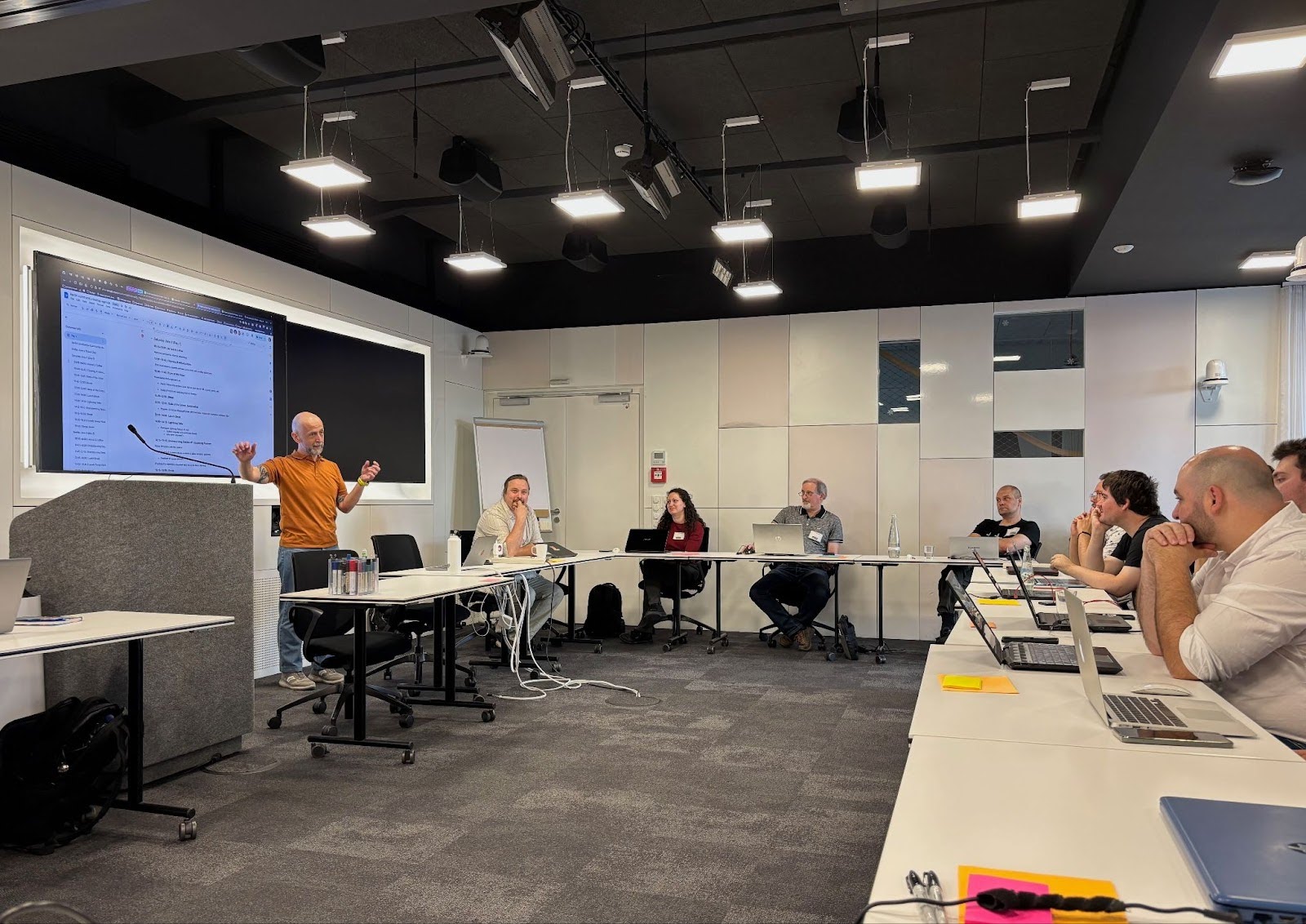
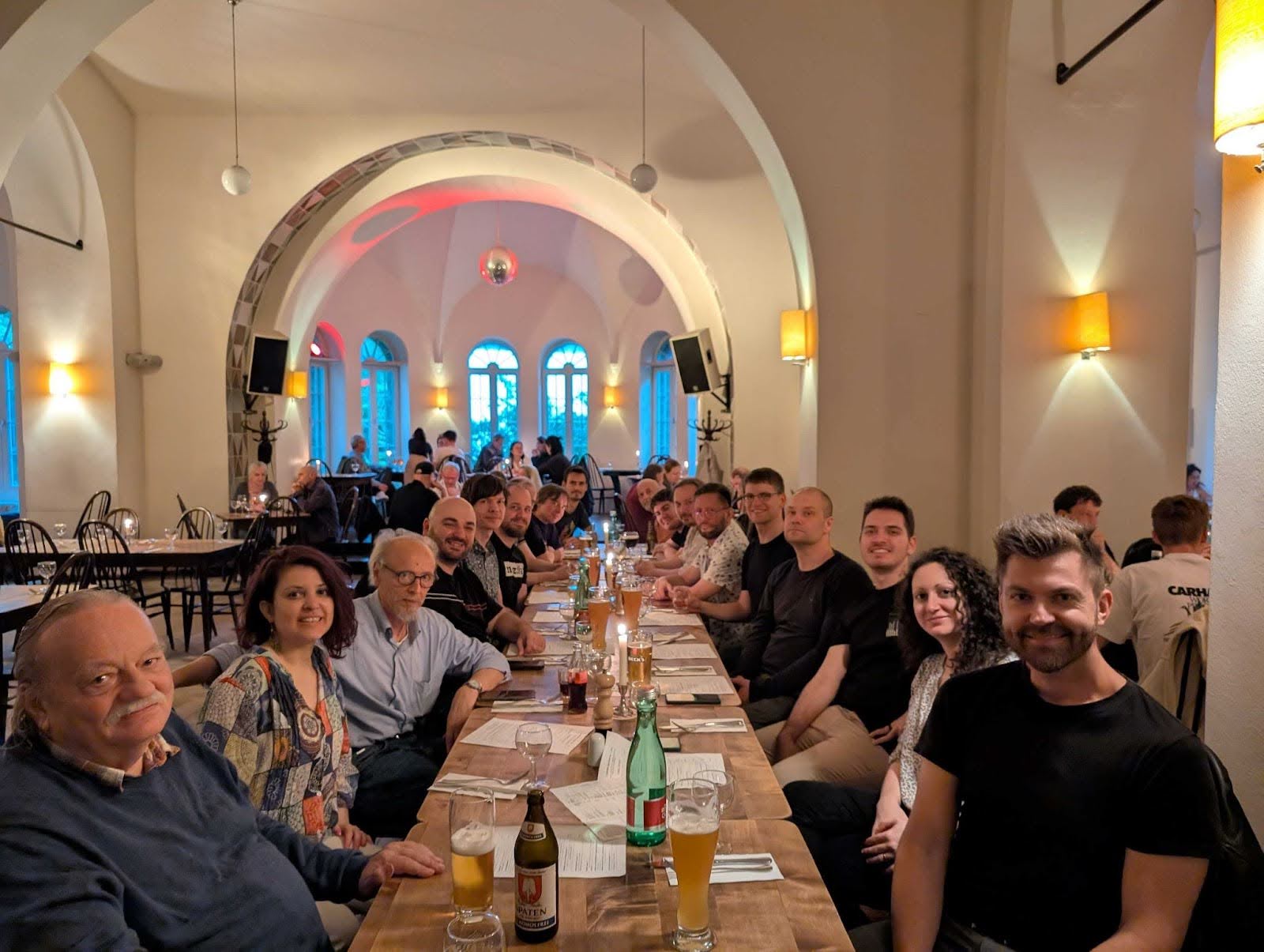

 We’ve
We’ve 

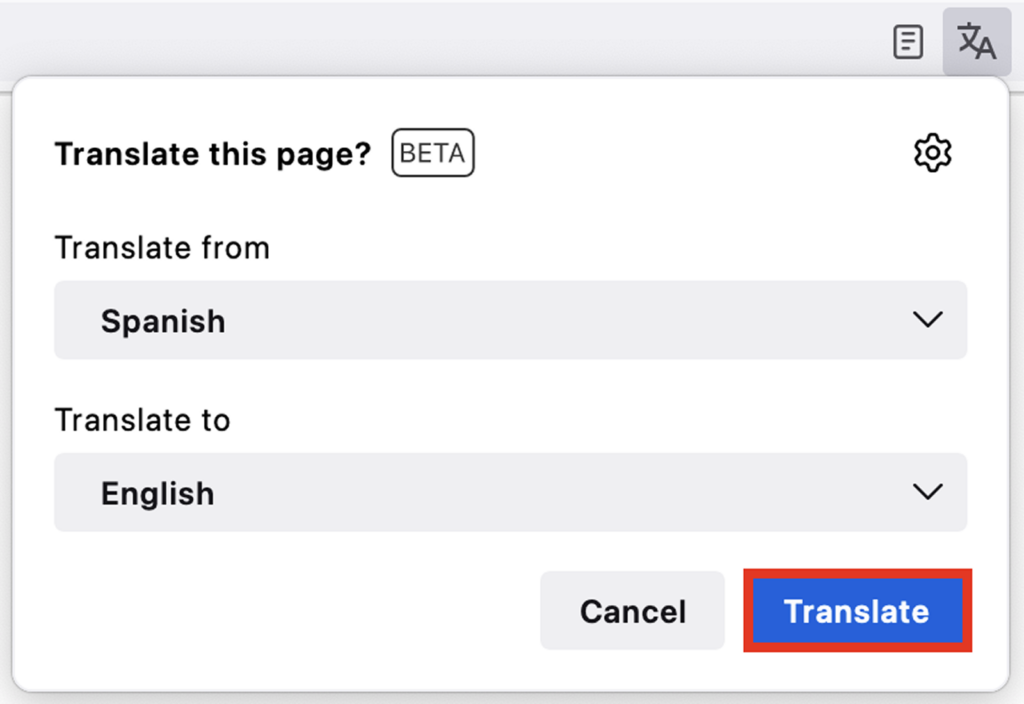





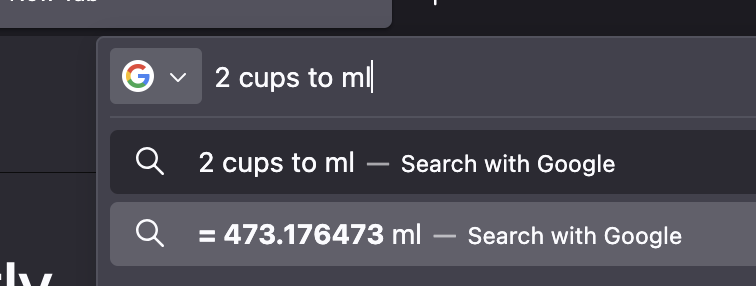
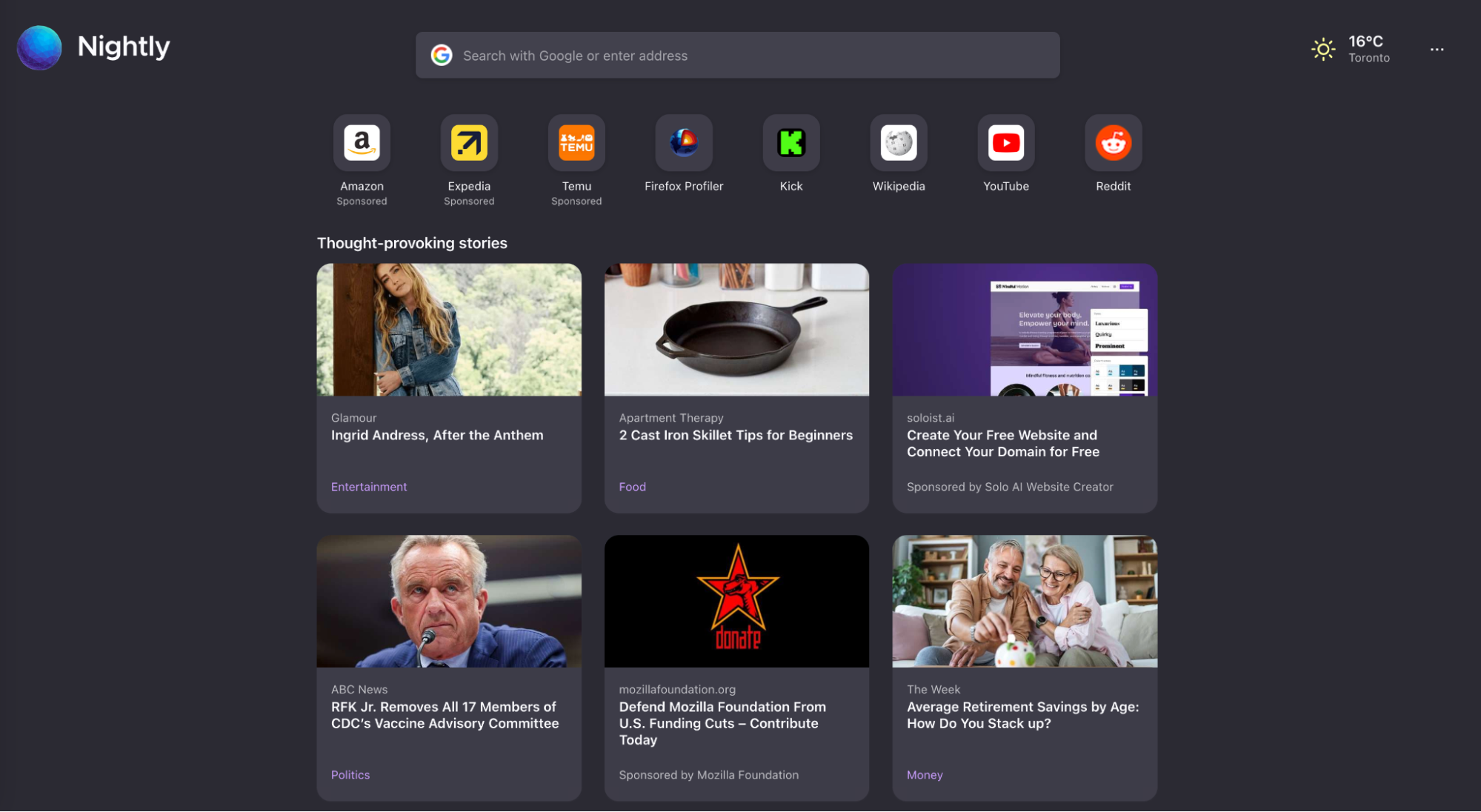
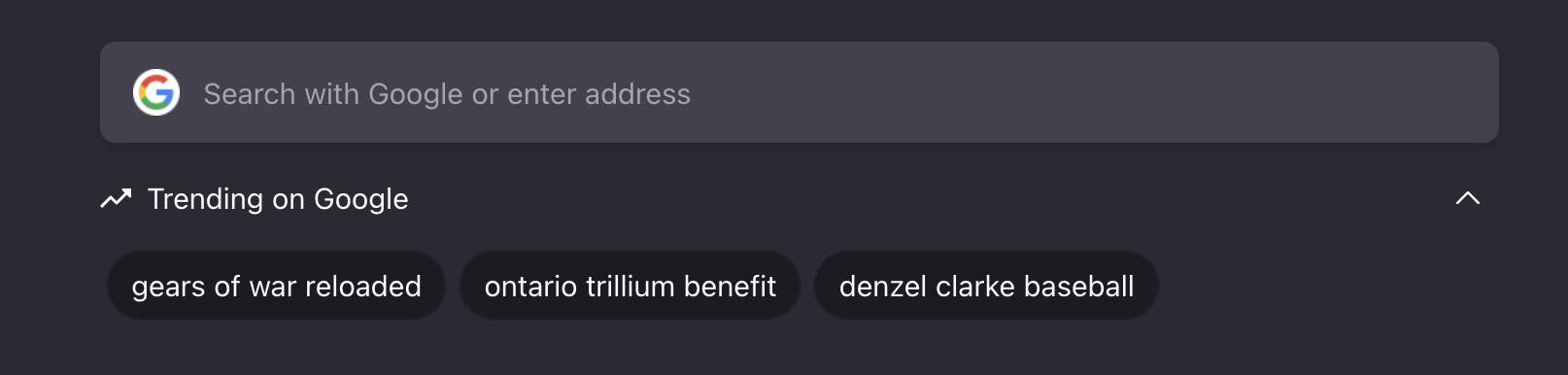
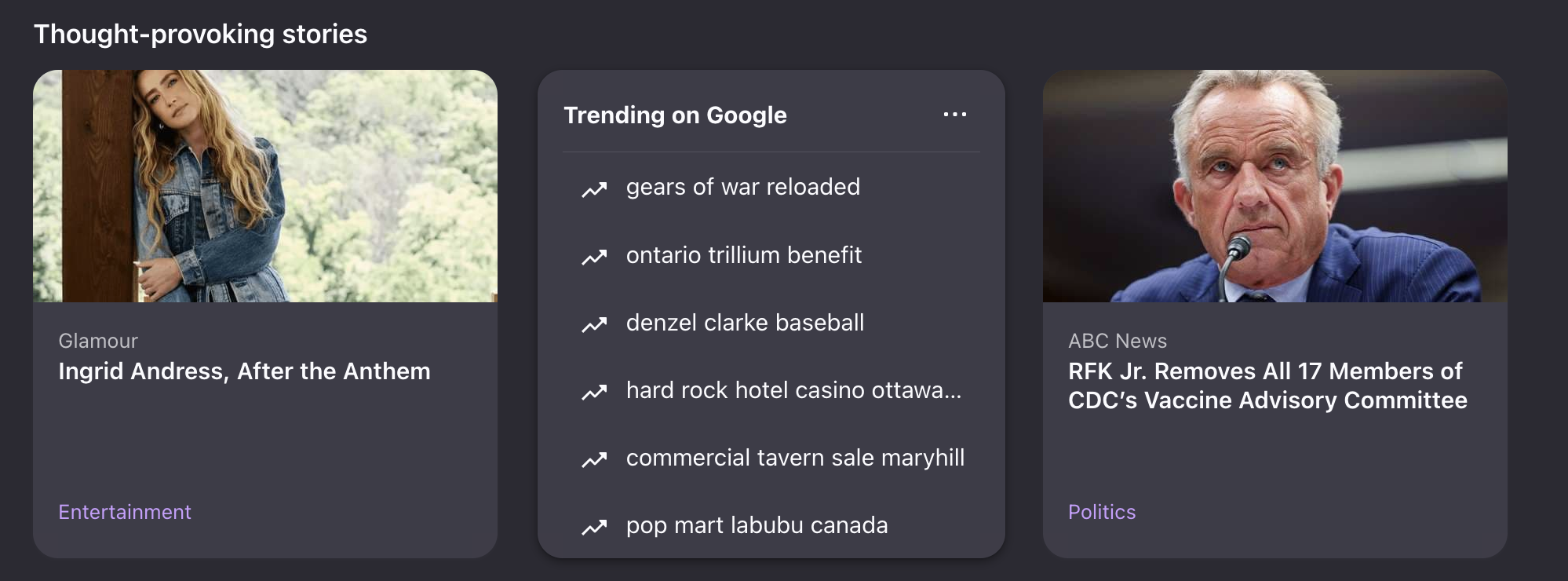


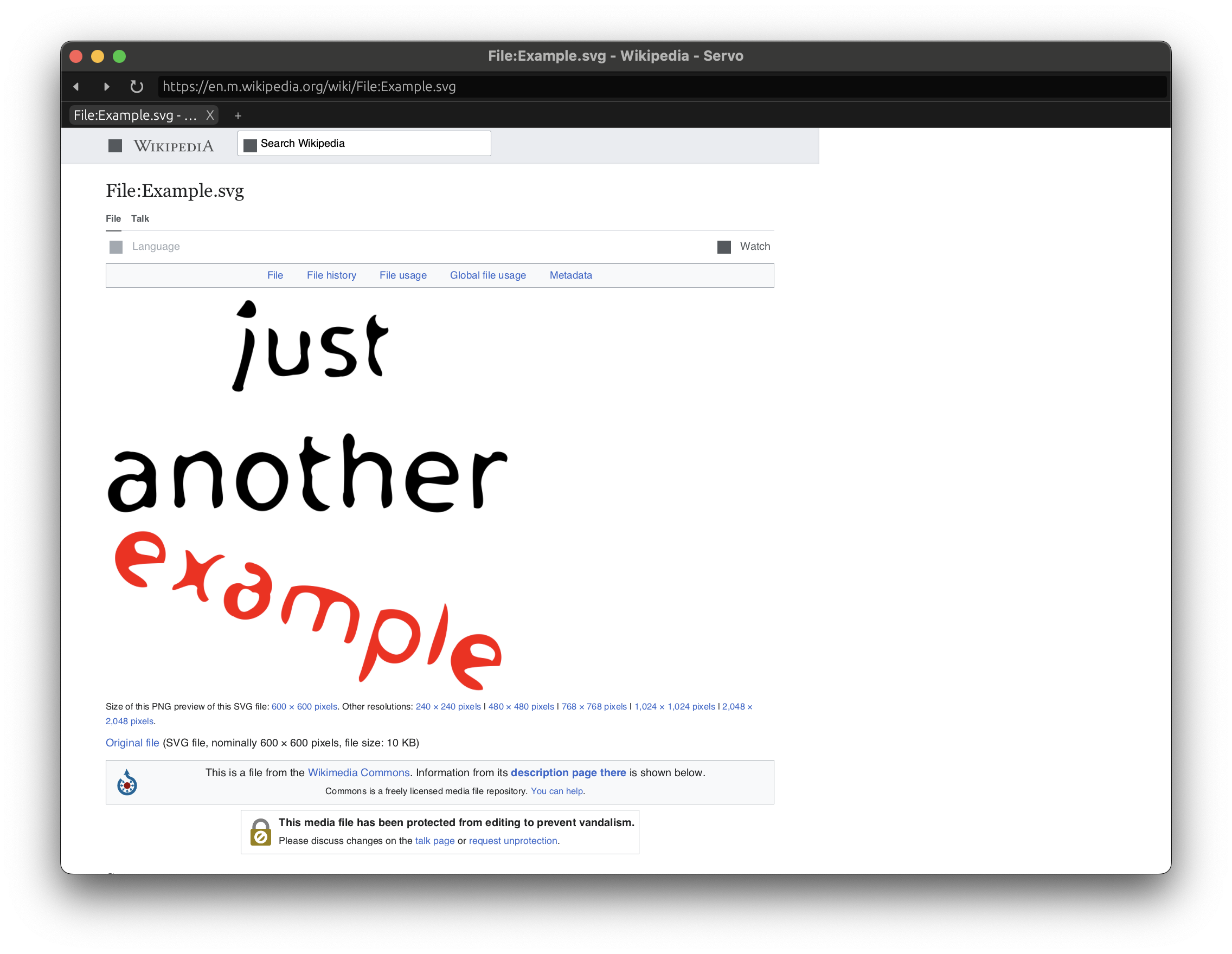
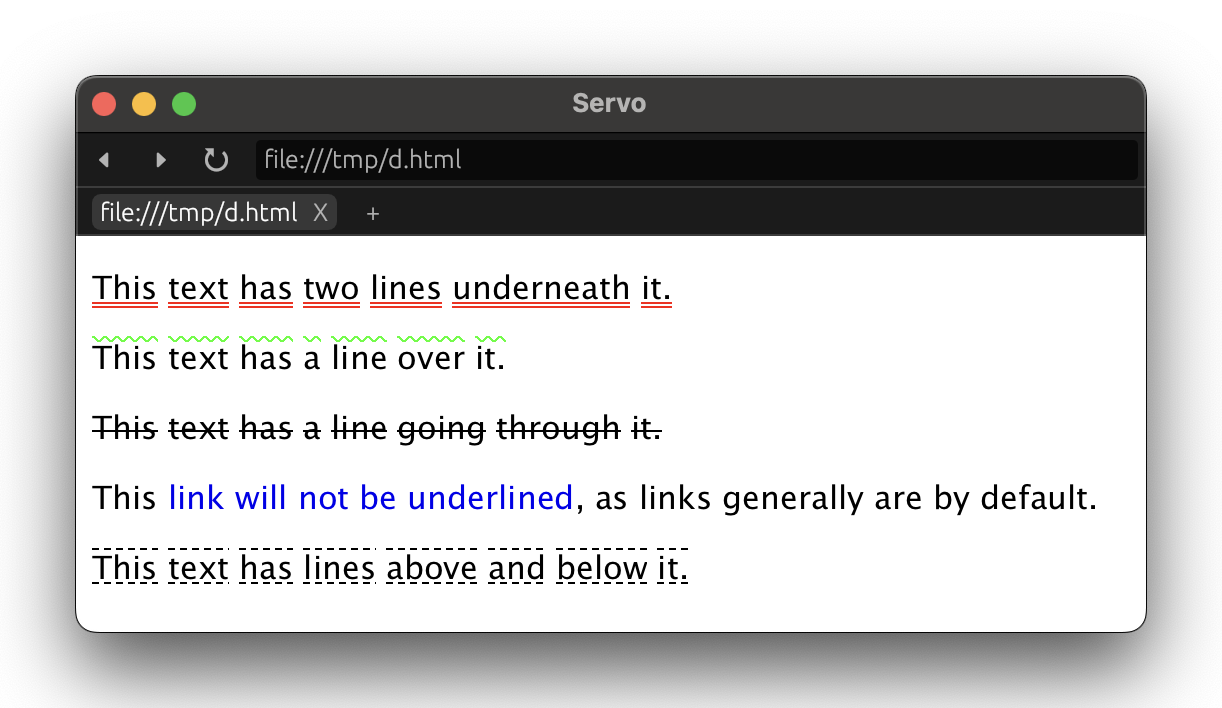


 <figcaption class="wp-element-caption">From Baking With Pride by Janusz Domagala: a lavender sponge cake dressed in buttercream blooms, with a wink to queer-coded history. Credit: The Quarto Group</figcaption>
 <figcaption>Screenshot of the end of an AI agent session</figcaption>
 <figcaption class="wp-element-caption">Start planning on your laptop, pick it back up on your phone with Firefox sync. </figcaption>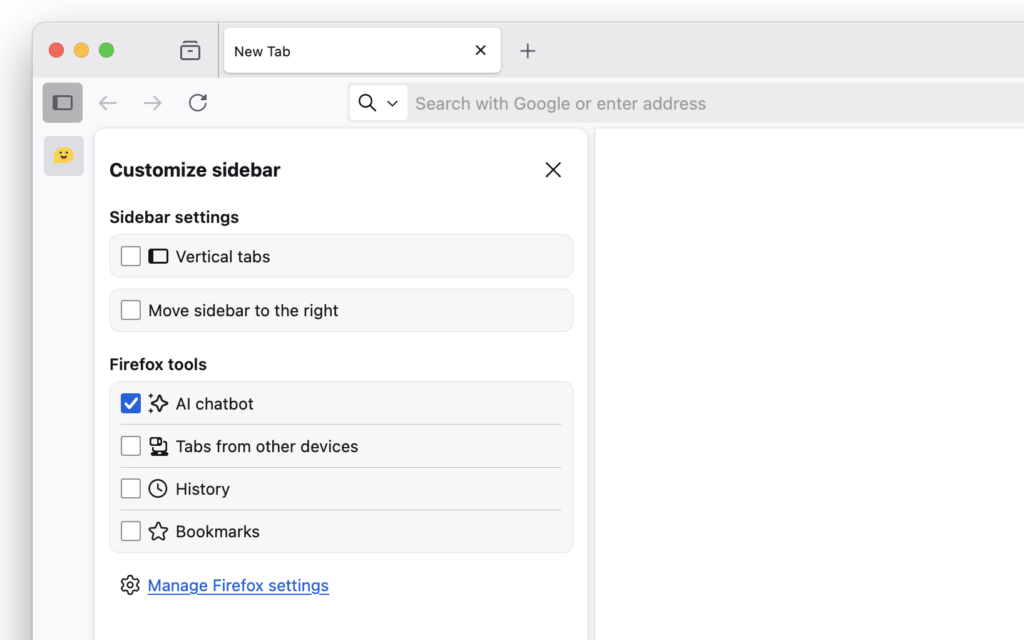
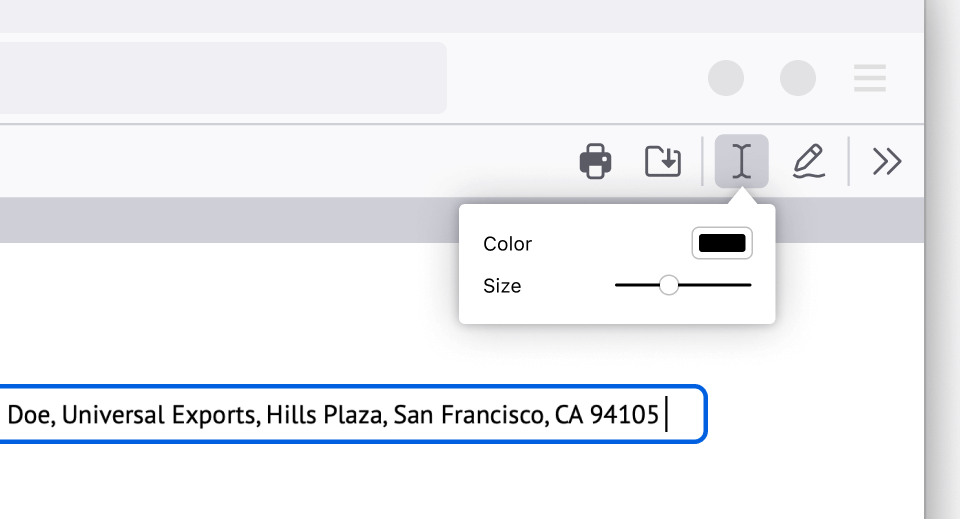

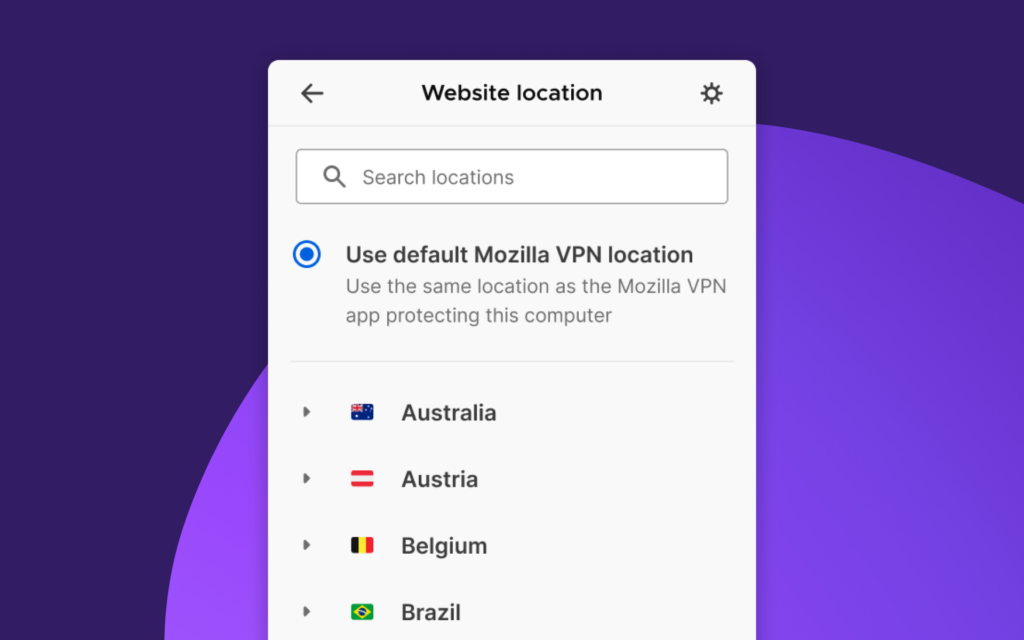


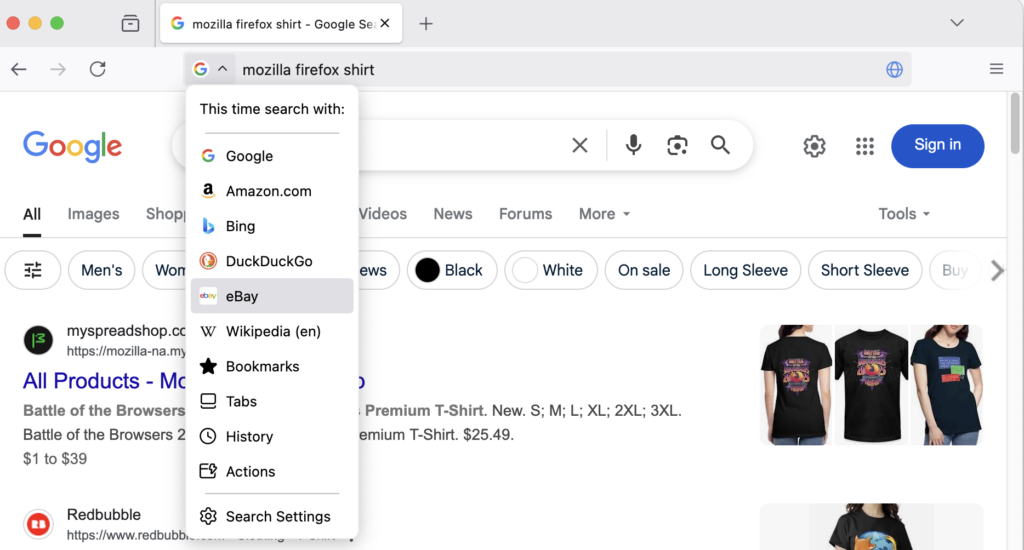
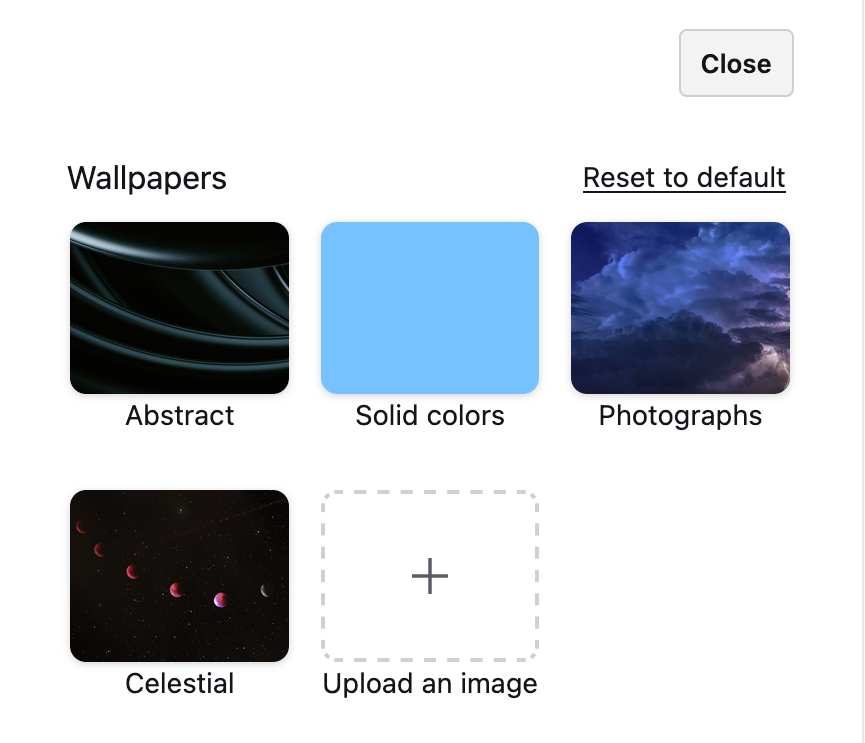
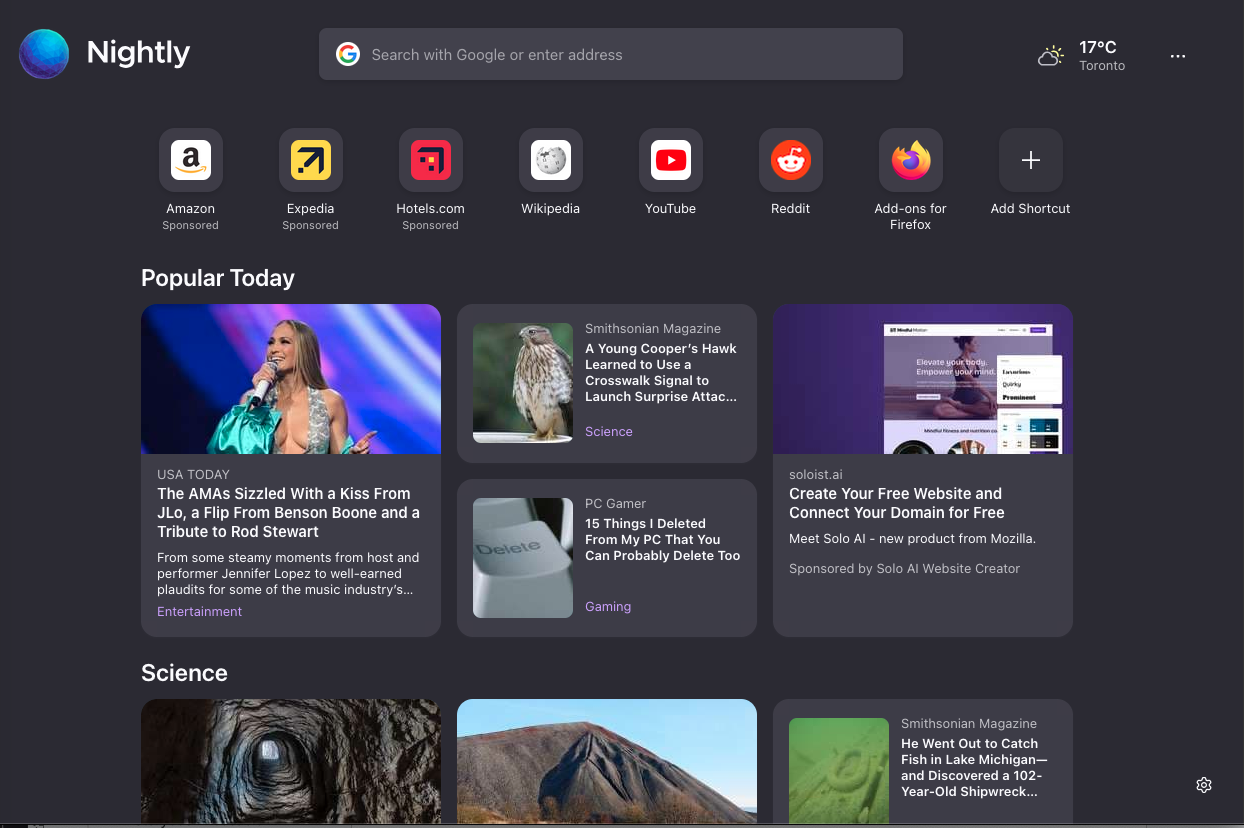

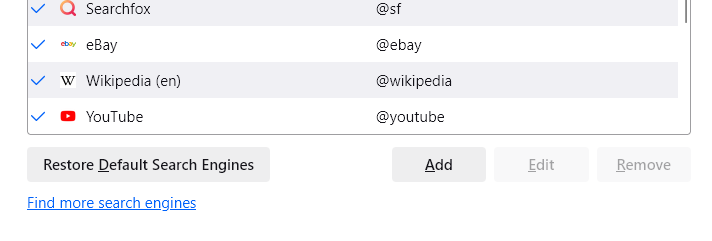
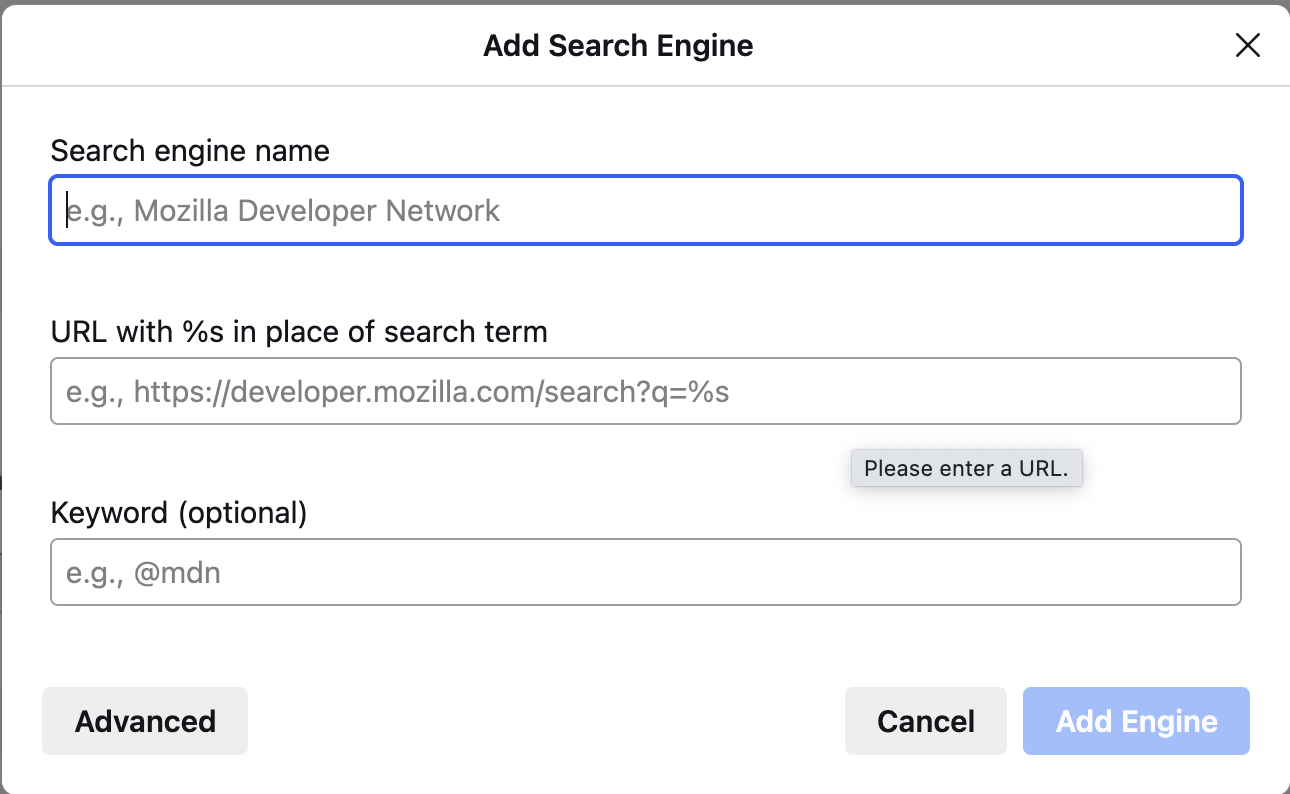

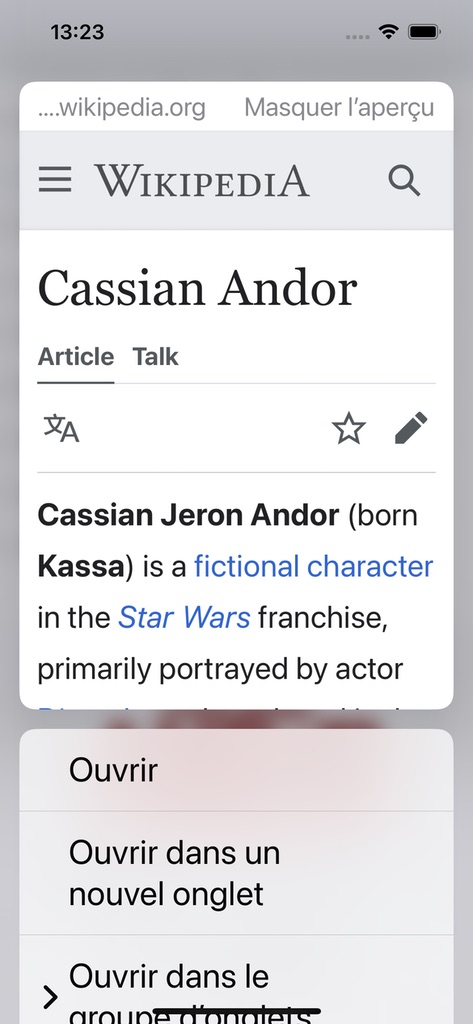





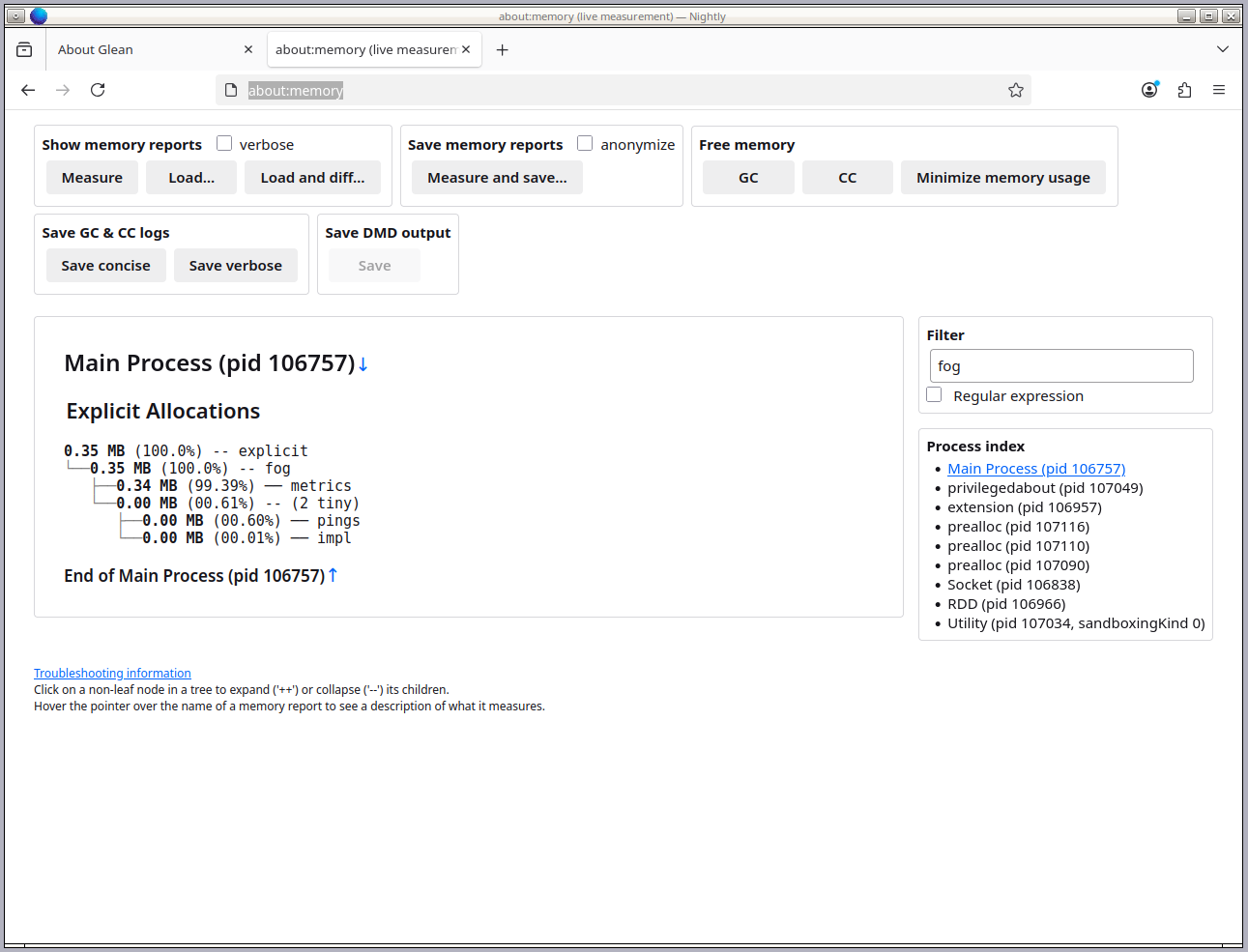
 <figcaption>about:memory on a freshly launched developer build of Firefox. fog reports 0.35 MB of allocated memory in the main process.</figcaption>

 Unified search button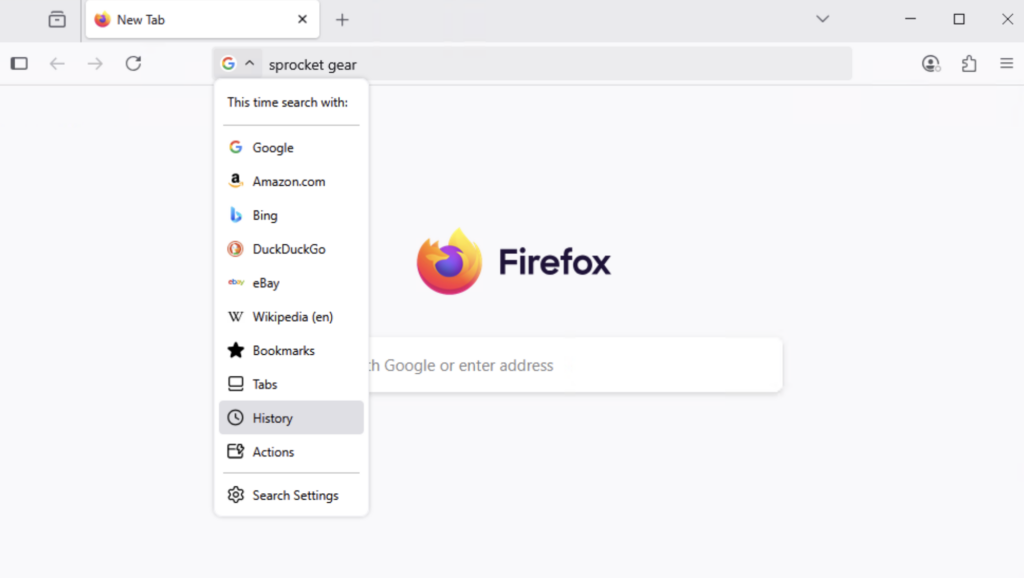
 Easily continue your search
 @ Shortcuts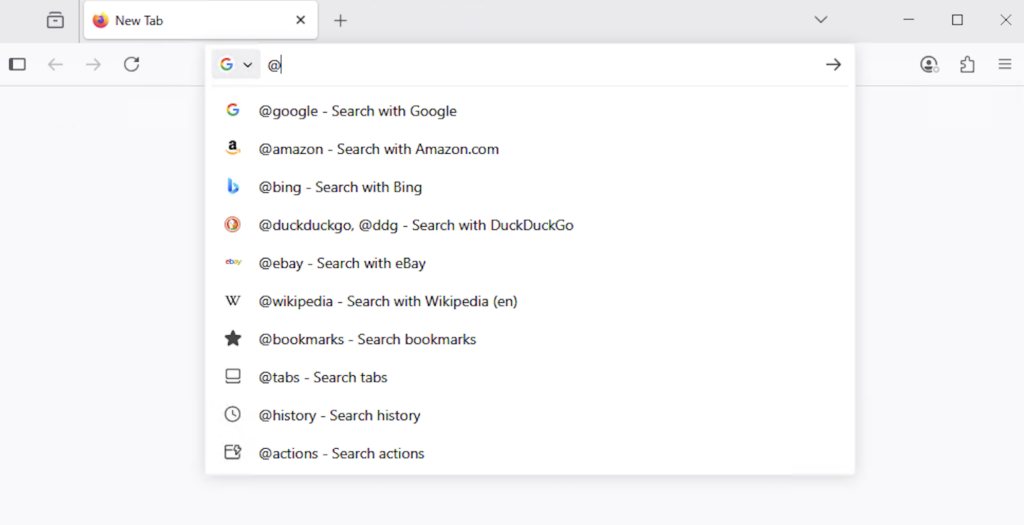
 Quick Actions
 Smart shortcuts
 HTTPS trim